How to Stop an AI Chatbot From Making Up Prices and Policies
A bot's wrong price is your wrong price. Five guardrails, a 30-question test and a checklist to stop your chatbot inventing prices and policies.
In this article
An AI chatbot makes up prices and policies when it is allowed to answer from general knowledge instead of your own information, or when nobody checks what it says after launch. You stop AI chatbot hallucination in customer service with five habits: make the bot answer only from your price list and written policies, tell it to ask or hand over when it isn't sure, test it on real questions before customers see it, review its handovers every week, and give customers an easy way to reach a person.
Key takeaways
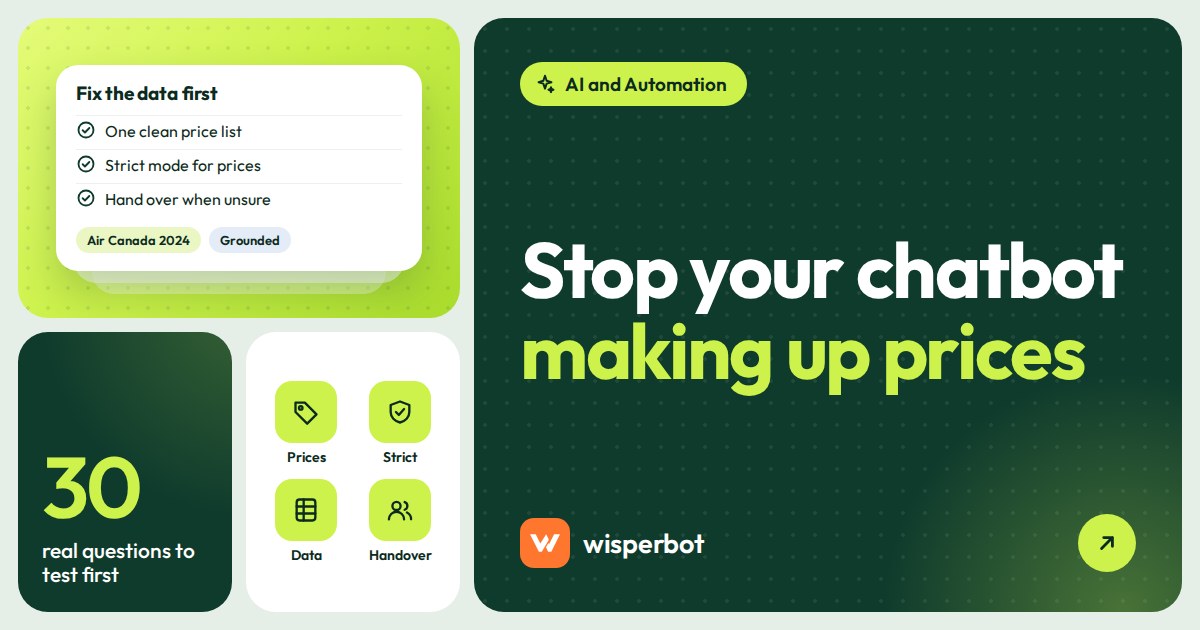
- A bot's wrong answer is your answer. In Moffatt v. Air Canada (2024), a Canadian tribunal held the airline responsible for what its chatbot told a customer.
- Most invented prices come from missing or messy data, not a "bad" AI. Fix the price list first.
- Strict answering (only from your information, ask or hand over when unsure) is the right starting point for prices, delivery charges and returns.
- Test 30 real customer questions before going live, then spend 20 minutes every Monday on the bot's unanswered questions and handovers.
- A visible "talk to a person" route is a guardrail, not a weakness.
Why does an AI chatbot make up prices?
A language model is built to produce a likely-sounding reply, not to check facts. If your real price isn't in front of it, it fills the gap with something plausible: last season's price, a typical market price, or a discount it thinks sounds helpful. The US standards body NIST calls this "confabulation": confidently stated but false content.
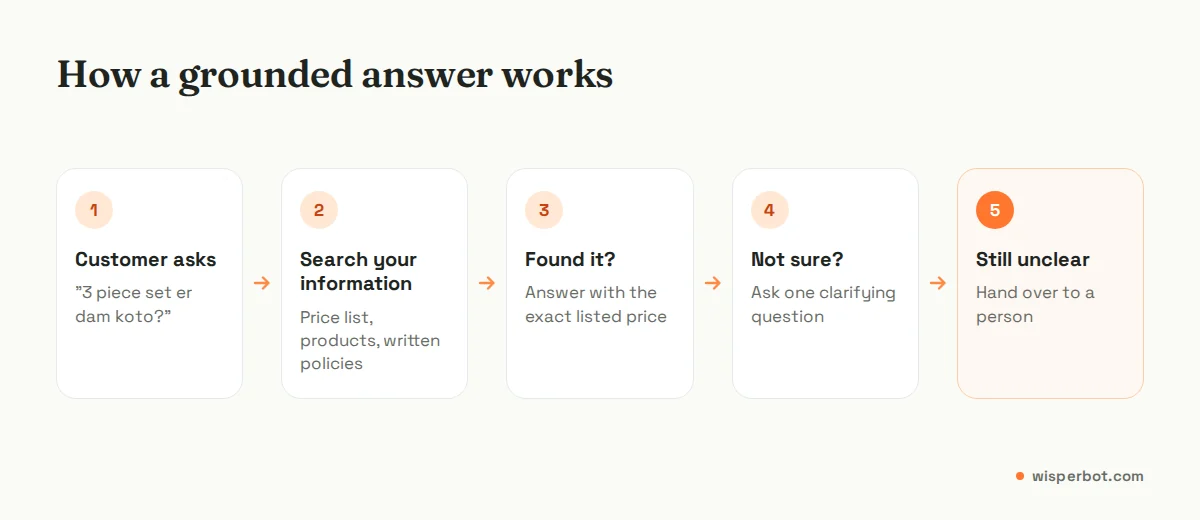
For an online seller this rarely looks dramatic. It looks like this. A customer in Mirpur sends "3 piece set er dam koto?" at 11:40 pm. Your price list has "Cotton 3pc, Tk 1,650" but nothing called a "3 piece set". The bot still has an old March catalogue in its knowledge, finds Tk 1,450 there and quotes that. The customer screenshots it and orders. Next morning you either lose Tk 200 or argue with a buyer who has proof.
Policies go wrong the same way. Ask "return korte parbo?" and a bot with no written return rule may produce a polite, generic "Yes, within 7 days" because that is what returns policies often say on the internet. Yours might be 3 days, exchange only.
So the cause is usually one of three things: the answer isn't in your data, your data contradicts itself (an old catalogue and a new sheet), or the bot is allowed to fill gaps.
What happened in Moffatt v. Air Canada?
In November 2022 Jake Moffatt asked Air Canada's website chatbot about bereavement fares after his grandmother died. It told him he could claim a reduced fare within 90 days of buying a full-price ticket. The airline's actual policy did not allow claims after travel. On 14 February 2024 the British Columbia Civil Resolution Tribunal ordered Air Canada to pay.
The decision, Moffatt v. Air Canada, 2024 BCCRT 149, is short and worth reading. Air Canada argued it could not be held liable for information given by its agents or representatives, including the chatbot. The tribunal member, Christopher Rivers, rejected that and wrote: "It makes no difference whether the information comes from a static page or a chatbot." He found the airline "did not take reasonable care to ensure its chatbot was accurate."
The award was small: CAD 650.88 in damages (the difference between what Mr Moffatt paid and the bereavement fare), plus CAD 36.14 interest and CAD 125 in tribunal fees, CAD 812.02 in total. The lesson was not small. A company's chatbot speaks for the company.
Most sellers will never face a tribunal. Your version of the case is a customer posting the bot's screenshot in a Facebook group: "they promised this price and then refused". Plan as if the bot's words are yours, because to the customer they are.
The five guardrails that stop invented answers
Set them up in this order. The first two do most of the work.
1. Answer only from your own information
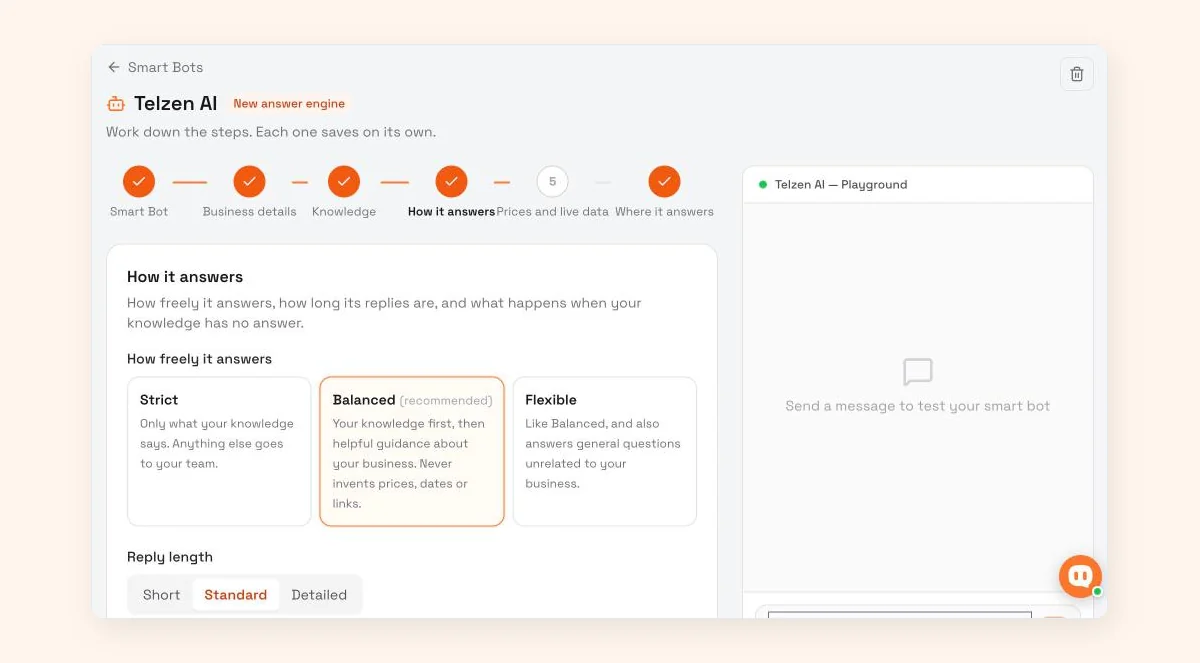
Switch the bot to its strictest answering mode for anything involving money or promises. In practice that means it answers from your price list, product details and written policies, and when the answer isn't there it asks a question or passes the conversation to you. You lose some chattiness. You gain replies you can stand behind. (In WisperBot, none of the three modes invents prices, dates or links, but Strict is the one that adds nothing beyond what your knowledge says. The app marks Balanced as recommended, and it suits many shops once their knowledge is complete; for prices and promises we'd still start with Strict.) Our guide to choosing between strict, balanced and flexible bot modes covers when to loosen this later.
2. Keep one price list, in a format a machine can read
One sheet, one row per product variant, with columns for name, the names customers actually use ("3pc", "three piece", "salwar set"), price, delivery charge inside and outside Dhaka, and a "valid until" date for offers. Delete the old PDFs. If a price lives in three places, the bot will eventually quote the wrong one. If an older document has to stay, WisperBot lets you mark one knowledge source as the "Official source", and when sources disagree the bot follows it. Our price list template for chatbots has the columns ready. Stock goes stale even faster than prices, and our guide to answering live stock, size and colour questions shows how to have the bot read it from your store instead.
3. Write policies as rules with numbers
"Easy returns" is not a policy a bot can apply. "Exchange within 3 days of delivery, unworn, tag attached. No cash refunds except for wrong or damaged items. Customer pays return delivery of Tk 60 inside Dhaka" is. Every policy line should answer who, how long, how much, and what is excluded. If a policy must be quoted word for word, WisperBot's "Use Knowledge Base wording exactly" setting keeps your approved wording instead of a paraphrase.
4. Make "I'll check" an acceptable answer
Tell the bot, in its instructions, that asking a clarifying question or handing over is better than guessing. Then make sure there is a person who picks up those handovers, even if it's only twice a day.
5. Test, then review every week
The test before launch catches the obvious gaps. The weekly review catches the ones customers find, starting with the questions your bot logged as unanswered. Both are covered below.
Guardrail checklist
Print this and tick it off before you switch the bot on for real customers.
| Guardrail | What it prevents | How to check it | How often |
|---|---|---|---|
| Strict answering for prices and policies | Guessed prices, invented discounts | Ask for a product that isn't in your list. The bot should ask or hand over. | At setup, after any settings change |
| Single, current price list | Quoting old or conflicting prices | Search your uploaded knowledge for each product name; only one price should appear | Every price change |
| Offer end dates in the data | Expired Eid or sale prices quoted in the following week | Ask for the offer price the day after it ends | Each campaign |
| Written return, exchange and delivery rules | Generic "7-day return" answers | Ask "can I return after 10 days?" and "delivery charge to Chattogram?" | Monthly |
| Handover route with a named person | Customers stuck in a loop | Type "agent" or "manush er sathe kotha bolbo"; check who gets it and how fast | Weekly |
| Weekly review of unanswered questions and handovers | The same gap failing for months | Clear the top of the unanswered questions list, count handovers by reason; the top reason should change week to week | Every Monday |
How do you test a chatbot before customers see it?
Collect 30 real questions from your last month of DMs, including the awkward ones, and send each to the bot from a test account. Mark every reply as correct, wrong, or handed over. Fix the data behind each wrong answer and run the set again. Go live only when nothing comes back wrong, even if some still hand over.
A good test set is mostly boring questions and a few nasty ones. Use your own customers' wording, spelling mistakes included. Here is how we build one:
- Scroll back through the last 30 days of DMs and copy 20 of the most common questions word for word: "price?", "dam koto", "size chart ache?", "COD hobe?".
- Add five questions about things you do not sell or do not do. The right answer is "we don't have that" or a handover, never a made-up price.
- Add five pressure questions: "last price koto?", "my friend got it for Tk 1,200", "can you do free delivery if I buy two?", "is this the same as the one on [competitor]'s page?", "return after 15 days?".
- Run all 30, write the result next to each, and fix the data, not the wording of the question.
- Keep the sheet. It becomes your regression test every time you change prices or settings.
The pressure questions matter most. A bot that holds the price when a customer haggles at midnight is behaving like a good new hire: it quotes the list and leaves exceptions to the owner.
What should a chatbot say when it doesn't know the answer?
It should say so plainly and tell the customer what happens next: "I don't have the price for that colour yet. I've passed your message to the team; they reply from 10 am." When the request is vague, a clarifying question works. It should never offer a number, date or promise it can't trace to your information.
Two replies we like, both in the customer's language:
"Apni kon design ta jante chacchen? Ekta screenshot pathale ami exact dam bolte parbo."
"Ei offer ta amar kache confirm nei. Ami team ke janiye dicchi, sokal 10 tar por ekjon apnake reply korbe."
The first asks for a screenshot instead of guessing which "red one" the customer means. The second admits the gap and says when a person will reply.
One caveat: very short messages like "?", "price" or a single emoji give any bot little to work with, and some will still fall to a person. That's fine. A handover is a cost of a few minutes. A wrong price is a cost of a customer.
Which questions should always go to a person?
Anything that commits money outside your list or changes an order should reach a human: custom discounts, bulk or wholesale rates, refunds for damaged goods, complaints about a late delivery, and any message that mentions legal action or a public review. Set these as handover triggers from day one rather than waiting for the first mistake.
We would add angry customers. A bot can apologise, but it can't decide whether to send a replacement, so those go to the owner. The 20-minute weekly review of questions your bot couldn't answer walks through that routine, and our AI-to-human handoff playbook covers the handover itself.
Where WisperBot fits
WisperBot, a reply-first inbox for WhatsApp, Instagram, Messenger and website chat, is built around these guardrails. A Smart Bot answers from the business details, knowledge and price data you give it. Its "How it answers" step offers Strict, Balanced and Flexible. None of them invents prices, dates or links, and Strict answers only from your knowledge and sends everything else to your team. Prices can come from a CSV file or a Google Sheet link (up to 2 MB and 5,000 rows) or a connected store, and answers using them show when the prices are from. Each Smart Bot's Knowledge step has an Unanswered questions panel listing what it couldn't answer, most asked first, and every conversation has an AI/Human switch so a teammate can take over. It won't stop a messy price list from being messy; that part is still your job. See how the Smart Bot answers from your own information.
Frequently asked questions
Is a business legally responsible for what its chatbot says?
In the one widely reported tribunal case, yes. In Moffatt v. Air Canada (2024), the British Columbia Civil Resolution Tribunal held Air Canada responsible for wrong fare information from its chatbot. Laws differ by country, so take local advice, but assume customers will treat your bot's words as yours.
Can you stop an AI chatbot from hallucinating completely?
Not completely, but you can make it rare and harmless. Restrict the bot to your own information, give it one clean price list, allow it to ask or hand over, and review unanswered questions and handovers weekly. Most remaining errors then show up as handovers to a person rather than wrong prices sent to customers.
What is a grounded answer?
A grounded answer is one the bot builds from information you supplied, such as your price list, product details or written policy, rather than from general knowledge. If the bot can't find the fact in your information, a grounded setup asks a clarifying question or hands the conversation to a person instead of guessing.
Should a chatbot ever offer discounts on its own?
Only if the discount is written in your data with clear rules and an end date, for example "10% off orders above Tk 3,000 until 15 November". Never let a bot negotiate. Haggling requests should be handed to a person who can decide, because customers treat any number the bot types as a promise.
How often should I update the bot's price list?
Every time a price changes, before you announce it anywhere else. If you run frequent offers, use a connected sheet so the bot reads the current version, and add a "valid until" column. A quick check after each campaign ends stops expired sale prices from being quoted the next week.
Sources
- Moffatt v. Air Canada, 2024 BCCRT 149, Civil Resolution Tribunal of British Columbia, decision of 14 February 2024
- NIST AI 600-1, Artificial Intelligence Risk Management Framework: Generative Artificial Intelligence Profile (July 2024)
- NIST AI Risk Management Framework overview page
Last checked: 8 October 2026.