Size, Colour and Stock Questions: Making a Bot Answer From Live Product Data
Size and colour questions are variant questions. Compare a stock sheet, a connected store and a read-only lookup, and pick the one your shop can keep accurate.
In this article
A chatbot can only answer stock availability questions correctly if it reads stock from a source that is kept current. There are three ways to give it that source: a price and stock sheet (CSV or Google Sheet) you update by hand, a connected online store such as Shopify or WooCommerce, or a read-only lookup into your own inventory system. Pick the one that matches where your stock count actually lives and how fast your sizes sell out.
Key takeaways
- Size and colour questions are variant questions. Your data needs one row per size-colour combination, not one row per product.
- A sheet works when stock changes a few times a day. If a size can sell out between your updates, connect the store or set up a lookup.
- A connected store is only as accurate as its stock count. If most of your sales happen in DMs, the store number drifts unless someone updates it.
- Show stock as "in stock", "last few" or "out of stock" rather than exact counts.
- Let the bot answer the stock question; let a person take the order.
Why are size and colour questions hard for a chatbot?
Because the answer depends on a combination, not a product, and it changes during the day. "Maroon kurti ache?" really means "is the maroon one in my size, today?" A bot that knows only the product page will say yes when M sold out at lunch. It needs variant-level stock that someone keeps current.
For a fashion page this is most of the inbox. On a drop day, a Facebook seller in Dhanmondi might post 12 new kurtis at 8 pm and get a run of near-identical messages within the hour: "M size?", "black ta ache?", "XL hobe?", "same design blue colour e ache?". Each is a yes or no. Each customer will wait about as long as it takes to scroll to the next page that answers faster.
Price questions are easier because prices change rarely. Stock changes with every sale. That is why a price list your bot can use and a stock source your bot can trust are different problems, even if they sit in the same sheet. Our guide to writing a price list your chatbot can actually use covers the price side.
The three ways to give a bot live product data
Here is how the three options compare for a small seller. "Freshness" means how old the stock figure can be when the bot reads it.
| Price and stock sheet (CSV or Google Sheet) | Connected online store | Read-only lookup into your own system | |
|---|---|---|---|
| Setup effort | An hour to build the sheet | Connect the store, check product names match | Needs someone technical; days, not hours |
| Freshness | As fresh as your last edit | As fresh as the store's own stock count | As fresh as your system |
| Best for | Up to a few hundred variants, stock changes a few times a day | Shops that already sell and track stock on Shopify or WooCommerce | Larger sellers with a warehouse app, POS or ERP that is the source of truth |
| What goes wrong | Someone forgets to update it after a busy evening | DM and offline sales not deducted, so the store shows stock you don't have | Integration breaks quietly; needs monitoring |
| Privacy | You choose exactly which columns the bot sees | Bot reads product and stock data only | Read-only by design; expose only the fields needed |
Option 1: a price and stock sheet
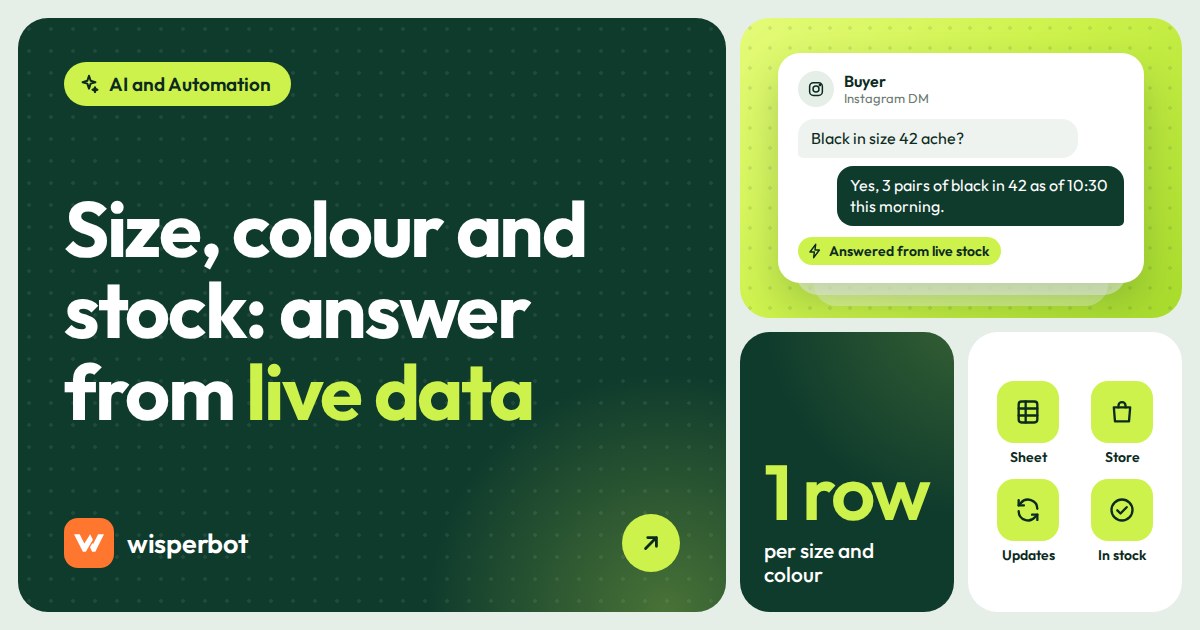
This is where most DM sellers should start. Make one row per variant: product name, the names customers use for it, colour, size, price, stock status, and an expected restock date if you have one. A Google Sheet is better than a CSV upload if more than one person updates stock, because the bot reads the current version instead of whatever file was uploaded last week.
Use status words, not numbers. "In stock", "Last few", "Out of stock", "Pre-order". If the sheet says 3 and two sold an hour ago through a phone call, an exact count is wrong. "Last few" is still true.
The weak point is the person. If the sheet is updated at 10 am and the evening rush sells out the maroon M by 9 pm, the bot will keep saying it's available until somebody changes one cell. Put "update the sheet" into whoever packs orders' routine, not the owner's to-do list.
Option 2: a connected online store
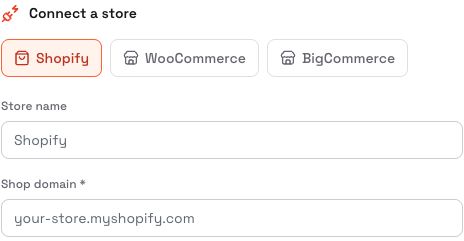
If you already run a Shopify or WooCommerce store and track stock there, connect it and let the bot read from the store. Both platforms track stock per variant. Shopify applies inventory tracking to each product or variant separately. WooCommerce has a store-wide "Enable stock management" setting and an "Out of stock threshold" that sets when an item flips to out of stock.
The catch for sellers in Bangladesh, India or Pakistan: the website is often not where the selling happens. If 70% of your orders come through Messenger and WhatsApp (an illustrative split, check your own), and nobody deducts those from the store, the store count is fiction by the second day of a campaign. Before connecting, ask a blunt question: is the store's stock number the one you would trust if a customer was standing in front of you?
A WooCommerce detail worth knowing: its "Hold stock (minutes)" setting holds stock for unpaid website orders for the number of minutes you set. So the store's count can briefly exclude units sitting in an unpaid checkout. That is usually what you want, but it confuses people comparing the count to the shelf.
Option 3: a read-only lookup into your own system
Larger sellers often keep stock in a warehouse app, a POS used across two shops, or an ERP. In that case the bot should ask that system directly. Read-only means exactly that: the bot can look up "maroon kurti, size M" and get a status back, but it cannot change stock, create orders or see anything you didn't expose. This needs a developer or your software vendor, and someone should check weekly that it still returns sensible answers.
How fresh does stock data need to be?
Fresh enough that a variant can't sell out between updates. If your best size sells three a day and you update twice a day, a sheet is fine. If a new drop sells 40 pieces in its first hour (an illustrative figure), a hand-edited sheet is wrong within minutes; use a connected store or lookup instead.
A simple test: look at last month's busiest evening. Count how many times a single size went from available to sold out between 7 pm and midnight. If the answer is "never", a sheet is enough. If it's "every drop", don't let a manual sheet answer stock questions on drop nights; route those to a person and use the bot for size charts, prices and delivery charges instead. Our sale-day inbox plan covers how to split work on those nights.
An example conversation
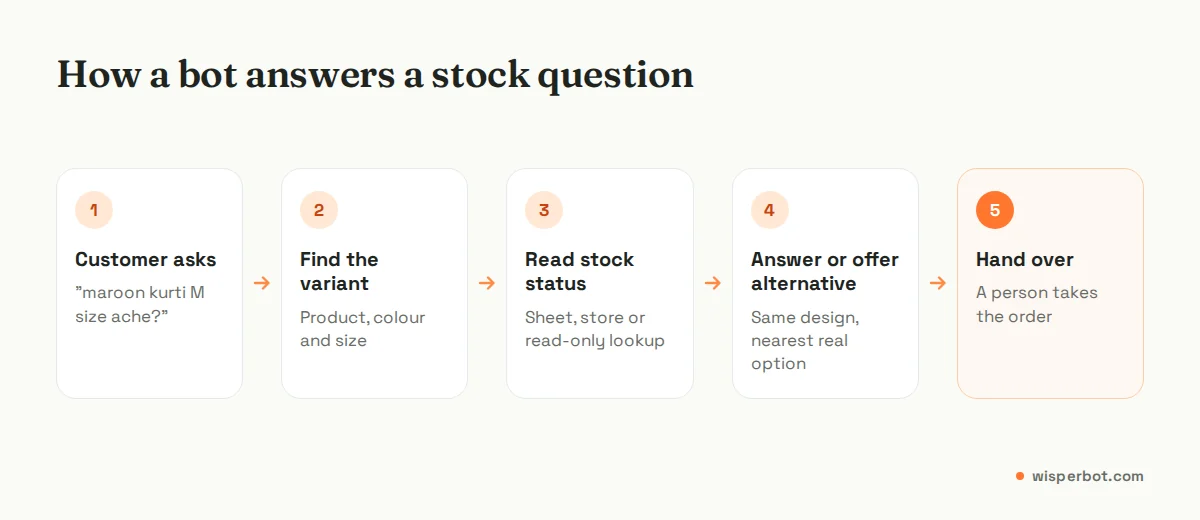
Here is how a stock conversation should go with a bot reading a connected sheet or store. The shop and products are illustrative.
Customer (9:52 pm): maroon kurti ta M size ache?
Bot: Maroon cotton kurti M size ekhon stock e ache. Dam Tk 1,250, Dhakar moddhe delivery Tk 70.
Customer: L size?
Bot: L size ei mohurte sesh. Same design navy te L ache, dam ekoi. Restock er date ekhono confirm na.
Customer: ok M ta nibo, Uttara
That last line is where the bot should stop. It has answered three questions in seconds, at 9:52 pm, without guessing. Taking the order (name, address, phone, payment) should go to a person, who sees the whole thread and can reply first thing, or that night if someone is on.
Two things the bot did right. It didn't invent a restock date. And it offered the nearest real alternative (same design, different colour, same size) instead of a flat "no".
What should the bot say when a size is out of stock?
Say so clearly, then offer the closest real alternative: the same design in another colour, or a similar design in the same size. Give a restock date only if it's written in your data. Never promise to "keep one aside" unless your team really does, and hand over if the customer wants a back-in-stock message.
Customers forgive "out of stock". They don't forgive being told yes, paying an advance, and then getting a call saying sorry. That is the specific mistake live data prevents, and it is the same failure we describe in how to stop an AI chatbot from making up prices: a confident answer with nothing behind it.
What should you keep out of the bot's reach?
Only give the bot the fields it needs to answer customers: product, variant, price, stock status, restock date. Keep cost price, supplier names, margins, warehouse locations and customer records out of the sheet or lookup it reads. If a field would embarrass you in a screenshot, the bot shouldn't be able to see it.
We'd go further for lookups: ask your developer to build a separate read-only endpoint that returns only those fields, rather than giving the bot a general database login.
Setting it up in a week
- Day 1: List your top 20 products and every size-colour combination. Add the names customers really type ("maroon", "meroon", "khoyeri").
- Day 2: Decide the source: sheet, store or lookup, using the table above. Be honest about where stock is really counted.
- Day 3: Build or connect it. For a sheet, use status words, not counts.
- Day 4: Test 20 real stock questions from last month's DMs, including ones for sizes you don't make.
- Days 5 to 7: Turn the bot on for evenings first, review every stock answer it gave the next morning, and fix the data behind any mistake.
Where WisperBot fits
WisperBot, a reply-first inbox for WhatsApp, Instagram, Messenger and website chat, has a "Prices and live data" step in its Smart Bot setup for price lists, your online store and your own system, read when a customer asks rather than written into your knowledge, and answers using them show when the prices are from. You can add a CSV file or a Google Sheet link (up to 2 MB and 5,000 rows), connect an online store (the platforms supported are listed on our integrations page), or set up read-only lookups into your own system. WisperBot does not take orders, build carts or book couriers, so the bot answers the stock question and a teammate takes it from there. Read more about the Smart Bot.
Frequently asked questions
Can a chatbot check Shopify stock in real time?
It can if the chatbot is connected to your Shopify store and stock tracking is switched on for the products and variants it answers about. The answer is only as accurate as Shopify's count, so sales made through DMs or a physical shop must also be deducted there, or the bot will report stock you no longer have.
Should my bot tell customers exactly how many are left?
Usually not. Exact counts are often slightly wrong because of phone orders, unpaid holds and late updates, and a wrong "2 left" looks careless. Status words like "in stock", "last few" and "out of stock" stay true for longer, and still create a little urgency without a false number.
How often should I update a stock sheet for a chatbot?
At least after every busy selling period, and immediately when any size sells out. A good rule is to update before the evening rush and again after it. If one size regularly sells out between updates, move to a connected store or a lookup, or switch stock questions to a person on drop days.
Can the bot reserve an item or take the order?
In WisperBot, no. The bot can answer size, colour, stock, price and delivery charge questions from your data, then a person takes the order details and confirms. That split keeps the fast part automatic and the money part with your team, which is where most small sellers want it anyway.
Is it safe to connect my inventory system to a chatbot?
It can be, if the connection is read-only and limited to customer-facing fields like product, variant, price and stock status. Don't give a bot a general database login. Ask your developer for a narrow lookup that returns only what customers are allowed to see, and test what it returns before going live.
Sources
- Shopify Help Center: Setting up inventory tracking
- Shopify Help Center: Selling when out of stock
- WooCommerce documentation: Products settings (Inventory)
Last checked: 8 October 2026.