AI Chatbot for an Ecommerce Website: What It Should Do and How to Choose
The five jobs an ecommerce chatbot must do, real answer examples, a vendor checklist and the red flags to test for before you sign up.
In this article
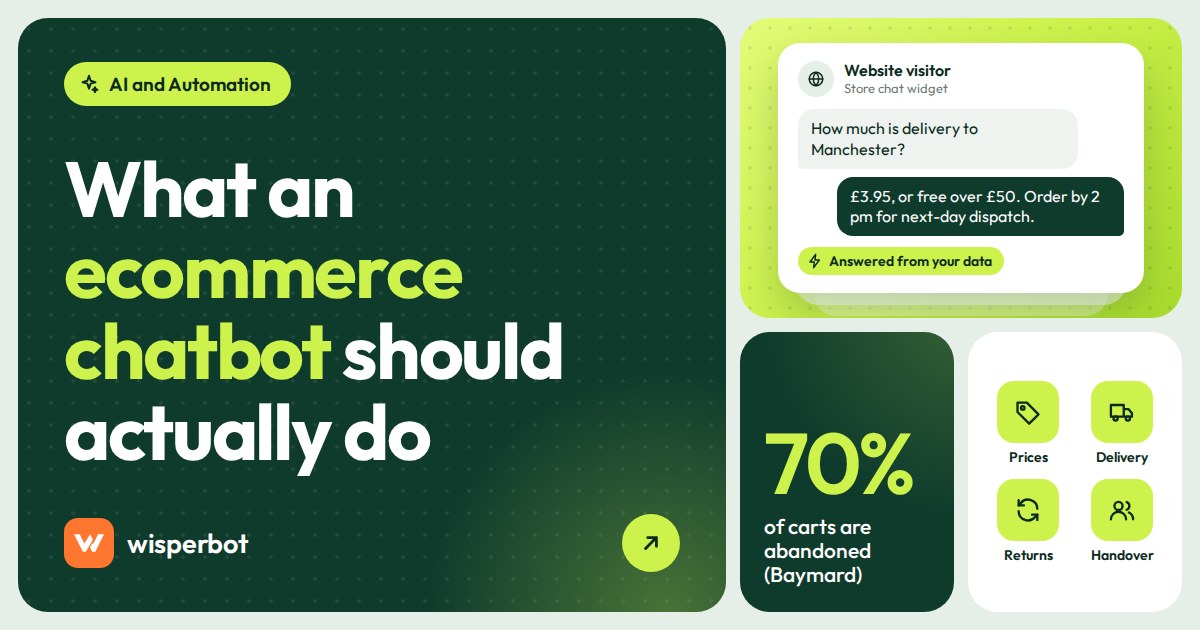
At 11:20 pm a shopper on your product page types "does the 42 come in black, and will it reach Sylhet by Friday?" and nobody is there to answer. An AI chatbot for an ecommerce website should handle exactly that moment: answer product, price, stock, delivery and returns questions from your live store data, deal with "where is my order?" or route it, and hand anything else to a person. Choose one that reads your catalogue instead of guessing, says where its prices come from, and makes the route to a human obvious.
Key takeaways
- The jobs that matter: product and price questions from live data, delivery cost and time, returns policy, order status, and a clean handover.
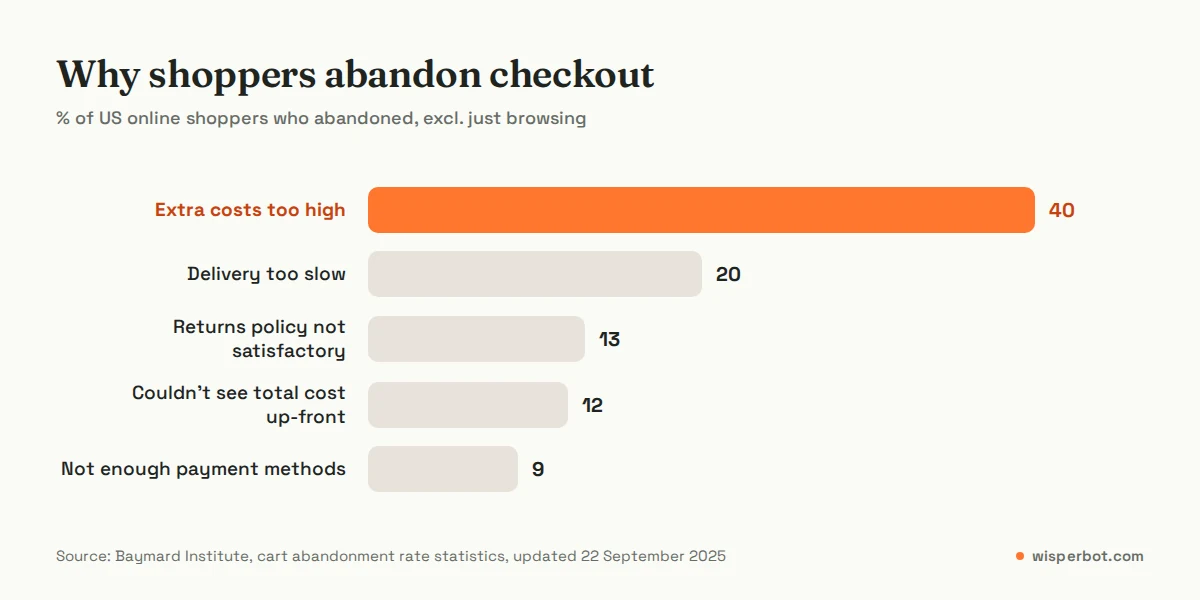
- Baymard Institute's research puts the average documented cart abandonment rate at 70.22%, and unexpected extra costs are the top reason shoppers give. A chatbot that answers "how much is delivery?" before checkout goes straight at that.
- The biggest red flag is a bot that makes up prices or policies. Ask every vendor how answers are grounded in your own data.
- Shopify's own Inbox app is free and works on your storefront; a separate tool makes sense when customers also message on WhatsApp, Instagram or Messenger.
- Measure first response time, handover rate and the questions the bot couldn't answer. Chat volume alone tells you little.
What should an AI chatbot for an ecommerce website do?
It should answer the questions that stop people buying, using your own up-to-date data: price, sizes and colours in stock, delivery charge and time, payment options and returns. It should look up or route order status questions, and pass complaints and anything it isn't sure about to a person, quickly and with the context attached.
That's five jobs. Most chatbot demos show the first one well and skip the rest.
1. Product, price and stock questions from live data
"Is the blue one in XL?" is useless to answer from a product description written in March. The bot needs to read your current catalogue, through a store connection or a price sheet you keep updated, at the moment the customer asks. If your stock changes daily and the bot reads a weekly export, it will sell things you don't have. Our guide to answering size, colour and stock questions from live product data covers the set-up.
2. Delivery cost and time
This is the one most shops underrate. In Baymard Institute's research on why US online shoppers abandon checkout (leaving out people who were just browsing), 40% blamed extra costs such as shipping, tax and fees, and 20% said delivery was too slow. A bot that can say "delivery to Chattogram is 120 taka, 2 to 3 days" while the shopper is still on the product page removes a surprise before it happens.
3. Returns and exchange policy
13% of shoppers in the same research left because the returns policy wasn't satisfactory. In our experience the policy itself is usually fine; the shopper just couldn't find it. The bot should quote your actual policy, word for word if it's a legal or regulated promise, not a friendlier paraphrase.
4. Order status
"Where is my order?" is usually the most common question after a sale. A bot can only answer it if it can look the order up, which means a connection to your store or order system and a way to check the customer's identity, such as order number plus phone number. Without that, the honest move is to collect the order number and hand over.
5. Handover to a person
Complaints, damaged items, bulk orders and anything emotional need a human. The bot should make that route visible ("Need a person? Talk to an agent") and pass the conversation with the history attached, so your teammate doesn't ask the customer to repeat themselves.
Ecommerce chatbot examples: weak answers and good ones
The quickest way to judge a chatbot for ecommerce is to read what it says to real messages. These examples are illustrative, written the way customers in our part of the world actually type.
| Customer message | Weak bot answer | Good bot answer |
|---|---|---|
| "Does the 42 come in black?" | "We have a wide range of sizes and colours." | "Yes, black is in stock in 42 and 43. 41 is sold out. Want the link?" |
| "Delivery charge Sylhet koto?" | "Delivery charges vary by location." | "Outside Dhaka it's 120 taka, usually 2 to 3 days. Cash on delivery is available." |
| "Can I return if it doesn't fit?" | "Of course, returns are easy." (not your policy) | "You can exchange within 7 days if the tag is on. Refunds go to a person to approve." |
| "Where is my order?" | "Please wait, your order is on the way." (a guess) | "I can check that. What's your order number and the phone number you used?" or a handover |
| "Is the sale price still on?" | States last month's sale price | Gives the current price from your sheet or store, and says when it was updated |
| "The jacket arrived torn" | Offers a discount code | Apologises, asks for a photo and the order number, hands over to a person |
The weak column is what you get from a bot fed a product description and nothing else. If a vendor's demo answers like that on their sample shop, it will answer like that on yours.
How to choose a chatbot for ecommerce: a checklist
Take this list into every demo. Ask the vendor to show each item on your own products, not their sample shop.
| Question to ask | Why it matters | Red flag answer |
|---|---|---|
| Where do prices and stock come from when a customer asks? | Stale data sells sold-out items | "It learns them from your website over time" |
| What happens when the answer isn't in my data? | Decides whether it guesses | "It always finds an answer" |
| Can I choose how freely it answers? | Regulated or price-sensitive shops need tight control | No setting, one mode for everyone |
| How does a customer reach a person? | Angry customers trapped with a bot leave reviews | Only by typing "agent" three times |
| Which channels does it answer on? | Many shoppers ask on WhatsApp or Instagram, not the site | Website only, when your buyers live in DMs |
| Does it reply in my customers' languages, including mixed scripts? | "Dam koto?" and Hinglish are normal messages | English only, or a separate bot per language |
| How are AI replies counted and priced? | A busy sale month can triple the bill | Vague "fair use" with no number |
| Can I see the questions it couldn't answer? | That list is how the bot improves | No report, no list |
What are the red flags in an AI chatbot for ecommerce?
The biggest is a bot that invents prices, discounts or policies when your data is silent. Close behind: no way to see where an answer came from, no visible route to a person, a bot that pretends to be human, and per-chat pricing you can't predict. Test each one yourself with tricky questions before you sign up.
The invented-price problem is the expensive one. A bot that tells a customer the jacket is 1,800 taka when it's 2,400 leaves you with two bad choices: honour the price or argue with a customer. Our guide on stopping an AI chatbot from making up prices goes through the fixes, but the first one is choosing a tool built not to do it.
On pretending to be human: don't. Customers work it out, and in the EU the AI Act's transparency rules (Article 50) say people should be told they are interacting with an AI system unless it's obvious from the context. Give the bot a clear name and let it say it's an assistant.
Do you need a Shopify chatbot app or a separate tool?
If your customers only ask questions on your Shopify store, start with Shopify Inbox. Shopify lists it as free, describes it as "an AI-powered sales associate" on your storefront, and includes automated order updates and product recommendations. If customers also ask on WhatsApp, Instagram or Messenger, pick a separate tool that answers every channel from one set of data.
That split is common in South Asia and the Gulf, where a shop might take payment on Shopify or WooCommerce but get most questions in DMs after an Instagram post or a Facebook ad. Running one bot on the site and another in the DMs means two sets of answers to keep in sync. If more than a third of your questions arrive outside the website, we'd pick one tool that covers both. That's a rule of thumb, not a statistic; count your own messages for a week first.
Setting up an ecommerce chatbot: a one-week plan
- Day 1: collect real questions. Pull 50 recent messages from your inbox, email and DMs. Group them: price, stock, delivery, payment, returns, order status, other.
- Day 2: fix your data. Make sure every product and variant has a price and stock figure in your store or price sheet. Write delivery charges by area, payment methods and the returns policy in plain sentences.
- Day 3: connect and set limits. Connect the store or upload the price list. Start in the tightest answer mode the tool offers and loosen it later only if the transcripts earn it.
- Day 4: test with the 50 questions. Mark each answer right, wrong or handed over. Fix the data behind every wrong one, not the bot's wording.
- Day 5: set the handover. Decide who gets handed conversations, and what the bot says while they wait.
- Day 6: go live on the website at night only. The lowest-risk hours are the ones nobody covers now.
- Day 7: read every conversation. All of them, with coffee, before you open the shop. Then widen the hours.
Put the widget where it helps: product pages and checkout, with three or four starter questions taken from your real list. Our website chat widget best practices cover placement and greeting text.
How do you measure whether the chatbot is working?
Track four things weekly: median first response time (the time from a customer's first message to the first real reply), the share of conversations handed to a person, the list of questions the bot couldn't answer, and how many of those you fixed. Chat volume on its own tells you nothing about whether shoppers got answers.
If you can, tag conversations that end in a purchase so you can compare weeks. And read ten random bot conversations every Monday. Numbers tell you something changed; transcripts tell you why.
Where WisperBot fits
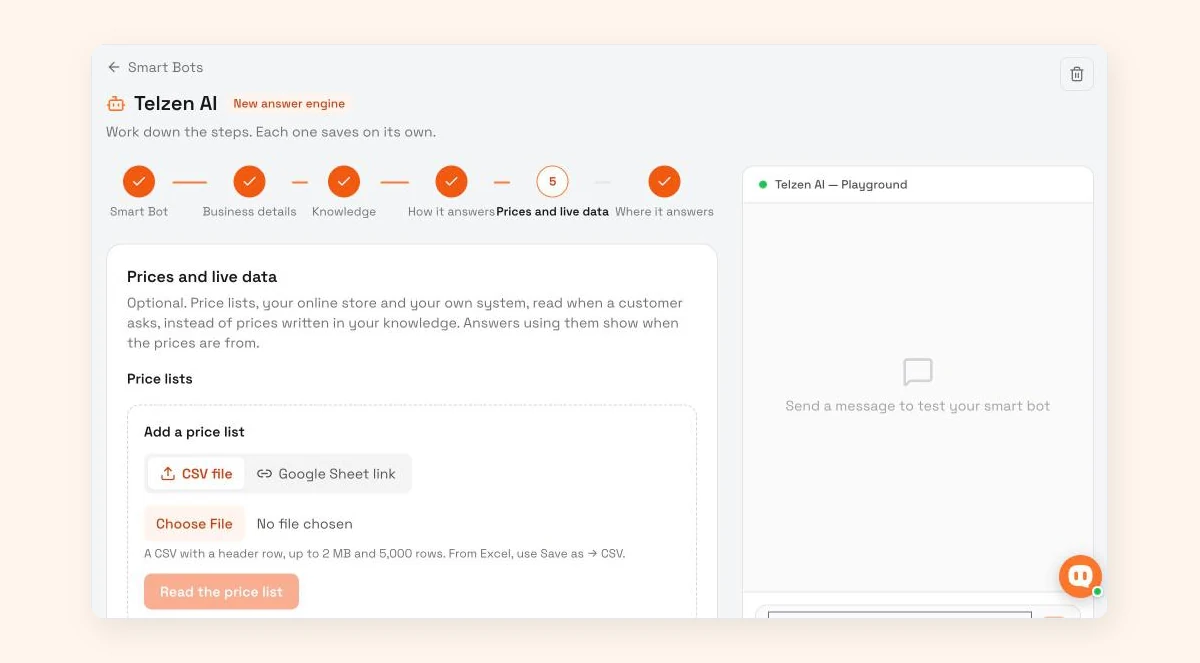
WisperBot, a reply-first inbox for WhatsApp, Instagram, Messenger and website chat, answers shoppers on your site and in DMs from one Smart Bot. Prices come from a CSV or Google Sheet (up to 2 MB, 5,000 rows), a connected store (Shopify, WooCommerce and BigCommerce are on our integrations page) or read-only lookups into your own system, and answers using them show when the prices are from. None of the three answer modes invents prices, dates or links. It does not take orders or build carts in chat; orders synced from a connected store appear under E-commerce, and a teammate handles the rest. See WisperBot for ecommerce.
Frequently asked questions
How much does an AI chatbot for an ecommerce website cost?
It ranges from free to hundreds of dollars a month. Shopify Inbox is listed as free for Shopify stores. Multi-channel tools usually charge by plan plus AI replies or conversations; WisperBot runs from a free plan with 100 AI replies a month to $39 a month for 3,000 on Growth. WhatsApp message fees from Meta, where they apply, are separate.
Can an ecommerce chatbot take orders in the chat?
Some can, through cart or checkout features built into the tool or the store platform. Many, WisperBot included, don't: they answer questions and send the shopper to the product page or hand over to a person. If ordering inside chat matters to you, ask the vendor to show a full order being placed in a demo.
Is there a free Shopify chatbot?
Yes. Shopify Inbox is listed as free on the Shopify App Store, and Shopify describes it as an AI-powered sales associate on your storefront, with automated responses such as order updates and product recommendations. It works with the Shopify admin and your online store; it does not list WhatsApp or Instagram.
Should an ecommerce chatbot say it is a bot?
Yes. Customers trust a clearly labelled assistant more than one pretending to be "Ayesha from support", and the EU AI Act requires people to be told they are interacting with an AI system unless that's obvious. Give the bot a name, say it's an assistant and show how to reach a person.
Will a chatbot reduce cart abandonment?
It can help with the abandonment caused by unanswered questions, such as delivery costs, delivery time and returns, which Baymard's research lists among the top reasons. It won't fix a slow checkout, forced account creation or missing payment methods. Measure it by comparing weeks before and after, not by trusting a vendor's average.
Sources
- Baymard Institute: Cart abandonment rate statistics (70.22% average, reasons for abandonment), updated 22 September 2025
- Shopify App Store: Shopify Inbox, checked 12 October 2026
- EUR-Lex: Regulation (EU) 2024/1689 (AI Act), Article 50 transparency obligations
- WisperBot integrations and pricing, checked 12 October 2026
Last checked: 12 October 2026.