How to Set Up a WhatsApp Catalogue That Sells (Image Sizes and Tips)
Each WhatsApp catalogue item needs a name, a photo and a country of origin. Here is how to set one up, what image size to use and how to share it.
In this article
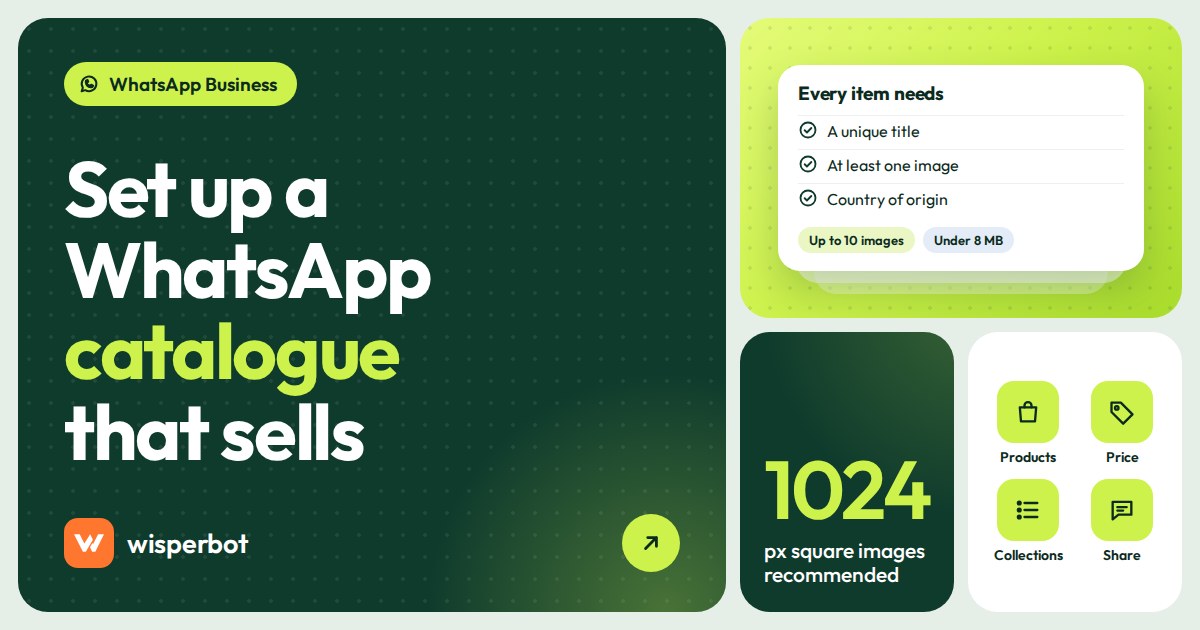
It's 10:15 pm and the same customer has sent you her sixth screenshot with "eta koto?" under it. A WhatsApp catalogue is how you stop that: the product list on your WhatsApp Business profile, where customers browse items, see prices and tap through to message you about one. You set it up in the WhatsApp Business app under Tools, then Catalog: each item needs a unique name, at least one photo and a country of origin, and you can add up to 10 images or videos per item. WhatsApp reviews every item before customers can see it.
Key takeaways
- Every catalogue item needs a unique title, at least one image and a country of origin. Price, sale price, description, link and product code are optional.
- You can upload up to 10 images or videos per item; videos can be up to 50 MB each.
- WhatsApp doesn't publish a catalogue image size. Meta's catalogue spec asks for square JPEG or PNG images of at least 500 x 500 pixels, 1024 x 1024 recommended, under 8 MB.
- You can share a link to one item or the whole catalogue, but not to a single collection.
- A catalogue helps people browse. It doesn't answer "ei ta ki XL e ache?" at 1 am. That needs live stock data or a person.
What do you need before setting up a WhatsApp catalogue?
Have three things ready before you open the app: clean product photos, a short unique name for every item, and the country each item was made in, which WhatsApp now requires. Prices and descriptions are optional but worth adding. Ten items set up properly beat eighty items with blurry photos and missing prices.
The country of origin field catches people out. A Dhaka saree seller listing Tangail cotton and Indian georgette needs to pick Bangladesh for one and India for the other. WhatsApp's help centre says you must select it when adding a new item or editing an old one, so any older item you touch will ask for it too.
Also check prices. WhatsApp says the ability to add prices is only available in certain countries. If your app shows no price field, write the price in the description instead, and keep it short: "Tk 4,850, free delivery inside Dhaka".
WhatsApp business catalogue setup, step by step
These are the Android steps from WhatsApp's help centre. iPhone and WhatsApp Web follow the same order with slightly different menus. Set aside an evening for the first 20 items; it's slower than it looks, mostly because of the photos.
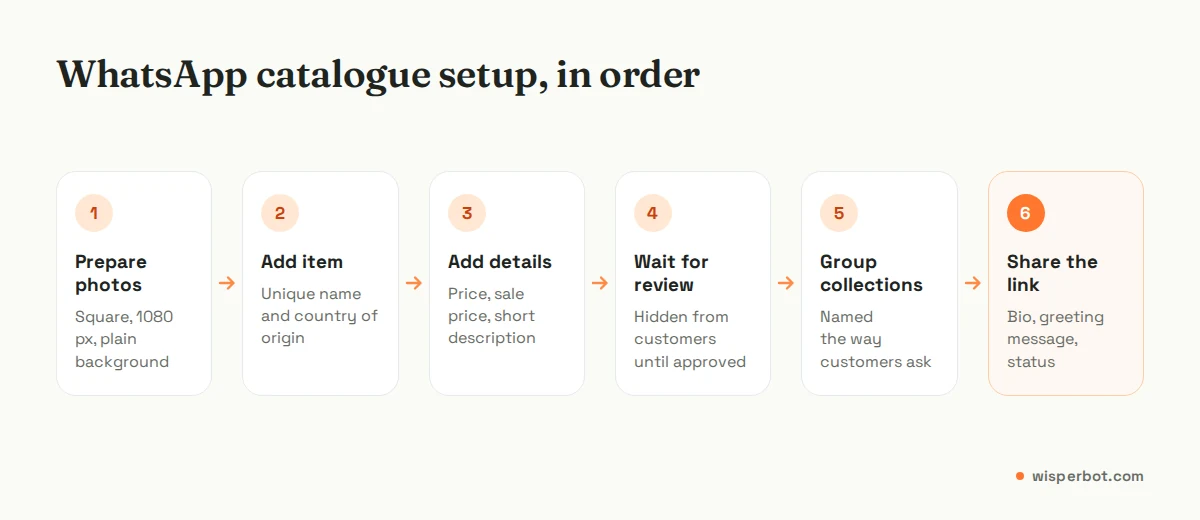
- Open the WhatsApp Business app and go to Tools, then Catalog.
- Tap Add new item.
- Tap Add photos and videos and pick up to 10 from your gallery, or take new ones with the camera.
- Enter the product or service name. Make it unique: "Katan saree, maroon, gold zari" rather than "Saree 3".
- Tap Country of origin, pick the country and save.
- Add the optional details: price, sale price, description, website link and product code.
- Tap Save. The item goes into review and appears for customers once approved.
| Field | Required? | What we'd put there |
|---|---|---|
| Name | Yes, must be unique | Product type, colour, key detail: "Cotton panjabi, sky blue, size 40 to 44" |
| Images or videos | At least one image; up to 10 | Front, back, close-up of fabric, one photo on a person |
| Country of origin | Yes | Where it was made, not where you sell it |
| Price and sale price | Optional, some countries only | Your real current price; use sale price for offers instead of editing the photo |
| Description | Optional | Sizes, fabric, delivery time and charge, return rule in two or three lines |
| Product code | Optional | The same SKU you use in your price sheet, so your team can match items quickly |
What is the right WhatsApp catalogue image size?
WhatsApp's help pages don't publish a catalogue image size. The safest guide is Meta's own catalogue specification: square images of at least 500 x 500 pixels, ideally 1024 x 1024, in JPEG or PNG, under 8 MB each. Square photos display cleanly in the catalogue grid, and smaller files save without errors.
That last point matters more than it sounds. WhatsApp's troubleshooting page lists "Changes not saved" as a known problem and suggests reducing image file sizes and saving after each change instead of editing many items at once. A 12 MB photo straight off a new phone is a common cause.
| Setting | Meta catalogue spec | Our practical tip |
|---|---|---|
| Shape | Square (1:1) for shops | Shoot with space around the product so a square crop keeps it whole |
| Size | At least 500 x 500 px; 1024 x 1024 recommended | Export at 1080 x 1080, which most phone editors offer |
| Format and weight | JPEG or PNG, 8 MB maximum | JPEG under 1 MB uploads fast on mobile data |
| Background | White backdrop recommended | A plain wall near a window works if you don't have a light box |
| Text on image | Avoid promo codes, prices or watermarks over the product | Put "Eid offer" in the sale price field, not on the photo |
One opinion: keep the first photo boring. Product on a plain background, nothing else. Lifestyle shots and model photos go second and third. The first image is the thumbnail customers scroll past, and clutter makes a Tk 1,200 kurti look like a Tk 400 one.
Use collections the way customers ask
Collections are the shelves inside your catalogue. You build them from items already added, give each a name, and WhatsApp reviews it against its Commerce Policy, which the help centre says should take no more than 24 hours.
Name collections the way customers ask, not the way your supplier labels stock. "Under Tk 1,000", "Eid 2026 panjabi", "Ready to ship today" and "Kids 2 to 8 years" match real questions. "Lot 14B" doesn't. For a service business, like a salon in Gulshan or a tutor in Pune, collections can be "Bridal packages", "Hair treatments" or "Class 9 maths".
Plan collections before a sale, not on the day. A collection created at 6 pm for an 8 pm launch might still be in review when the first "link den" arrives at 8:02. Build it the day before, or earlier in Eid week.
How do you share a WhatsApp catalogue link?
Open Catalog, pick an item or the whole catalogue, and tap the share icon. You can send it straight into a WhatsApp chat or copy the link for Facebook, Instagram, email or SMS. The link opens directly in WhatsApp for people who have it. Single collections can't be shared as their own link.
WhatsApp also says the auto-generated link can't be customised and may break if you edit it, so paste it exactly as copied. Places we'd put a WhatsApp catalogue link:
- Your Instagram bio and Facebook page "About" section.
- Your greeting message: "Assalamu alaikum, see all items here, then send us the product code."
- Your WhatsApp Business status, which can show the whole catalogue or one item.
- The caption of a Facebook live, so viewers can browse while you talk.
Because collections can't be linked on their own, our workaround during a sale is to share the two or three hero items one at a time, then the full catalogue link. Three item cards and one link reads better in a chat than one link and "scroll to the Eid section".
Keep prices and stock in sync
A catalogue goes stale quietly. You sell the last maroon saree on Tuesday, forget to hide it, and by Friday four customers have asked for it and one has already paid a bKash advance. Three habits help.
- Hide, don't delete. The app lets you hide items one by one or in bulk. Hidden items stay in your catalogue manager, so restocking is one tap instead of a fresh upload and a fresh review.
- Use one product code everywhere. The code in the catalogue should match your price sheet and your stock book.
- Connect a Meta catalogue if you already have one. If you sell through Facebook or Instagram Shops, you can connect your existing Meta catalogue to the Business app. You manage the connection from the phone app, a Facebook Page linked to the WhatsApp account is required, and WhatsApp says updates reach WhatsApp Web within 24 hours.
Check the policies too. Catalogue items must meet WhatsApp's Business Messaging Policy and Meta's Commerce Policy. Drugs, medical and healthcare products, alcohol, tobacco, most live animals and several other categories are restricted, and a business that lists them can lose access to some or all WhatsApp business features.
Catalogue vs a price list your chatbot can read
A catalogue is a shop window. It is good for browsing and terrible for questions. Customers in Bangladesh and India rarely browse quietly. They send a screenshot and ask "price?", "XL ache?", "Chattogram e delivery koto din?", often with the price visible in the screenshot they just sent. The catalogue can't reply, and it doesn't know you sold the last XL an hour ago.
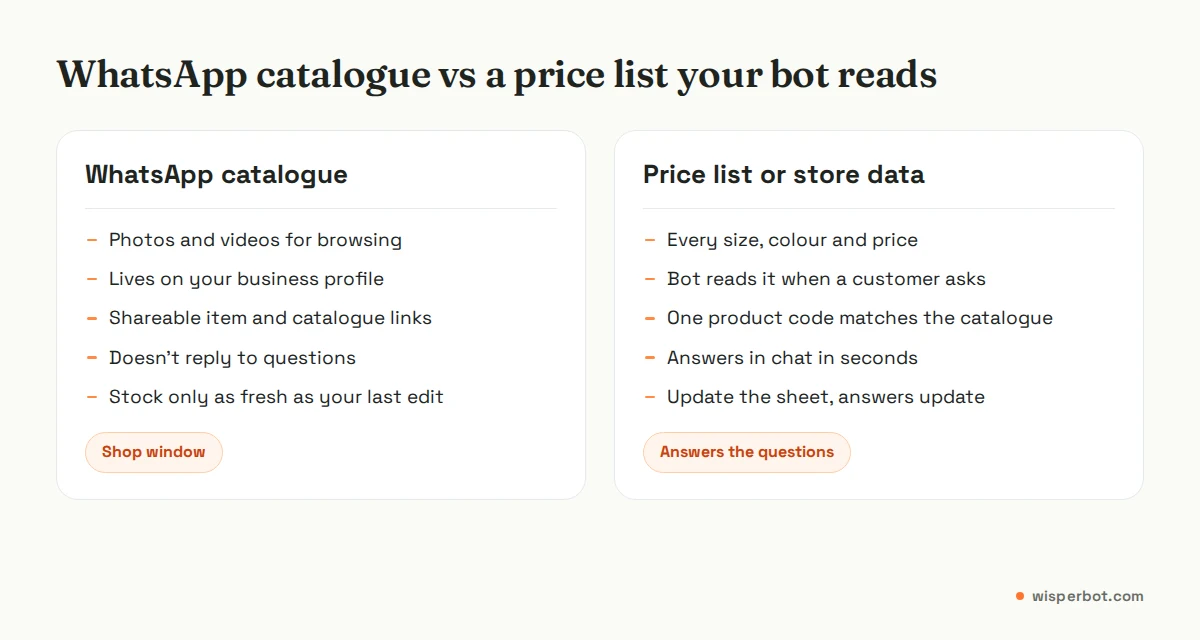
Our view: build the catalogue for the 20 to 50 items people browse most, and keep the full truth (every size, colour, price and stock count) in a spreadsheet. The spreadsheet is what your team, and any bot, should answer from. We explain how to structure it in how to build a price list your chatbot can use, and how to handle sizes and colours in live stock, size and colour questions.
If you are on the WhatsApp Business Platform rather than the app, Meta lets you send catalogue messages, single-product messages and multi-product messages with up to 30 items, and customers can build a cart with up to 99 units of each item. That needs a provider and a connected catalogue; our Business app vs Cloud API guide covers the trade-offs.
Where WisperBot fits
WisperBot, a reply-first inbox for WhatsApp, Instagram, Messenger and website chat, doesn't read your WhatsApp catalogue. Its Smart Bot answers price and stock questions from a price list you upload as a CSV or Google Sheet (up to 2 MB and 5,000 rows), from a connected online store, or from read-only lookups into your own system, and it says when the prices are from.
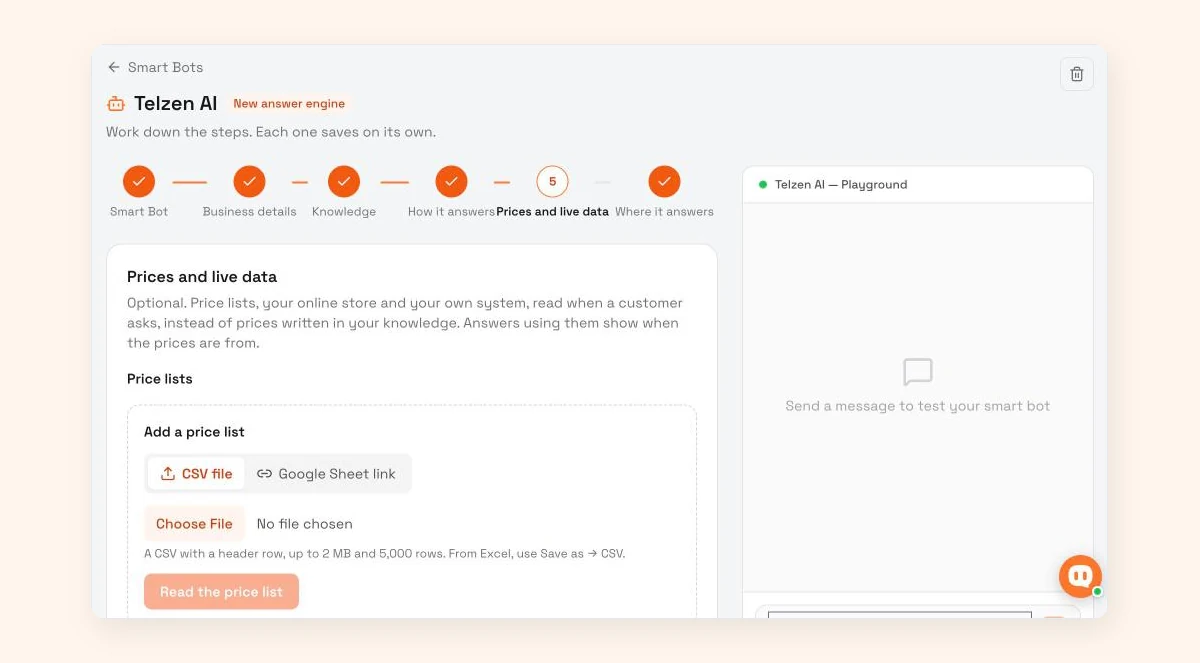
So the catalogue stays your shop window, and the bot handles the "dam koto?" price replies in seconds. See the Smart Bot page for setup details.
Frequently asked questions
How many products can I add to a WhatsApp catalogue?
WhatsApp's current help pages don't state a maximum number of catalogue items, so check the app if you plan a very large catalogue. In practice, sellers do better with a focused set of 20 to 50 best-selling items and a separate full price list for everything else.
Why is my WhatsApp catalogue item not showing to customers?
New and edited items are hidden until WhatsApp approves them. If an item was rejected, you'll see a red exclamation mark next to the image. Tap the item, choose Request another review and explain why it meets the Commerce Policy. Hidden items also stay invisible until you unhide them.
Can I add prices in taka to my WhatsApp catalogue?
WhatsApp says adding prices is only available in certain countries. If your app shows a price field, use it. If it doesn't, put the price in taka in the item description, for example "Tk 2,450, delivery Tk 80 inside Dhaka", and update it whenever the price changes.
Is a WhatsApp catalogue free?
Yes. Creating and sharing a catalogue in the WhatsApp Business app has no fee. Costs only appear on the WhatsApp Business Platform, where Meta charges per delivered message, including product messages, by message category and the customer's country. Replies inside the 24-hour window are free for the first 1,000 per number each month. The catalogue itself costs nothing.
Can I share just one collection from my catalogue?
No. WhatsApp's help centre says collections can't be shared as a single link. Share the full catalogue link and tell customers which collection to open, or send the items from that collection one at a time.
Sources
- WhatsApp Help Center: About catalog
- WhatsApp Help Center: How to create and maintain a catalog
- WhatsApp Help Center: How to create and manage a collection in your catalog
- WhatsApp Help Center: Sharing catalog links
- WhatsApp Help Center: Issues using catalog
- WhatsApp Help Center: About connected catalogs on the WhatsApp Business app
- Meta Business Help Centre: Product image specifications for catalogs
- WhatsApp Business Messaging Policy (updated 23 September 2026)
- WhatsApp Business: Business app features
- Meta for Developers: Sell products and services
Last checked: 12 October 2026.