WhatsApp Message Templates That Get Approved: Categories, Examples and Common Rejections
Most WhatsApp template rejections are avoidable. Here are Meta's category rules, 17 example templates and the fixes for the most common rejection reasons.
In this article
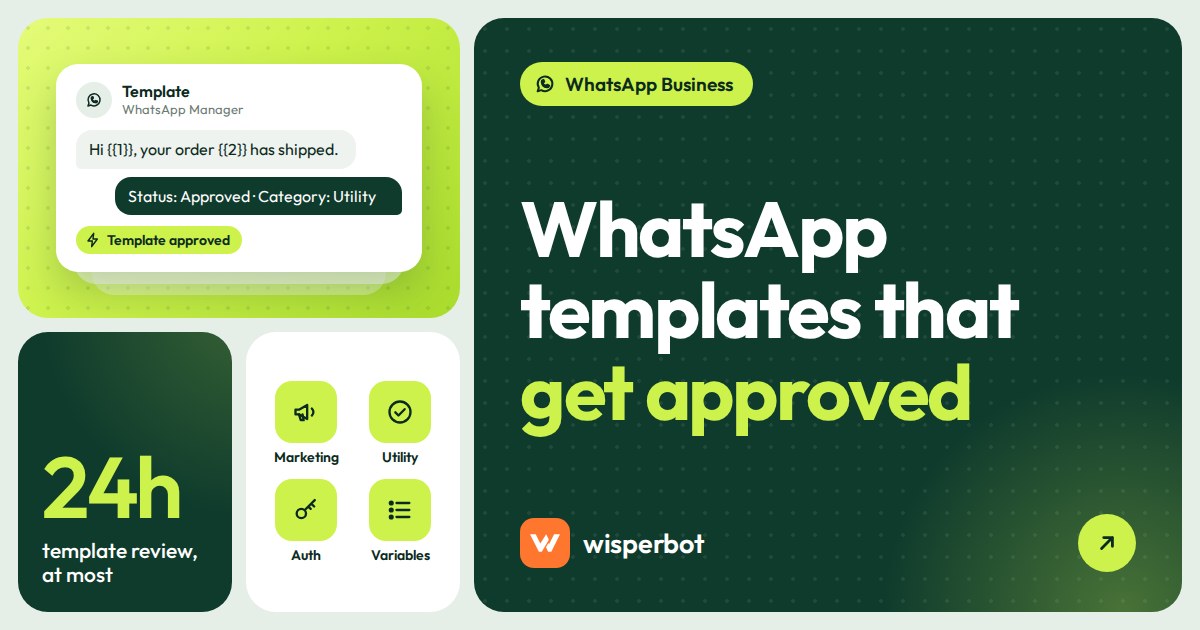
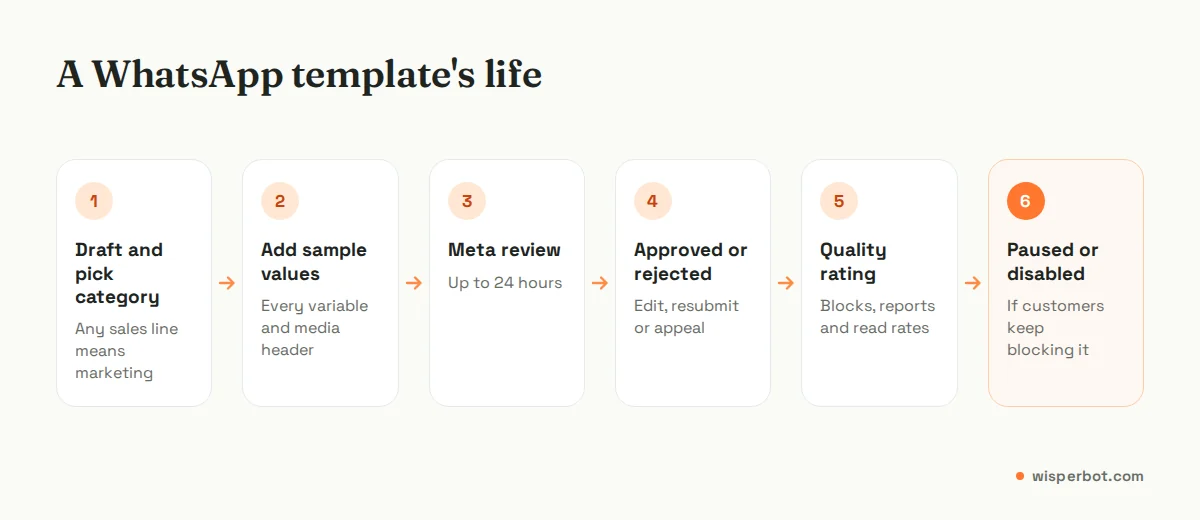
WhatsApp template approval comes down to three things: the category matches the content, the variables are formatted the way Meta expects, and the message stays inside WhatsApp's policies. Meta reviews new templates automatically, usually within 24 hours. Most rejections are avoidable: a variable at the very start or end, too many variables for the length, a duplicate of an existing template, or a sales line inside a utility message.
Key takeaways
- Every template is marketing, utility or authentication, and Meta charges by that category.
- Any promotional line makes a template marketing; since April 2025, Meta approves misfiled utility templates as marketing at creation.
- A template cannot start or end with a variable, and variables must be numbered in order with sample values.
- Review takes up to 24 hours; rejected templates can be edited and resubmitted, or appealed with samples.
- Approved templates can still be paused or disabled if customers block or report them.
What is a WhatsApp message template?
A template is a pre-written message that Meta has approved for your WhatsApp Business Platform account. You need one to message a customer who has not written to you in the last 24 hours. It has fixed text plus variables, written {{1}}, {{2}} and so on, that you fill in per customer, such as a name, order number or delivery date.
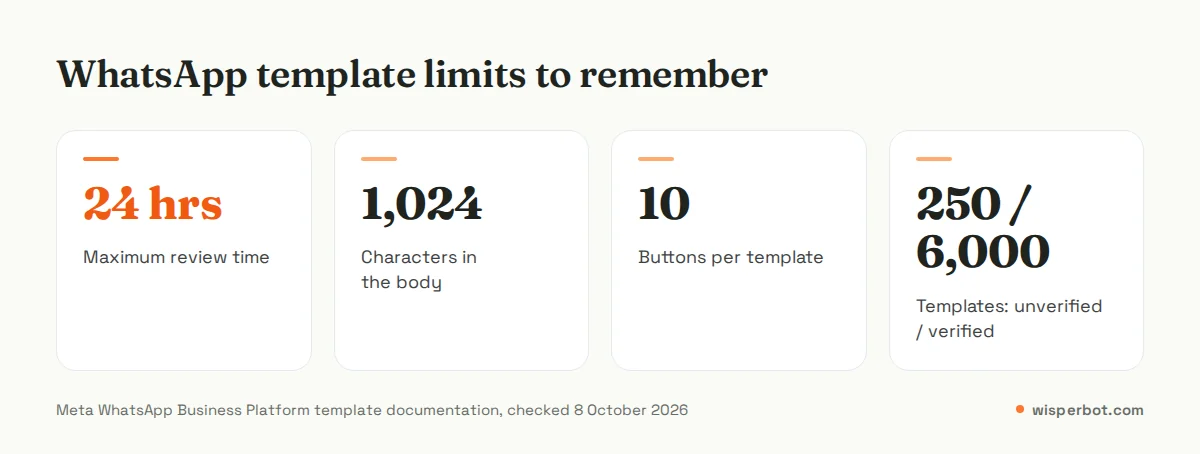
Templates can have a header (text up to 60 characters, or an image, video or document), a body of up to 1,024 characters, a footer of up to 60 characters and up to 10 buttons. Template names use only lowercase letters, numbers and underscores, so order_shipped_v2 works and "Order Shipped!" does not. An unverified business portfolio can hold 250 templates per account; a verified one, 6,000.
If you only reply to customers who message you first, you may barely need templates (those replies are service messages, which Meta has charged at the utility rate since 1 October 2026, after 1,000 free a month per business number). They matter for order updates sent later, reminders, and promotions. Our post on the 24-hour messaging window explains when they become necessary.
Which template category should you choose?
Choose utility only if the message is about a specific transaction or request from that customer and contains nothing promotional. Choose authentication only for one-time passcodes. Everything else is marketing, including cart reminders and messages the customer asked for, such as back-in-stock alerts. When content is mixed or unclear, Meta treats it as marketing.
| Category | Qualifies when | Disqualified by | Price note (Bangladesh, 1 Oct 2026) |
|---|---|---|---|
| Utility | Triggered by the customer's action or request; about their order, account, booking or safety | Any offer, upsell, cross-sell, discount code or "shop now" | $0.0037, charged even inside the 24-hour window since 1 Oct 2026 |
| Marketing | Promotions, new arrivals, cart reminders, re-engagement, retargeting, anything mixed | Nothing; it is the catch-all | $0.0732, about 20 times a utility message |
| Authentication | One-time passcodes for login or verification | Your own wording, URLs, media or emoji | $0.0037 locally; a higher international rate applies to businesses registered abroad |
The price gap is why people try to sneak promotions into utility templates. It rarely works, and Meta has made it more expensive to try. Rates for other countries are in our WhatsApp API pricing guide.
When does Meta change a template's category?
Two ways. Since 9 April 2025, if you submit a utility template that Meta decides is marketing, it is approved as marketing at creation. Meta also rechecks approved templates regularly, gives about a day's notice, and switches the category on the first day of the next month. You have 60 days to appeal a change in Business Support Home.
Repeat offenders get harsher treatment. Meta's categorisation guidelines describe warnings, rate limits on utility messages for at least 7 days, and a restriction that turns all of a business's approved utility templates into marketing for 7 days, or 30 days for repeat violations. After a warning, utility-to-marketing changes become instant.
How to write a template that passes review
Most approvals come down to preparation. This is the routine we would follow for every new template.
- Decide the category first, then reread the draft looking for anything that sells. Delete it or move the template to marketing.
- Put fixed text on both sides of every variable. "Hi {{1}}, your order..." passes. "{{1}}, your order is ready" fails because it starts with a variable.
- Number variables in order: {{1}}, {{2}}, {{3}}. No gaps, no repeats out of sequence, no symbols such as #, $ or % inside the braces.
- Keep the ratio sensible. A 12-word message with five variables looks like a blank form someone could fill with anything. Add real words or cut variables.
- Add realistic sample values for every variable and any header image. "Ayesha", "BD-20418" and "12 October" beat "test" and "xxx".
- Make it unique. If the body and footer match an existing template word for word, Meta rejects it as a duplicate.
- Write each language separately. Meta does not translate. A Bangla version needs its own template with the Bengali language code and Bangla sample values.
Do buttons help a template get approved?
Not directly, but they make templates easier to act on and less likely to be blocked. Quick reply buttons such as "Confirm" and "Cancel" give customers a one-tap answer, and that reply opens a fresh 24-hour window. A template can carry up to 10 buttons, including up to two website links and one phone number.
With more than three buttons, WhatsApp shows two and hides the rest behind a "See all options" button, so put the most useful action first. Button labels are capped at 25 characters. For a cash on delivery check, two buttons are plenty: "Confirm order" and "Cancel".
17 WhatsApp template examples
These are written to pass Meta's formatting rules. Replace [Shop] with your business name. They are starting points, not guaranteed approvals: Meta reviews each submission on its own.
| Name | Category | Body |
|---|---|---|
| order_confirmed | Utility | Hi {{1}}, thanks for your order {{2}} at [Shop]. Total: Tk {{3}} including delivery. We will message you when it ships. |
| cod_confirm_request | Utility | Hello {{1}}, please confirm your cash on delivery order {{2}} for Tk {{3}}. Tap Confirm or Cancel below so we can dispatch it. |
| order_shipped | Utility | Good news {{1}}: order {{2}} has left our warehouse and should reach you by {{3}}. Use the button below to track it. |
| out_for_delivery | Utility | Hi {{1}}, parcel {{2}} is out for delivery today. Please keep Tk {{3}} ready for the rider. |
| payment_received | Utility | Hi {{1}}, we have received your payment of Tk {{2}} for order {{3}}. Your receipt is attached above. |
| refund_processed | Utility | Hi {{1}}, your refund of Tk {{2}} for order {{3}} has been sent. It can take up to 7 working days to show. |
| order_delayed | Utility | Sorry {{1}}, order {{2}} is delayed by our courier. New expected date: {{3}}. Reply here if you want to cancel. |
| appointment_reminder | Utility | Reminder: your appointment at [Shop] is on {{1}} at {{2}}. Reply 1 to confirm or 2 to reschedule. |
| booking_changed | Utility | Hi {{1}}, your booking has moved to {{2}} at {{3}} as requested. Reply here if this does not work for you. |
| enquiry_followup | Utility | Hi {{1}}, you asked us about {{2}} yesterday. Our team has the answer ready. Reply to this message to continue. |
| new_collection | Marketing | Hi {{1}}, our Eid collection is live at [Shop], with new kurtis from Tk 1,250. Tap below to browse before sizes sell out. |
| cart_reminder | Marketing | You left {{1}} in your basket at [Shop]. It is still in stock in size {{2}}. Tap below to finish your order. |
| back_in_stock | Marketing | Hi {{1}}, the {{2}} you asked about is back in stock at [Shop]. Reply YES and we will hold one for 24 hours. |
| sale_last_day | Marketing | Hi {{1}}, today is the last day of the [Shop] 11.11 sale: {{2}} off selected items until midnight. |
| loyalty_thank_you | Marketing | Thanks for shopping with [Shop] {{1}} times this year, {{2}}. Use code {{3}} for free delivery on your next order. |
| reorder_nudge | Marketing | Hi {{1}}, it has been about a month since you bought {{2}}. Running low? Reply REORDER and we will set it up. |
| login_code | Authentication | Meta's preset text, for example: {{1}} is your verification code. For your security, do not share this code. |
The login code row breaks the "never start with a variable" rule on purpose: authentication templates come from Meta's own library with fixed wording and a one-time password button, so you pick the format rather than write the text.
Note the "enquiry_followup" template: it carries no offer, but it is borderline. Some reviewers will see it as re-engagement and file it as marketing. If yours is moved, accept it or appeal; do not keep resubmitting near-identical copies. For order flows specifically, see cash on delivery confirmation on WhatsApp.
Why do WhatsApp templates get rejected?
According to Meta's template review documentation, the main reasons are badly formatted variables (wrong braces, out of order, special characters, at the start or end, or too many for the length), content that breaks WhatsApp's Commerce or Business policies, character limits, and bodies that duplicate an existing template. Wrong category comes back with the reason INCORRECT_CATEGORY.
| Rejection reason | Example that fails | Fix |
|---|---|---|
| Starts or ends with a variable | {{1}}, your parcel is ready. | Hi {{1}}, your parcel is ready. |
| Variables out of order or broken | Order {{2}} for {1} ships on {{4}} | Number {{1}}, {{2}}, {{3}} with double braces |
| Too many variables for the length | {{1}} {{2}} at {{3}} on {{4}}, thanks. | Add fixed words; cut to two or three variables |
| Missing samples | No sample image for an image header | Upload samples for every variable and media header |
| Duplicate content | Same body and footer as an existing template | Edit the existing one or change the wording |
| Promotion in a utility template | Your order shipped. Use EID10 for 10% off. | Remove the code, or submit as marketing |
| Asking for sensitive data | Reply with your full card number to confirm. | Never ask for full card, ID or account numbers |
| Threatening tone | Pay today or we will take legal action. | State the amount, due date and how to pay |
| Restricted goods | Offers on prescription medicine | Check WhatsApp's Commerce Policy first |
If you are rejected, you can edit and resubmit, or appeal from WhatsApp Manager under Account tools, then Message templates. Meta says appeals are decided within 24 hours, and an appeal must include sample values.
What happens if customers block your template?
Its quality rating drops. Meta rates templates High, Medium or Low based on blocks, reports and read rates. Low-rated templates can be paused, so they cannot be sent for a while, and repeated problems get them disabled. New marketing templates may also be paced: Meta holds part of a send until early feedback comes in, then releases or drops the rest.
Pacing is easy to mistake for a delivery bug. If a 5,000-person promotion seems stuck after the first batch, Meta may be waiting for feedback. If the feedback is bad, held messages fail with error 132015 and the template is paused. Send new marketing templates to your warmest customers first, people who bought in the last 60 days, so early signals are good.
Better still, send fewer. A promotion every two weeks to opted-in buyers outperforms a daily blast to everyone, on cost and on quality. If you need to reach a big list cheaply, our comparison of WhatsApp broadcast vs SMS may change your plan.
Where WisperBot fits
WisperBot, a reply-first inbox for WhatsApp, Instagram, Messenger and website chat, is strongest at what happens after a template lands: customers reply, and a Smart Bot answers price, size and delivery questions in seconds from your own information, then hands buyers to a person. Templates themselves are approved by Meta, not by us. When you run a WhatsApp broadcast campaign in WisperBot, you pick an approved template from your synced templates and set its header, body and button variables, which can fill in each recipient's own value from their contact fields. If you are planning a campaign, set up your answers first; see Smart Bot and our 40 saved replies for online sellers for wording your team can keep as Quick Replies.
Frequently asked questions
How long does WhatsApp template approval take?
Meta says template review can take up to 24 hours. Appeals are also decided within 24 hours. If a template stays pending longer, check that every variable has a sample value and that the category matches the content before contacting your provider or Meta support.
Can I put a discount code in a utility template?
No. Any offer, discount code, upsell or "shop now" line makes the template marketing under Meta's categorisation rules. Since April 2025, Meta approves such templates as marketing at creation, and repeated misfiling can lead to rate limits or all your utility templates being treated as marketing for 7 to 30 days.
Why was my WhatsApp template rejected?
The most common causes are a variable at the start or end of the message, variables out of order or with special characters, too many variables for the length, missing sample values, a duplicate of an existing template, or content that breaks WhatsApp's Commerce or Business policies. WhatsApp Manager shows the rejection reason.
Do I need a separate template for each language?
Yes. Meta does not translate templates. A template can share a name across languages, but each language version is submitted separately with its own text and sample values, and each counts towards your template limit. Write the Bangla, Hindi or Arabic version yourself rather than machine-translating it.
Is a back-in-stock alert a utility or marketing template?
Marketing. Meta's guidelines treat messages that encourage a purchase as marketing even when the customer asked for them. A back-in-stock alert, a price-drop alert and a cart reminder all fall into marketing, and are priced at the marketing rate for the customer's country.
Sources
- Meta: WhatsApp message templates overview
- Meta: Template components and character limits
- Meta: Template review and rejection reasons
- Meta: Template categorisation guidelines
- Meta: Template pacing
- Meta: Pricing on the WhatsApp Business Platform
- Meta: Pricing for non-template messages (service messages and in-window utility templates from 1 October 2026)
- WhatsApp Business Messaging Policy
Last checked: 8 October 2026.