"Price Koto?": How to Answer Price DMs Automatically Without Losing the Sale
Why "inbox please" loses buyers, what a good automatic price reply says, and how to set one up from your own price list, with a real-style Roman Bangla example.
In this article
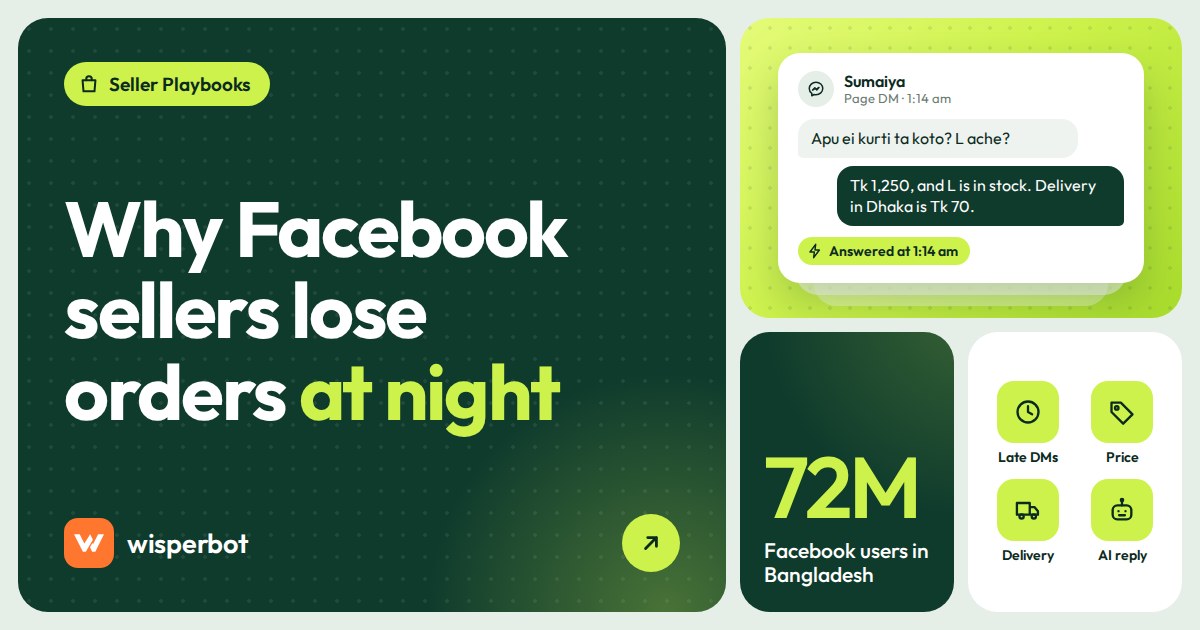
"Price koto?" is probably the most common message a Facebook seller in Bangladesh receives, and "inbox please" is still the most common reply. Both waste the buyer's time. The better approach is to auto reply to price questions on your Facebook Page with the actual price, pulled from your own price list, then move straight to size, colour and delivery charge, so the conversation heads towards an order instead of stalling. A bot can do this in seconds, at any hour, if your price list is clean.
Key takeaways
- Hiding prices behind "inbox" adds a step, and every step loses some buyers, especially at night when nobody answers the inbox.
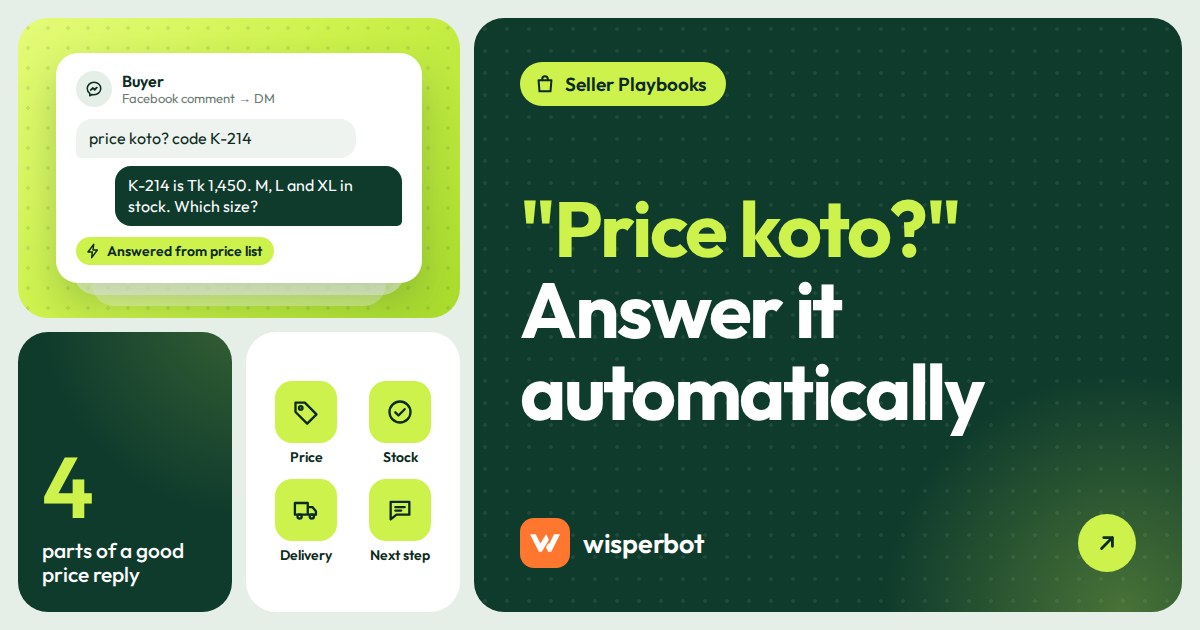
- A good price reply has four parts: the price, one detail that matters (size or stock), the delivery charge, and a question that moves the buyer forward.
- Give every product a short code in the post caption. It makes price replies accurate, for people and bots.
- Let a bot answer only from your own price list (CSV or Google Sheet), and send discount requests and complaints to a person.
- Bangladesh's Consumer Rights Protection Act 2009 already penalises not displaying a price list, so open pricing is the safer habit anyway.
Why do sellers hide the price and write "inbox please"?
Sellers hide prices for understandable reasons: they don't want competitors copying them, prices change often, they want room to bargain, and they believe a DM conversation is easier to close than a comment. Some also think more messages help their Page. In practice, most of these worries cost more sales than they protect.
Take the competitor worry. Anyone who wants your price can send one DM from a second account, and plenty do. You've hidden the number from buyers, not rivals. Changing prices is a real problem, but it's a price list problem, not a reason to make every buyer ask. And bargaining works better when the starting price is public, because the buyer has already accepted it as the reference.
The legal side points the same way. Bangladesh's Consumer Rights Protection Act 2009 (ভোক্তা-অধিকার সংরক্ষণ আইন, ২০০৯) includes a penalty for not displaying a price list in section 38, and the government's Digital Commerce Operation Guidelines 2021 say product details, price and return policy must be stated on the website or marketplace. How these apply to a Facebook post is a question for a lawyer, not us. But "show the price" is clearly the direction of travel.
Why does "inbox please" lose sales?
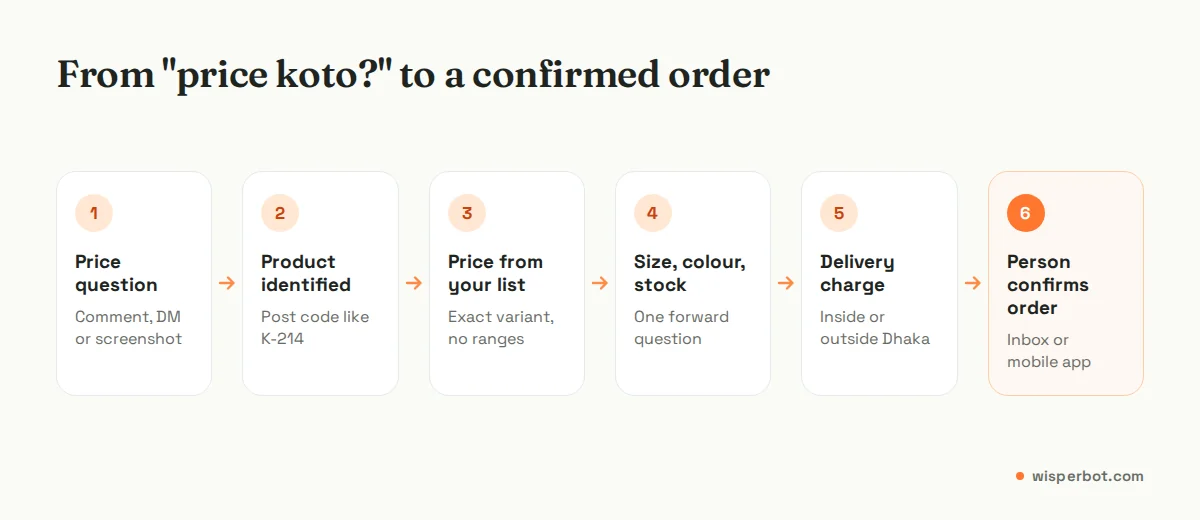
"Inbox please" turns one question into a three-step task: open Messenger, ask again, then wait. Each step loses some buyers, and the wait is the worst part. A buyer comparing three Pages at midnight will usually order from whichever one shows or sends a clear price first, not from the Page that asked her to go somewhere else.
It also reads badly in public. A post with forty comments saying "price?" and forty replies saying "inbox" tells new visitors that nobody gets a straight answer here. And it makes your inbox the bottleneck: every price question now needs a person, which is exactly what fails at 11 pm on a Thursday, when nobody is looking.
Example (illustrative): if 100 people comment "price?" on a post and 30 never open the DM, your best salesperson can't sell to them. Publishing the price, or replying in DM straight away with it, keeps more of those 100 in play.
What should an automatic price reply say?
An automatic price reply should give the exact price of the item the buyer asked about, one useful detail such as available sizes, the delivery charge for their area, and a short question that moves them towards ordering. Keep it to three or four lines in the buyer's own language. Don't paste your entire catalogue.
Here's how that can look in a real DM, in Roman Bangla and English as buyers actually write:
Buyer (11:52 pm): apu ei three piece ta koto? code K-214
Bot: K-214 cotton three piece er dam 1,450 taka, apu. M, L ar XL size ache, colour maroon ar olive. Dhaka r moddhe delivery charge 70 taka, Dhaka r baire 130 taka. Kon size lagbe?
Buyer: L. olive. chittagong
Bot: L size olive ache. Chattogram e delivery charge 130 taka, total 1,580 taka. Order confirm korte apnar naam, phone number ar full address den, amader team sokale confirm korbe.
The prices, code and delivery charges are an illustrative example. Notice what the bot doesn't do: it doesn't promise a delivery date it can't know, it doesn't offer a discount, and it tells the buyer plainly that a person will confirm in the morning.
How to set up automatic price replies
- Add a short code to every product post. "Code: K-214" in the caption and on the photo. When a buyer sends a screenshot with no text, the bot may not know which product it is, so the code is what lets it answer reliably.
- Build one price list. One row per variant (product, code, size, colour, price, sale price, stock note). Add a column for the names buyers use: "three piece", "salwar kameez", "kurti". Our price list template for chatbots has the full column set. If stock moves daily, see our guide to a bot that answers live stock, size and colour questions for keeping availability current.
- Write the delivery rules once. Inside Dhaka, outside Dhaka, delivery time, and whether you need an advance for certain areas.
- Connect the list to your bot. Add it as a CSV file or a Google Sheet link. With a Google Sheet, a price change in the sheet is the only update you need to make.
- Set the answer mode to strict. The bot should answer prices only from your list and hand over when a product or variant isn't there. WisperBot marks Balanced as recommended, and no mode invents prices, but Strict is the safer start for a price bot.
- Test 20 real price questions from last week's inbox, including "dam koto", "koto taka", "price plz" and a few with spelling mistakes. Check every number.
- Decide what goes to a person: discount and bargaining, bulk orders, custom sizes, complaints and anything the bot isn't sure about.
Do's and don'ts for price replies
These come from reading a lot of seller inboxes. Most mistakes are about the price list, not the bot.
| Do | Don't | Why it matters |
|---|---|---|
| Give the exact price for the variant asked about | Reply with a price range like "1,200 to 2,500" | A range forces a second question and a second wait |
| Include the delivery charge in the first reply | Reveal delivery charges only after the address | Charges that appear at the end make buyers back out |
| Update the sheet when a sale starts and ends | Leave old sale prices in the list "for later" | The bot will quote whatever the list says |
| Hand discount requests to a person | Let a bot negotiate | Bargaining needs judgement and authority |
| Ask one forward question ("Kon size lagbe?") | End with "Any other questions?" | A specific question gets a reply; a vague one gets silence |
| Say when a person will confirm the order | Pretend the order is booked when it isn't | Clear next steps cut fake and cancelled orders |
What about "price?" in Facebook comments?
For comments, the simplest fix is to answer publicly with the price and code, for example "K-214: 1,450 taka, delivery charge depends on area. Size and colour details in Messenger." That answers everyone reading the post, not just one buyer, and sends serious buyers to a DM with a reason to go there.
Automating comment replies comes with its own set of Meta rules. In WisperBot, comment replies are rolling out and aren't yet available to customer accounts, so for now handle comments manually or with a pinned comment that lists prices. Our guide to replying to Facebook and Instagram comments without losing buyers covers templates and moderation.
When should a person take over from the bot?
A person should take over when the buyer asks for a discount, wants a bulk or custom order, complains about a past order, or sends something the bot can't map to a product, such as a blurry screenshot with no code. The bot should say a teammate will reply and roughly when, not guess.
Very short messages are the other weak spot. "koto" on its own, with no product mentioned and no post attached, may not give a bot enough to work with. A good fallback is a single clarifying question ("Kon product ta, apu? Code ta dile dam bole dichhi") and, if that fails, a handover. Our Roman Bangla chatbot guide has a full test set for this. If you're worried about invented numbers, read how to stop an AI chatbot making up prices.
Where WisperBot fits
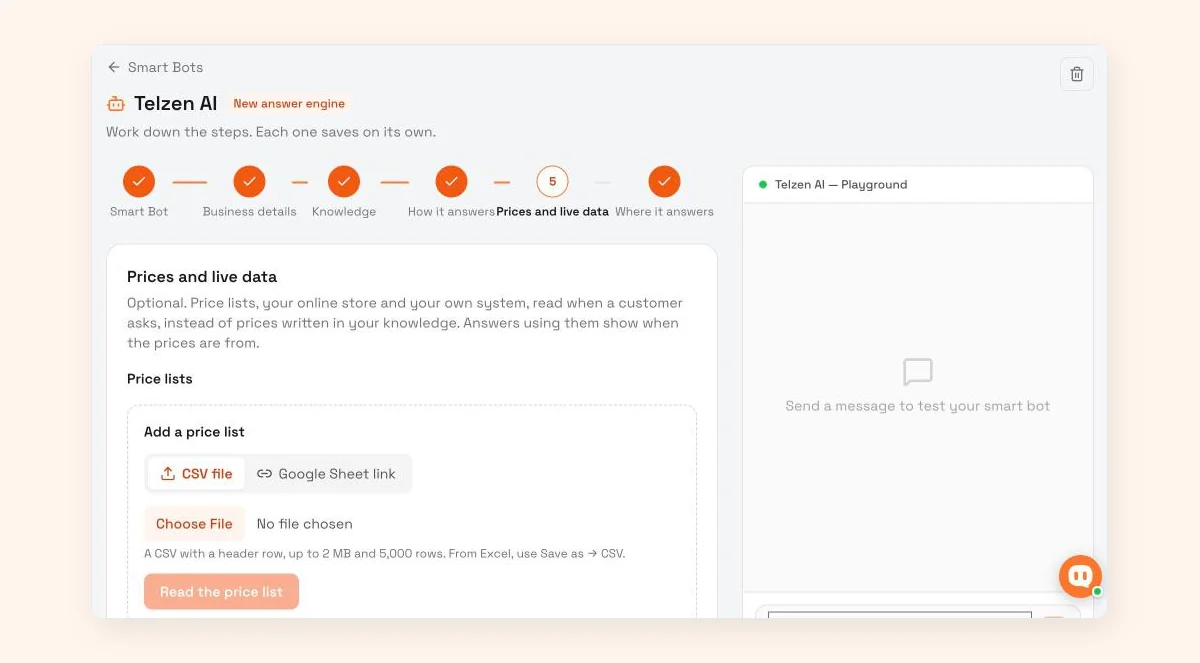
WisperBot, a reply-first inbox for WhatsApp, Instagram, Messenger and website chat, has a "Prices and live data" step in its Smart Bot setup: price lists, your online store and your own system, read when a customer asks, instead of prices written into your knowledge. Add a price list as a CSV file or a Google Sheet link (a CSV with a header row, up to 2 MB and 5,000 rows), or connect a store. Answers using them show when the prices are from. In Strict mode the Smart Bot answers only from your knowledge and sends anything else to your team. It replies in the customer's language, including Roman Bangla. It doesn't capture orders or connect to couriers, so a person confirms orders in the inbox or mobile app. See the Smart Bot page.
Frequently asked questions
Is it better to show the price on a Facebook post or in the inbox?
Show it on the post. A visible price answers everyone at once, filters out buyers who can't afford it, and makes the DMs you do get more serious. Bangladesh's consumer rights law also penalises not displaying a price list, so public pricing is the safer habit as well as the faster one.
Can a chatbot answer "price koto" in Roman Bangla?
Yes, a modern AI chatbot can usually understand "price koto", "dam koto" or "koto taka" and reply in the same style, provided it knows which product the buyer means. A product code in your post makes that much more reliable. Very short messages with no product named may still need a person.
How do I stop the bot quoting old prices?
Keep one price list as the only source, ideally a Google Sheet the bot reads from, and change prices there and nowhere else. Remove sale prices when the sale ends, and set the bot to a strict mode so it never answers prices from anything except that list.
Should the bot give discounts if a customer asks?
No. Discount requests need judgement about the customer, your margin and stock, so hand them to a person. The bot can reply politely that a teammate will check and get back, which keeps the buyer talking without committing you to a price you didn't approve.
How many products can a bot price list handle?
It depends on the tool. In WisperBot, a price list added as a CSV file or Google Sheet link can be up to 2 MB and 5,000 rows, which covers most Facebook shops even with one row per size and colour. For bigger catalogues, connecting a store or a read-only lookup into your own system may suit better.
Sources
- Laws of Bangladesh (Legislative and Parliamentary Affairs Division): Consumer Rights Protection Act 2009, section 38
- The Business Standard, 30 April 2023: summary of the Digital Commerce Operation Guideline 2021
Last checked: 8 October 2026.