50 WhatsApp Auto Reply Message Samples for Business (Copy and Paste)
Fifty copy-and-paste WhatsApp greeting, away, holiday, sale-day and quick reply messages, how to set them up in the Business app, and where fixed replies fall short.
In this article
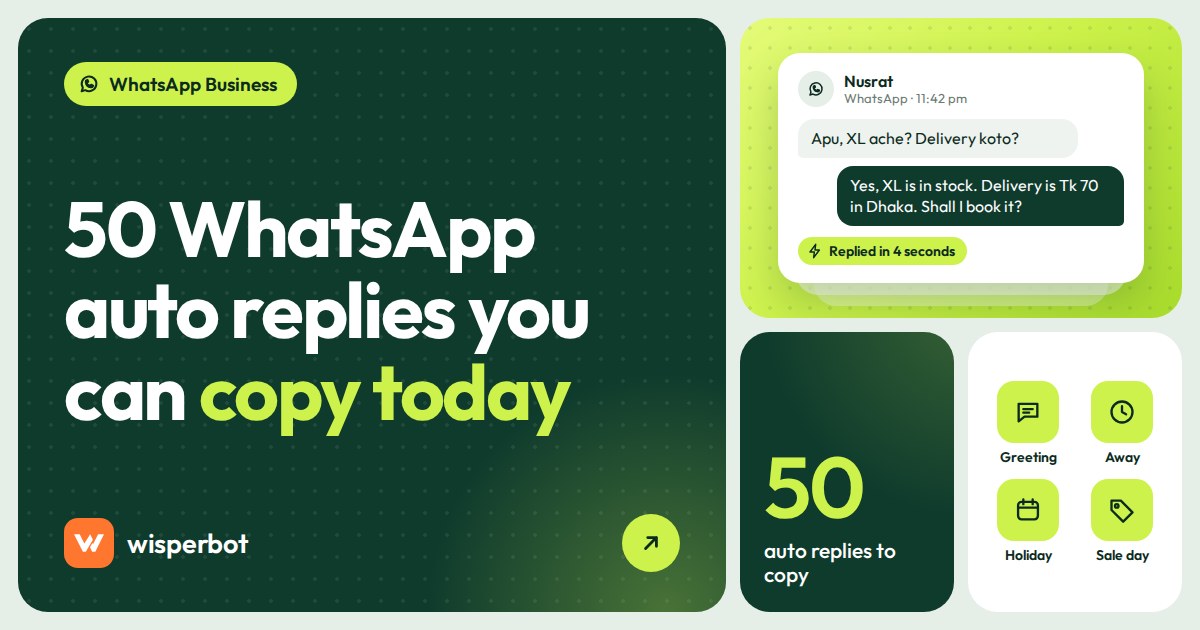
It's 9:40 pm on a Thursday and a customer in Uttara sends "is the blue tote still there?" to your WhatsApp number. Nobody sees it until 10 the next morning, and by then she's bought a tote from someone who did. A good WhatsApp auto reply message for business does one of two jobs in that gap: it tells the customer exactly when a person will answer, or it answers the question outright. Below are 50 WhatsApp auto reply message samples for business, grouped by situation, followed by how to set them up in the WhatsApp Business app and where a fixed message stops being enough.
Key takeaways
- The WhatsApp Business app has three free reply tools: a greeting message, an away message and quick replies. Greeting and away messages send automatically; quick replies are inserted by a person.
- The best auto replies give a real time ("back at 10 am"), one useful thing (a catalogue link, delivery charges) and nothing you can't keep.
- On the WhatsApp Business Platform (the API), an automated away message is a service message. Meta gives each business phone number 1,000 free service messages a month and, since 1 October 2026, charges per delivered message after that.
- A fixed away message can't read the question. If you get more than a handful of real questions overnight, an AI reply that answers from your price list does more.
What makes a good WhatsApp auto reply message?
A good WhatsApp auto reply tells the customer who they've reached, when a person will reply in real clock time, and one thing they can do right now, such as checking a catalogue or sending their order details. It should be short enough to read in a notification preview and never promise anything your team can't deliver.
Most auto replies we see fail on the second point. "We'll get back to you soon" means nothing at 11 pm. "We're back at 10 am" lets the buyer decide whether to wait or ask somewhere else. Some won't wait. That's still better than a buyer who waits, hears nothing, and leaves angry.
Three more rules we'd apply to every sample below.
- Ask for what you'll need anyway. If your first human reply is always "which item and what size?", ask for it in the auto reply so the morning conversation starts one step ahead.
- Put numbers in. Delivery charge, opening hours, last order date. A customer in Sylhet asking "delivery koto?" at midnight gets her answer from a well-written away message, even a fixed one.
- Write like your shop talks. If your Page says "apu" and "bhaiya", don't switch to "Dear valued customer" in the auto reply.
Everything in square brackets is yours to replace. The figures in brackets, such as [Tk 70] or [2 pm], are placeholders, not suggestions.
50 WhatsApp auto reply message samples for business
The samples are split into five groups: greeting messages (1 to 10), away and after-hours messages (11 to 20), holiday messages (21 to 28), busy-day messages (29 to 35) and quick replies for everyday questions (36 to 50). A few are written for shops in Bangladesh, India and the Gulf, because that's where most of the sellers we talk to are.
WhatsApp greeting message examples (1 to 10)
The greeting message goes to someone messaging you for the first time, or after a long gap since your last chat. Third-party guides put that gap at 14 days. So a regular who reorders every month will see it again and again. Keep it short. Nobody rereads a welcome speech; they do reread the delivery charge.
| # | Use it when | Sample message |
|---|---|---|
| 1 | General online shop | Hi, thanks for messaging [Shop name]. Send the product name or a screenshot and we'll reply with price and stock. We answer from 10 am to 10 pm. |
| 2 | You have a WhatsApp catalogue | Welcome to [Shop name]. Our full catalogue is here: [link]. Send the item code (like K-112) and your size, and we'll confirm price and delivery. |
| 3 | Clothing Page in Bangladesh | Assalamu alaikum, welcome to [Shop name]. Delivery inside Dhaka is [Tk 70], outside Dhaka [Tk 130]. Send the product photo and we'll confirm price and stock. |
| 4 | D2C brand in India | Hi, thanks for reaching [Brand]. For order status, send your order ID. For product questions, just type your question. We reply 10 am to 7 pm IST, Monday to Saturday. |
| 5 | Shop in the UAE | Marhaba, welcome to [Shop name]. We reply in English and Arabic. Same-day delivery in Dubai for orders confirmed before [2 pm]. How can we help? |
| 6 | Clinic or diagnostic centre | Hello, this is [Clinic name]. To book, send the patient's name, preferred date and doctor. This chat is not for emergencies: please call [number]. |
| 7 | Restaurant or cloud kitchen | Hi, thanks for messaging [Restaurant]. Today's menu: [link]. Send your area and your order, and we'll confirm the total and delivery time. |
| 8 | Salon or service booking | Hi, welcome to [Salon name]. Tell us the service you want and a day that suits you, and we'll send the free slots. |
| 9 | Returning customers (short) | Hi again from [Shop name]. What can we help with today? |
| 10 | Leads for property or courses | Thanks for your interest in [Project or course]. So we send the right details, please share your budget, preferred area or batch, and when you plan to start. |
WhatsApp away message for business (11 to 20)
An away message answers anything that arrives while you're closed. The single most useful thing in it is the time you'll be back. The second is anything that lets the buyer keep going without you, like delivery charges or a link to prices. We'd cut "your message is important to us" from every one of these. It's the sentence people have learned to skip.
| # | Use it when | Sample message |
|---|---|---|
| 11 | Standard after-hours | Thanks for your message. We're closed now and back at 10 am tomorrow. Send your question with the product name and it'll be the first thing we answer. |
| 12 | After-hours with answers | We're offline until 10 am. Prices and sizes for every item are in our catalogue: [link]. Delivery: [Tk 70] in Dhaka, [Tk 130] outside. |
| 13 | Weekly day off | We're closed on Fridays and back on Saturday at 10 am. Your message is saved and we'll reply in the order messages arrived. |
| 14 | Late-night orders | Got your message. Our team is back at 9 am. If you're ordering, send your name, full address and phone number now and we'll confirm it first thing. |
| 15 | Short daytime break | We're on a short break until [2:30 pm] and will reply as soon as we're back. |
| 16 | Gulf weekend | Thanks for contacting [Shop name]. Our team works [Monday to Friday, 9 am to 6 pm] Gulf time. We'll reply on Monday morning. |
| 17 | India, with self-service tracking | Thanks for writing. We're available 10 am to 7 pm IST. To track an order at any time, use [link]. |
| 18 | Very short | We're away right now. A person will reply by [10 am]. |
| 19 | Urgent route | We're closed. If a delivery is at your door now and something is wrong, call [number]. For everything else, we'll answer from 10 am. |
| 20 | Owner-run shop | Hi, I run [Shop name] myself and I'm offline right now. I'll reply by [11 am] tomorrow. Thanks for waiting. |
Holiday and festival auto replies (21 to 28)
Holiday messages matter most in the week before the holiday, not during it. That's when a buyer in Chattogram wants to know whether a saree ordered on Tuesday arrives before Eid. Put the last order date in the message as well as the closure dates; the closure dates alone don't answer her question. Our Ramadan and Eid inbox checklist covers the rest of the planning.
| # | Use it when | Sample message |
|---|---|---|
| 21 | Eid closure | Eid Mubarak from [Shop name]. We're closed from [date] to [date] and reopen on [date]. Orders placed now will ship from [date]. |
| 22 | Last order before Eid | Want it before Eid? Orders confirmed by [date] reach Dhaka by [date]. After that, delivery is after the holiday. |
| 23 | Ramadan hours | Ramadan Kareem. Our reply hours this month are [11 am to 4 pm] and [9 pm to 1 am]. We'll answer every message in those hours. |
| 24 | Diwali | Happy Diwali from [Brand]. We're closed on [date] and dispatch restarts on [date]. Your order and messages are safe with us. |
| 25 | Durga Puja | Shubho Puja from [Shop name]. We're closed [date] to [date]. Deliveries pause and restart on [date]. |
| 26 | UAE National Day | Happy National Day from [Shop name]. We're closed on [dates] and back on [date]. |
| 27 | Any public holiday | We're closed today for [holiday] and back tomorrow at [10 am]. |
| 28 | Couriers paused | Couriers are paused from [date] to [date] for the holiday. You can still order now and we'll dispatch on [date]. |
Busy-day and sale auto replies (29 to 35)
On a sale day the problem isn't that you're closed, it's that you're behind. These messages stop customers sending "hello?? anyone there" three times, which only makes the queue longer. Switch one on the night before, and decide who's holding the phone from 10 am, because the message buys you two hours, not the day.
| # | Use it when | Sample message |
|---|---|---|
| 29 | Sale day | Thanks for messaging during our [11.11] sale. We're getting a lot of messages, so replies may take up to [2 hours]. Sale prices are here: [link]. |
| 30 | Stock running low | Items are selling fast today. Send the item code and size and we'll check stock before we confirm. |
| 31 | New collection launch | Prices and sizes for the new collection are in this catalogue: [link]. We'll reply to everything else within [1 hour]. |
| 32 | Long queue | We're replying in order and you're in the queue. No need to send your message again. |
| 33 | Delivery delays | Deliveries are running [1 to 2 days] late because of [reason]. If you have an order number, send it and we'll check yours. |
| 34 | Short-staffed day | We have a smaller team today, so replies are slower than usual. We'll get to you by [5 pm]. |
| 35 | During a live sale | We're live on Facebook right now. Send the item number and we'll confirm your order after the live ends at [10 pm]. |
Quick replies for everyday questions (36 to 50)
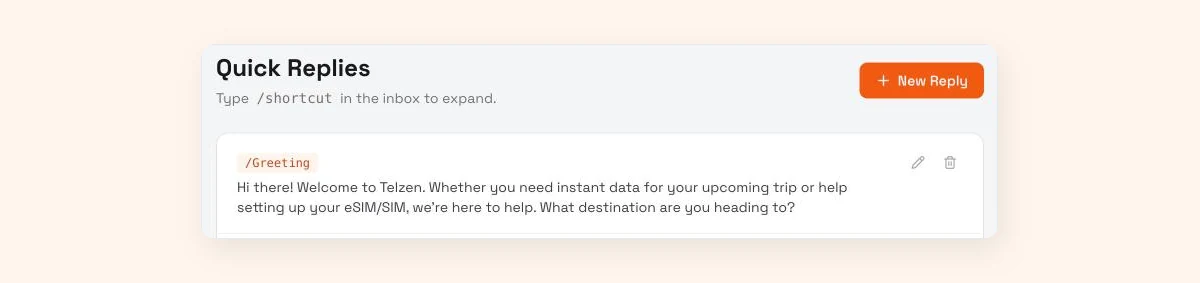
These aren't automatic. In the WhatsApp Business app you save them as quick replies and insert one by typing "/" and its shortcut. They suit the questions you answer 30 times a day, which for most clothing shops means price, delivery and "ache?". There are 40 more in our saved replies templates for online sellers.
| # | Shortcut | Sample message |
|---|---|---|
| 36 | /price | [Item] is [Tk 1,250]. Sizes M, L and XL. Delivery [Tk 70] in Dhaka, [Tk 130] outside. Shall I book one for you? |
| 37 | /delivery | Inside Dhaka: [1 to 2 days], [Tk 70]. Outside Dhaka: [2 to 4 days], [Tk 130]. Cash on delivery available. |
| 38 | /pay | You can pay by [bKash, Nagad, card or UPI] or cash on delivery. For bKash, send to [number] and share the last four digits of the transaction ID. |
| 39 | /order | To confirm your order, please send your name, full address with area, phone number, and the item and size. |
| 40 | /confirm | Your order is confirmed: [item, size], total [Tk 1,320] including delivery. Expected delivery: [date]. |
| 41 | /size | Here's our size chart: [link]. Tell me your height and usual size and I'll suggest one. |
| 42 | /soldout | Sorry, [item] in [size] is sold out. [Similar item] is available in your size at [price]. Want photos? |
| 43 | /exchange | Exchanges are accepted within [3 days] of delivery with the tag attached. Send a photo of the item and your order number. |
| 44 | /track | Your order [number] went to the courier on [date]. Tracking: [link]. |
| 45 | /location | We're at [address], [area]. Open [10 am to 8 pm], closed [Friday]. Map: [link]. |
| 46 | /wholesale | For wholesale, the minimum is [20 pieces]. Send the items and quantities and we'll share a price sheet. |
| 47 | /discount | Prices are fixed during the sale, but delivery is free on orders over [Tk 2,000]. |
| 48 | /photos | Here are real photos of [item]. The colour can look slightly different on some screens. |
| 49 | /handover | I'm passing this to [name], who handles [refunds]. Expect a reply by [4 pm] today. |
| 50 | /thanks | Thanks for ordering from [Shop name]. If anything's wrong when it arrives, message us here with a photo. |
How do you change WhatsApp auto reply settings in the Business app?
Open the WhatsApp Business app, go to Tools (called Business tools on some versions), then choose Greeting message or Away message. Switch it on, edit the text, pick a schedule for the away message and choose who receives it. Quick replies sit in the same Tools menu. Menu names can differ slightly between Android, iPhone and app versions.
The steps below follow WhatsApp's own feature page and current setup guides, checked October 2026.
- Set business hours first. In your business profile, add your opening hours. The "outside of business hours" schedule for the away message only appears once these exist.
- Greeting message. Tools, then Greeting message. Turn on "Send greeting message", tap the text to edit it, then choose recipients: everyone, everyone not in your address book, everyone except selected contacts, or only selected contacts. Save.
- Away message. Tools, then Away message. Turn on "Send away message", edit the text, then choose a schedule: always send, a custom schedule, or outside of business hours. Choose recipients the same way and save.
- Quick replies. Tools, then Quick replies. Add the message and a shortcut, such as /price. In any chat, type "/" to pick one.
- Test from a second phone. Message your own number from a phone that isn't in your contacts, once inside business hours and once outside. Check the right message arrives and reads well in the notification preview.
You get one greeting message and one away message at a time. So before Eid, or the night before a sale, somebody has to open the app and paste in the new text. Put it in the calendar; it's the step shops forget until a customer screenshots the old message back at them. If you're unsure whether you should be on the app or the API, our guide to WhatsApp Business app vs Cloud API vs coexistence walks through it.
Can the WhatsApp Business API send an away message?
The API has no built-in away message switch. Your WhatsApp platform sends it as an ordinary reply inside the 24-hour window. Meta gives each business phone number 1,000 free service messages a month; from the 1,001st, it charges each delivered reply at the market's utility rate (since 1 October 2026), and an automated "we're closed" message counts like any other.
The amounts are small. On the October 2026 rate card, Meta partners list the Bangladesh service and utility rate at $0.0037 per delivered message, about Tk 0.46 at Bangladesh Bank's 11 October 2026 rate. A shop sending fewer than 1,000 service replies a month pays nothing for them. Example: 1,800 replies a month means 800 charged, a little under three dollars. What bothers us isn't the bill. It's that once you're past the free 1,000, you pay the same Tk 0.46 for "we're closed" as for a reply that tells the customer the kurti is in stock in M, and the away messages eat into the free 1,000 too. Replies inside a free entry point window are also free: it opens when someone messages you from a click-to-WhatsApp ad on the Android or iOS app and you reply within 24 hours, and it can stay open for up to 7 days (Meta's developer pricing page, updated 30 September 2026; some older Meta pages still say 72 hours). Our WhatsApp API pricing guide has the full rate table.
What can't a fixed auto reply do?
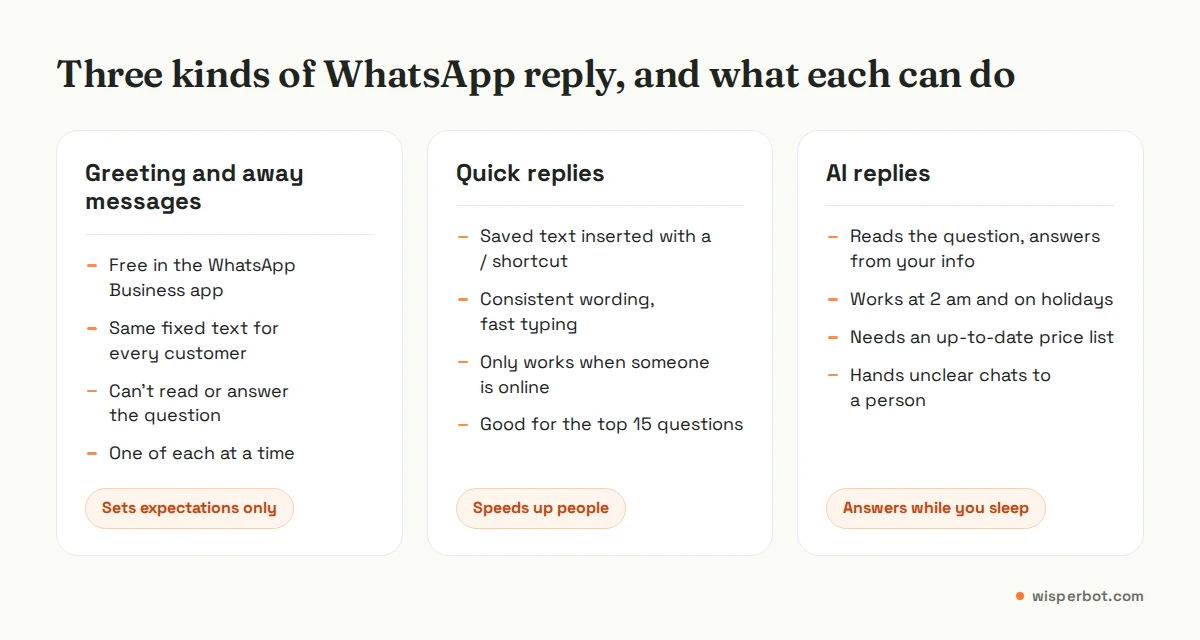
A fixed auto reply can't read the customer's message. It sends the same words whether they asked about price, a late parcel or a refund, and it can't follow up. The customer who wrote "XL ache?" at midnight still has no answer until a person wakes up, and many will have asked another seller by then.
Smaller annoyances pile up as well. The greeting fires for new or long-quiet chats, so a regular can get "Welcome to our shop" in the middle of her fourth reorder. The away message goes to everyone in the window you set, including the man replying "ok thanks" to yesterday's chat at 10:05 pm. Quick replies only help when someone is holding the phone.
When should an AI reply replace your away message?
Replace the away message with an AI reply when your overnight messages are mostly real questions with fixed answers, such as price, size, stock and delivery charges, and there are more than a handful a night. If you get two or three messages after closing, a clear away message with your opening time is enough.
Count before you decide. Scroll back through last week and note every message that arrived while you were closed, and what it asked. If most say "price?", "available?" or "delivery koto?", those are answers you've already written down somewhere. An AI reply answering from your price list turns them into replies in seconds. Complaints, bargaining and custom orders should still wait for a person. A bot that haggles is worse than no bot.
In June 2026 Meta announced Meta Business Agent, an AI agent in the WhatsApp Business app that learns from your Facebook Page, past chats and website, and can take a catalogue or price list. Meta says it's free to start, with paid subscriptions to follow, and available to eligible businesses in select markets. If you run one number on the app and it's offered to you, try it before paying anyone, including us. A separate inbox earns its place when you also sell through Instagram, Messenger or a website and want one screen for all of it. Our after-hours AI replies setup guide shows how we'd start: nights only, strict answers, a morning check.
Where WisperBot fits
WisperBot, a reply-first inbox for WhatsApp, Instagram, Messenger and website chat, gives you two of the tools above in one place. Quick Replies work the same way as in the app: type /shortcut in the inbox to insert one, and the whole team shares the same set. In place of a fixed away message, a Smart Bot can answer from your own knowledge and price list on a schedule you choose, such as 10 pm to 10 am, and send anything it isn't sure about to your team. The free plan includes one WhatsApp number, web chat and 100 AI replies a month. Meta's WhatsApp fees, where they apply, are separate. If you're a one-person shop getting three messages a night, you don't need this; sample 20 above and a good night's sleep will do. See the Smart Bot page for how it answers.
Frequently asked questions
How do I set an automatic reply on WhatsApp Business?
In the WhatsApp Business app, open Tools, choose Away message or Greeting message, switch it on, write your text and pick a schedule and recipients. Add business hours to your profile first if you want the away message to send only when you're closed. On the API, your platform handles auto replies.
What is a good away message for WhatsApp Business?
A good away message says you're closed, gives the exact time you'll reply, and offers one thing the customer can do now, such as checking your catalogue link or sending their order details. For example: "We're closed now and back at 10 am. Send the product name and size and we'll answer first thing."
Can I have different away messages for different days?
Not in the WhatsApp Business app. It allows one away message at a time, with one schedule: always, a custom period, or outside business hours. If Friday hours differ, set them in your business hours and keep the message text general, or update it before the day.
Are WhatsApp auto replies free?
In the free WhatsApp Business app, greeting and away messages cost nothing. On the WhatsApp Business Platform, the first 1,000 service replies per number each month are free; after that, every delivered reply, automated or not, is charged at the utility rate (since 1 October 2026), except inside a free entry point window from click-to-WhatsApp ads.
Does an away message count as a reply to the customer?
To the customer, not really. It confirms the message arrived but leaves the question unanswered, so most people treat it as a holding message. When you measure first response time, count the first real answer from a person or bot, not the away message.
Sources
- WhatsApp Business: Business app features (greeting, away messages, quick replies, labels)
- Rasayel Learn: Greeting and away messages in the WhatsApp Business app (step-by-step)
- Meta: Pricing for non-template messages (service messages charged from 1 October 2026)
- Meta: Pricing on the WhatsApp Business Platform (1,000 free service messages per number per month, free entry point window up to 7 days; updated 30 September 2026)
- Zernio: WhatsApp API pricing by country (1 October 2026 rate card)
- SleekFlow Help Center: WhatsApp pricing (Bangladesh service rate from 1 October 2026)
- Bangladesh Bank: exchange rate of taka, 11 October 2026
- WhatsApp Business blog: Introducing Meta Business Agent (3 June 2026)
- WhatsApp Business: Meta Business Agent in the Business app
Last checked: 12 October 2026.