The 24-Hour Messaging Window on WhatsApp, Messenger and Instagram, Explained
All three Meta inboxes give you 24 hours from the customer's last message. What you can do after that is very different on each channel.
In this article
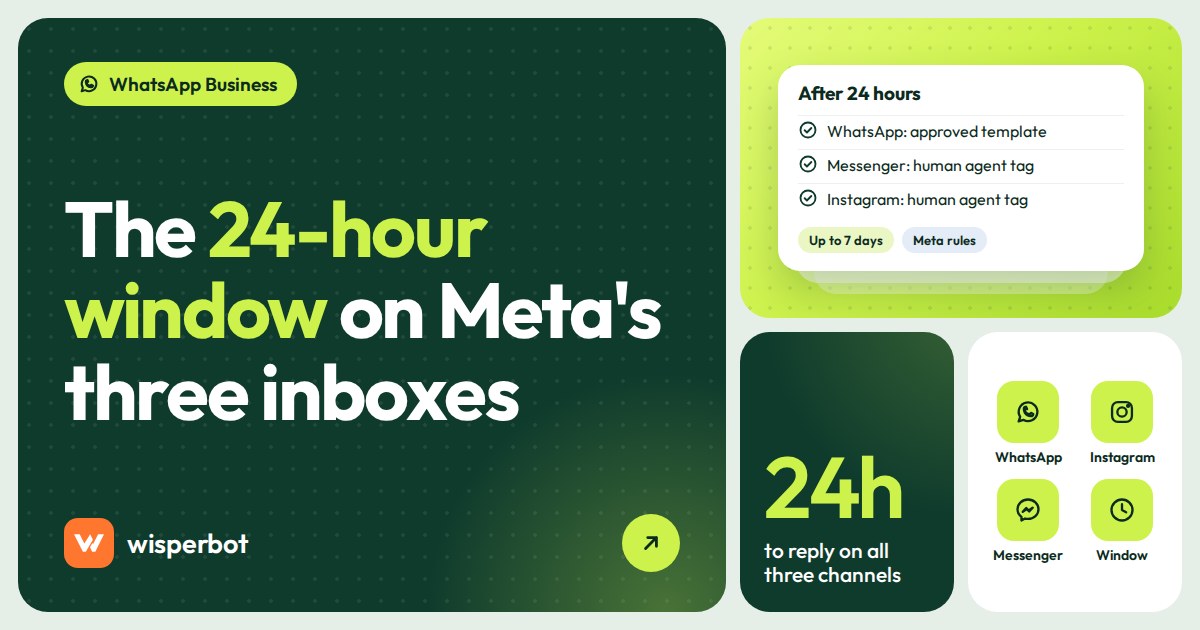
The WhatsApp 24-hour window is the period after a customer's most recent message during which a business can reply with normal messages instead of templates. Messenger and Instagram use the same 24-hour rule. Each new customer message restarts the clock. Once it runs out, WhatsApp only lets you send a pre-approved, paid template, while Messenger and Instagram let a person (not a bot) reply for up to 7 days using Meta's human agent tag.
Key takeaways
- All three Meta channels give you 24 hours from the customer's last message to send normal replies.
- After 24 hours, WhatsApp requires an approved template, which is charged by category and country.
- Messenger and Instagram allow manual replies for 7 days with the HUMAN_AGENT tag, which needs Meta's Human Agent permission.
- Three Messenger tags for transactional updates were retired in 2026; utility messages replaced them.
- Since 1 October 2026, WhatsApp replies inside the window are charged per delivered message at the utility rate. Messenger and Instagram replies still carry no per-message fee.
What is the 24-hour messaging window?
It is the time limit Meta puts on business replies. When a customer sends you a message on WhatsApp, Messenger or Instagram, you get 24 hours to reply with any normal message: text, photos, voice notes, links. Every new message from the customer restarts the 24 hours. Your own replies do not.
That last point catches people. Example: a customer asks "ei sofa ta ki grey te ache?" at 11:40 pm on Thursday. You reply at 9:00 am on Friday and send three follow-ups that afternoon. None of those extends anything. The window still closes at 11:40 pm on Friday, unless the customer writes again.
Meta calls it the "customer service window" on WhatsApp and the "standard messaging window" on Messenger. Instagram's developer docs simply say your app has 24 hours to respond. The idea is the same: businesses can send any normal message while a customer is in a conversation, and need permission or a paid route once the customer has gone quiet.
WhatsApp, Messenger and Instagram compared
The 24 hours are identical. What differs is what happens after. This table reflects Meta's developer documentation as of October 2026.
| Rule | WhatsApp Business Platform | Facebook Messenger | Instagram DMs |
|---|---|---|---|
| Who can start the conversation | Customer, or business with an approved template and opt-in | Customer (or via ads and opt-in marketing messages) | Customer, or you via one private reply to their comment |
| Free-form window | 24 hours from customer's last message | 24 hours from customer's last message | 24 hours from customer's last message |
| Promotions inside the window | Allowed | Allowed | Allowed |
| After 24 hours | Approved templates only (marketing, utility, authentication) | Message tags, utility messages, opt-in marketing messages, sponsored messages | HUMAN_AGENT tag only |
| Human agent extension | None | 7 days, manual replies, needs Human Agent permission | 7 days, manual replies, needs Human Agent permission |
| Ad-started chats | Free entry point window of up to 7 days if you reply within 24 hours | Standard rules | Standard rules |
| Cost of replies | Service messages charged per delivered message from 1 Oct 2026, at the utility rate, after 1,000 free a month per number | No per-message fee for replies | No per-message fee for replies |
What can you send on WhatsApp after 24 hours?
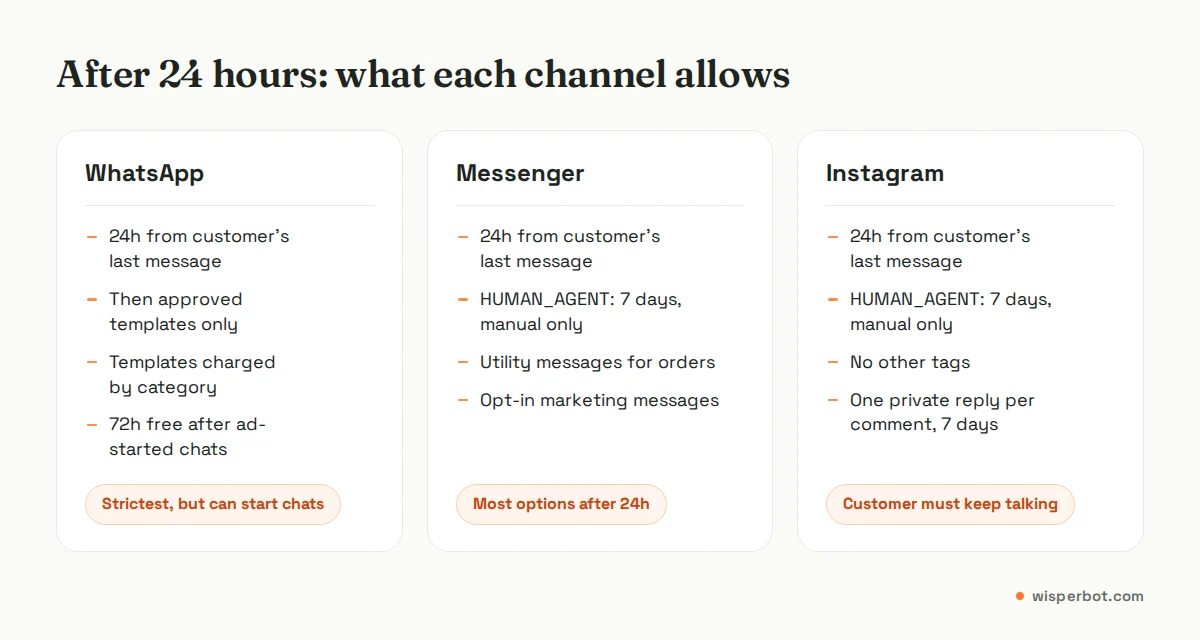
Only a message template: a pre-written format that Meta has approved and put into a category (marketing, utility or authentication). Free-form text, photos and voice notes are blocked until the customer writes again. Every delivered template is charged at the rate for its category and the customer's country, unless a free entry point window is open.
WhatsApp is the strictest of the three because it is the only one where a business can start a conversation with someone who has never messaged it. Templates are the price of that power. They need opt-in from the customer, they go through review, and Meta can pause one if people block or report it. Our guide to WhatsApp templates that get approved covers how to write them.
There is one exception. If a customer reaches you through a Click to WhatsApp ad, using the WhatsApp phone app on Android or iOS, and you reply within 24 hours, Meta opens a free entry point window that may stay open for up to 7 days from your reply (Meta's developer pricing page, updated 30 September 2026; some older Meta pages still say 72 hours). Everything you send inside it is free, apart from Meta Business Agent messages, but the 24-hour rule for free-form messages still applies. After the customer's 24 hours lapse, you need a template, which then costs nothing until the free window ends.
Did the WhatsApp window change in October 2026?
The length did not. The cost did. From 1 October 2026, Meta charges for service messages (normal replies inside the window, whether a person or a third-party AI tool writes them) at each country's utility rate. Utility templates sent inside the window are also charged now.
Meta's pricing page gives each business phone number 1,000 free service messages a month, which do not roll over, and charges from the 1,001st. A small shop sending fewer than 1,000 replies a month from one number pays nothing for them. Meta offers no volume tiers for service messages beyond that. In Bangladesh the service rate is under half a US cent per reply, so even a busy small shop usually pays tens of dollars a month for replies, far less than one promotional broadcast. That is not a reason to reply less. Our breakdown of WhatsApp Business API pricing in 2026 has the rates by country.
What is the Messenger human agent tag?
HUMAN_AGENT is a message tag that lets a real person from your business reply on Messenger up to 7 days after the customer's last message. It is for issues that cannot be resolved inside 24 hours. Automated messages are not allowed under it, and your app needs Meta's Human Agent permission, granted through App Review.
Messenger used to have more tags for transactional updates. Meta's Send API reference says CONFIRMED_EVENT_UPDATE, ACCOUNT_UPDATE and POST_PURCHASE_UPDATE stopped being available from 10 February 2026, and the Messenger changelog says requests using them return an error from 27 April 2026. Either way, they are gone. If you relied on POST_PURCHASE_UPDATE for "your order has shipped", Meta's suggested route is now a utility message (a pre-approved template for orders, account updates and appointments) or, for promotions, opt-in marketing messages.
Two other rules apply on Messenger:
- Tags cannot carry promotions. Meta's policy says message tags may not be used for promotional content, and misuse can restrict your Page's ability to message.
- CUSTOMER_FEEDBACK exists for surveys sent within 7 days of the customer's last message, and only with Meta's Customer Feedback Template.
How does the Instagram 24-hour rule work?
Instagram DMs follow the same 24-hour window, and only the customer can start a conversation. After 24 hours, the only route is the HUMAN_AGENT tag, which Meta's Send API reference marks as required for Instagram and which lets a person reply within 7 days. The other Messenger tags are not available on Instagram.
Comments add a twist. Meta's private replies rules let a business send one DM to someone who commented on a post or reel, within 7 days of the comment. You can only follow up if the person answers, and then you have 24 hours from their answer. On Instagram Live, private replies only work during the broadcast. So "check inbox" replies posted a week later go nowhere. We cover comment handling in replying to Facebook and Instagram comments.
A real window, hour by hour
Here is how the same Thursday night message plays out on each channel. Times are Dhaka time.
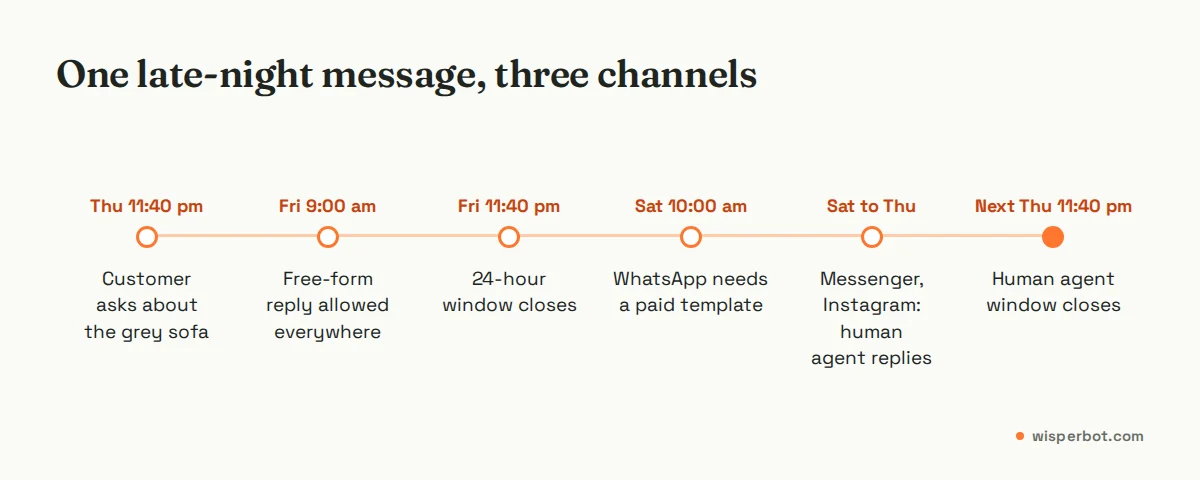
- Thu 11:40 pm: customer asks about the grey sofa. Window opens on all three channels.
- Fri 9:00 am: you reply with price and photos. Allowed everywhere. On WhatsApp, this is a service message.
- Fri 11:40 pm: window closes.
- Sat 10:00 am: sofa is back in stock. On WhatsApp you need a template, and a "back in stock, 10% off this week" message is a marketing template, charged at the marketing rate. On Messenger or Instagram, a person can reply with the HUMAN_AGENT tag, but no discount pitch.
- Next Thu 11:40 pm: human agent window closes. From here, Messenger only allows utility messages, opt-in marketing messages or paid sponsored messages; Instagram allows nothing until the customer writes.
Five habits that keep you inside the window
The cheapest message is the one you send while the customer is still in the conversation. These habits matter more than knowing every tag.
- Cover nights and Fridays first. In Bangladesh, a message at 11:40 pm on Thursday lands right before the weekly holiday. If nobody replies until Saturday, the window is already shut. See our guide to setting up after-hours AI replies.
- End replies with a question. "Size M or L?" gets the customer to write back, which restarts the 24 hours. "Let me know" usually does not.
- Ask for the detail you need now. If you need to check stock, say when you will be back and ask for the size now, so your next message is a reply to fresh information.
- Use the human agent tag for real follow-ups only. It is for unresolved questions, not reminders or offers.
- Send order updates from WhatsApp while the window is open. A confirmation sent 20 minutes after the order is a service message; the same message sent two days later needs a template.
Where WisperBot fits
WisperBot, a reply-first inbox for WhatsApp, Instagram, Messenger and website chat, is built for the first half of this problem: replying inside the window. A Smart Bot answers in seconds from your own prices and policies, around the clock or on a schedule you set, and a per-conversation AI/Human switch lets a teammate take over. The mobile agent app means that teammate can reply from a phone at 11:45 pm instead of the next morning. It cannot change Meta's rules; nothing can.
Frequently asked questions
Does the 24-hour window reset when I reply?
No. Only a new message from the customer restarts the 24 hours. Replies, follow-ups and reminders from your side do not extend it. If you need more time, ask the customer a question so they write back, or on Messenger and Instagram use the human agent tag for a manual reply.
Can a chatbot use the human agent tag?
No. Meta's documentation describes HUMAN_AGENT as a tag for a business representative replying manually, within 7 days of the customer's message. Automated messages sent under it break Meta's rules, and apps need the Human Agent permission through App Review before they can use it at all.
Is it OK to send a promotion inside the 24-hour window?
Yes, on all three channels. Meta's Messenger policy says messages within the 24-hour window may contain promotional content, and WhatsApp allows any free-form message inside the customer service window. Promotions outside the window need a marketing template on WhatsApp or opt-in marketing messages on Messenger.
How long do I have to reply to an Instagram comment by DM?
Seven days from when the comment was posted, and only one private reply. If the person answers, you can keep talking for 24 hours from their answer, under the normal window. For comments on an Instagram Live, private replies only work while the broadcast is running.
What happened to the POST_PURCHASE_UPDATE tag?
Meta retired it on Messenger, along with CONFIRMED_EVENT_UPDATE and ACCOUNT_UPDATE. Meta's Send API reference gives 10 February 2026 as the date they stopped being available, and the changelog says requests using them return error code 100 from 27 April 2026. Use utility messages for order and shipping updates instead.
Sources
- Meta: Pricing on the WhatsApp Business Platform (customer service window and free entry points)
- Meta: Pricing for non-template messages
- Meta: Messenger Platform, Send a Message
- Meta: Messenger Send API reference (message tags)
- Meta: Messenger Platform changelog
- Meta: Messenger Platform and Instagram Messaging API policy
- Meta: Instagram Messaging API
- Meta: Instagram private replies
- WhatsApp Business Messaging Policy
Last checked: 8 October 2026.