"Check Inbox" Is Losing You Buyers: How to Reply to Comments
A public "check inbox" with nothing in the inbox loses buyers. Answer in public, send one useful private reply, and know Meta's 7-day rule.
In this article
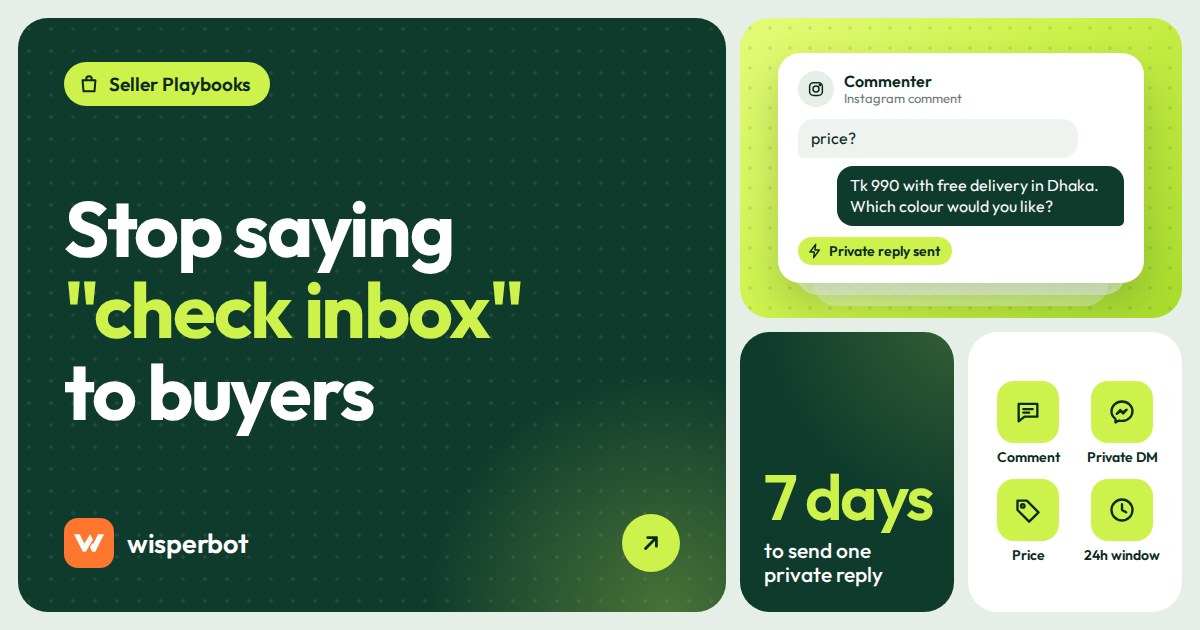
If you reply to Facebook comments automatically, or by hand at midnight, the rule for not losing buyers is the same: answer the question in public where you can (price, sizes, delivery areas), then send one private reply with the details and a question that invites them to reply. Meta allows a business one private message per comment, sent within 7 days, and the conversation can only continue once the buyer answers. A public "check inbox" with nothing waiting in the inbox is the worst of both.
Key takeaways
- "Check inbox" only works if there is actually a message in the inbox. Send the private reply first, then say so publicly.
- Meta's private replies allow one message per comment, within 7 days of the comment (during the broadcast for Instagram Live comments).
- Your private reply should end with a question. Nothing more can be sent until the buyer replies, which opens the normal 24-hour messaging window.
- Put the price in public. Hiding it behind "inbox please" adds a step that many buyers will not take.
- Hide spam and scam links quickly, but answer complaints in public before taking them private.
Why does "check inbox" lose buyers?
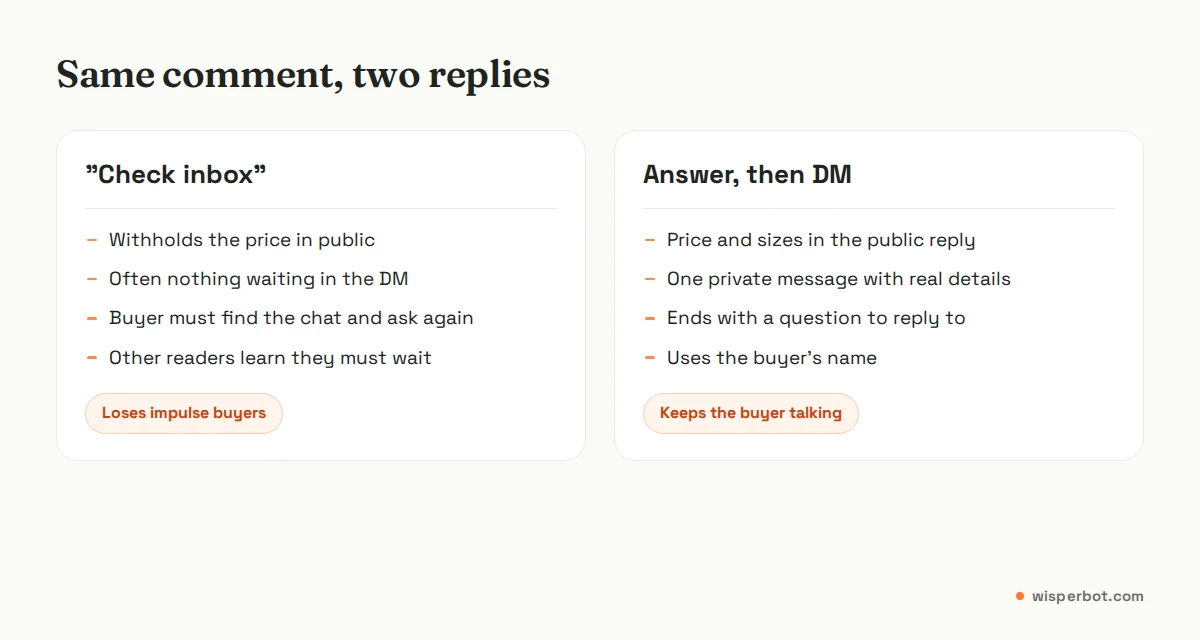
Because it asks the buyer to do the work. They have to leave the post, open Messenger or Instagram DMs, find your chat (often in message requests) and ask again. If you have not actually sent anything, they find an empty thread. Every extra step loses some buyers, and the ones you lose are often the most casual, impulse ones.
Example (illustrative numbers): a Dhaka clothing page posts a reel at 9 pm, and by 11:30 pm it has 140 comments. Forty of them say some version of "price?", "pp", "dam koto" or "L size ache?". The page admin replies "inbox" to each one, sometimes the next morning. A few buyers open Messenger and ask again. Most scroll on to the next reel, where a different page has the price in the caption.
The comment was a raised hand. A public reply that withholds the answer tells everyone else reading the thread that they will have to wait too.
What are Meta's rules for private replies to comments?
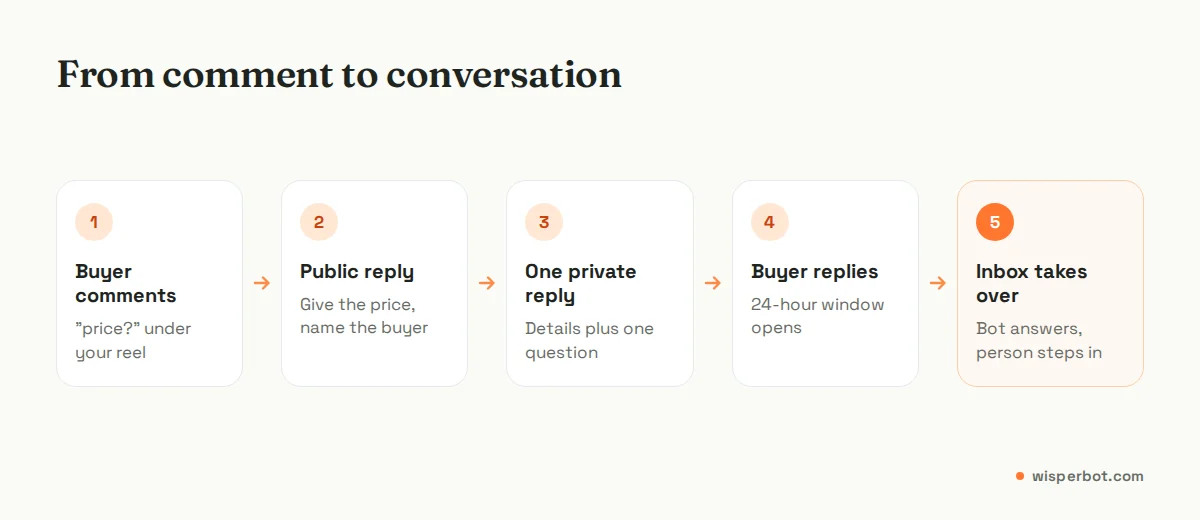
A private reply is a direct message a Page or Instagram professional account sends to someone because of their comment. Meta allows one private reply per comment, sent within 7 days of the comment. On Instagram Live, the reply must go out during the broadcast. You can only continue the conversation after the person replies to your message.
That last rule is the one most people miss. Your private reply is a single shot. If it says "Hi, check our latest collection" (no answer, no question), the buyer has no reason to reply and you have no way to follow up. Write it so that the natural next step is for them to type something back.
| Rule | Facebook Page comments | Instagram comments |
|---|---|---|
| Private replies per comment | One message | One message |
| Time limit | Within 7 days of the post or comment | Within 7 days for posts, ads posts and reels; during the broadcast for Live comments |
| After the private reply | Nothing more until the person replies | Nothing more until the person replies |
| Once they reply | Normal 24-hour messaging window applies | Normal 24-hour messaging window applies |
Our explainer on the 24-hour messaging window covers what you can send once the buyer replies, and the narrow exceptions after 24 hours.
Which comments should get a public reply, and which a DM?
Answer anything that other buyers are also wondering about in public: price, sizes, colours, delivery areas, how to order. Move anything personal into a DM: order numbers, phone numbers, addresses, payment and complaints that need details. When in doubt, give the short answer publicly and the detail privately.
Here is how we would split the common comment types. Treat the wording as a starting point and write it the way your page normally talks.
| Comment | Public reply | Private reply (one message) |
|---|---|---|
| "price?" / "pp" / "dam koto" | "1,450 taka, sizes M to XL. Sent you the size chart, Rina." | Size chart, delivery charge for their area, and "Which size should we keep for you?" |
| "L size ache?" (is L available?) | "L is available in black and maroon right now." | Photos of both colours and "Which colour would you like?" |
| "Delivery Chattogram?" | "Yes, all over Bangladesh. Chattogram usually takes 2 to 3 days." | Delivery charge, cash on delivery rules and "Shall I note your area?" |
| Complaint about a late order | "Sorry about this. Messaging you now so we can check your order." | "Could you share your order number or phone number so we can track it?" |
| "Fake page" or a rude comment | One calm, factual line, or no reply if it is plainly trolling | Usually none |
| Spam link or "earn 50k a month, DM me" | None: hide it | None |
Notice the public replies name the actual price. We disagree with the old advice to hide prices so that buyers must message you. Buyers who need to ask the price to find out whether they can afford something often don't ask. If you want the DM, earn it with something genuinely useful: a size chart, a real photo, the exact delivery charge for their district. Our guide to answering "price koto?" DMs automatically goes further.
How to set up comment-to-DM without being spammy
Comment-to-DM is the tactic of sending a private message to everyone who comments a keyword ("Comment SIZE and we'll send the chart"). It works when the DM delivers what the post promised, and annoys people when it delivers an advert.
- Put the core answer in the post itself. Price and sizes in the caption or the first line of text on the image. This alone cuts "price?" comments.
- Write the private reply before you post. It should contain what the comment asked for, plus one question. Keep it under 50 words.
- Send the private reply, then reply publicly. "Sent you the details in Messenger, Arif" is true. "Check inbox" when nothing is there is not.
- Vary the public replies. Two hundred identical "Check DM" replies under one post look automated and bury real questions. Use the commenter's name and the specific answer.
- Watch the 7-day limit on older posts. A boosted post from last month still collects comments. Any comment you can still answer privately is inside its 7 days; beyond that, reply publicly and invite them to message you.
- Move fast at night. Comments posted between 10 pm and 1 am on a new reel are often your hottest buyers, and they are still holding the phone.
How should you moderate comments without hiding buyers?
Hide spam, scam links and abuse quickly. Leave genuine questions and fair complaints visible, and answer them. On Facebook, Meta's help centre says a hidden comment stays visible to the person who wrote it and their friends, so hiding a real complaint does not make it go away. It just makes the buyer angrier.
Both Facebook Pages and Instagram professional accounts offer word filters. Add the obvious spam phrases you keep seeing ("earn from home", "DM for crypto", fake giveaway wording), but be careful with local words. A filter that blocks "price" or "inbox" will quietly hide your buyers.
Should you delete negative comments on a sales post?
Usually no. A visible complaint with a calm public reply ("Sorry, messaging you now to fix this") shows other buyers that you deal with problems. Deleting it removes that proof, and the person often comes back louder. Delete or hide only abuse, personal data (someone posting their phone number and address) and spam.
One exception: if a buyer posts their full address and phone number in a comment to "order", hide it for their own safety and send the private reply asking them to share details in the DM instead.
Who should answer comments: a person or a bot?
A bot can safely handle the repetitive ones (price, sizes, delivery areas) if it answers from your own price list and never guesses. Complaints, angry comments and anything that touches a specific order should go to a person. The public thread is visible to everyone, so a wrong automated answer costs more there than in a private chat.
If you run comment automation through any tool, test it on a quiet post first. Check what happens when someone comments with an emoji only, a tag of a friend ("@nadia look"), or a question in Roman Bangla. Each of those should either get a sensible answer or no automatic reply at all.
Where WisperBot fits
WisperBot, a reply-first inbox for WhatsApp, Instagram, Messenger and website chat, brings the DMs your comments create into one inbox, where the Smart Bot answers from your own price list in the buyer's language and hands over to a person when needed. Facebook and Instagram comment replies are live on our own accounts and rolling out to customer accounts, pending Meta's app review, so don't plan your comment workflow around them yet. The agent app and the social commerce inbox show what is available today.
Frequently asked questions
Is it OK to reply "check inbox" to every comment?
Only if you have actually sent a private message first. Otherwise the buyer opens an empty chat and gives up. Better: answer the main question publicly (price or availability), send one useful private reply, and say "sent you the details" with their name. It reads like a person, not an auto-responder.
How many private replies can a Facebook Page send to one comment?
One. Meta's Messenger Platform documentation says only one message can be sent to the person who commented, within 7 days of the post or comment. After that you have to wait for them to reply. Once they do, the normal 24-hour messaging window starts.
Can I send a private reply to an Instagram Live comment later?
No. Meta's documentation says private replies to Instagram Live comments can only be sent during the live broadcast. If you sell on Live, have a second person or an automation answering comments while you present, and pin a comment with the price and how to order.
Should I put prices in Facebook post captions?
For most product posts, yes. A visible price filters out people who could never afford it and answers the most common comment before it is asked. Sellers worry competitors will undercut them, but competitors can message you to find out anyway. Buyers are the ones you lose by hiding it.
Can WisperBot reply to Facebook and Instagram comments automatically?
Comment replies work on WisperBot's own Facebook and Instagram accounts and are rolling out to customer accounts once Meta's app review is complete. Today, WisperBot handles the DMs that comments lead to, with the Smart Bot answering from your information and a person taking over when needed.
Sources
- Meta for Developers: Messenger Platform private replies (checked October 2026)
- Meta for Developers: Instagram Messaging private replies (checked October 2026)
- Meta for Developers: Messenger Platform and IG Messaging API policy (checked October 2026)
- Facebook Help Centre: Hide a comment from a post on your Facebook Page
- Instagram Help Centre: Hide comments or message requests you don't want to see
Last checked: 8 October 2026.