Sale-Day Inbox Plan: Handling 10x Messages on 11.11, Black Friday and Campaign Days
A practical plan for 11.11, Black Friday and campaign days: forecast the message peak, staff around it, put the bot first and clear the backlog in 48 hours.
In this article
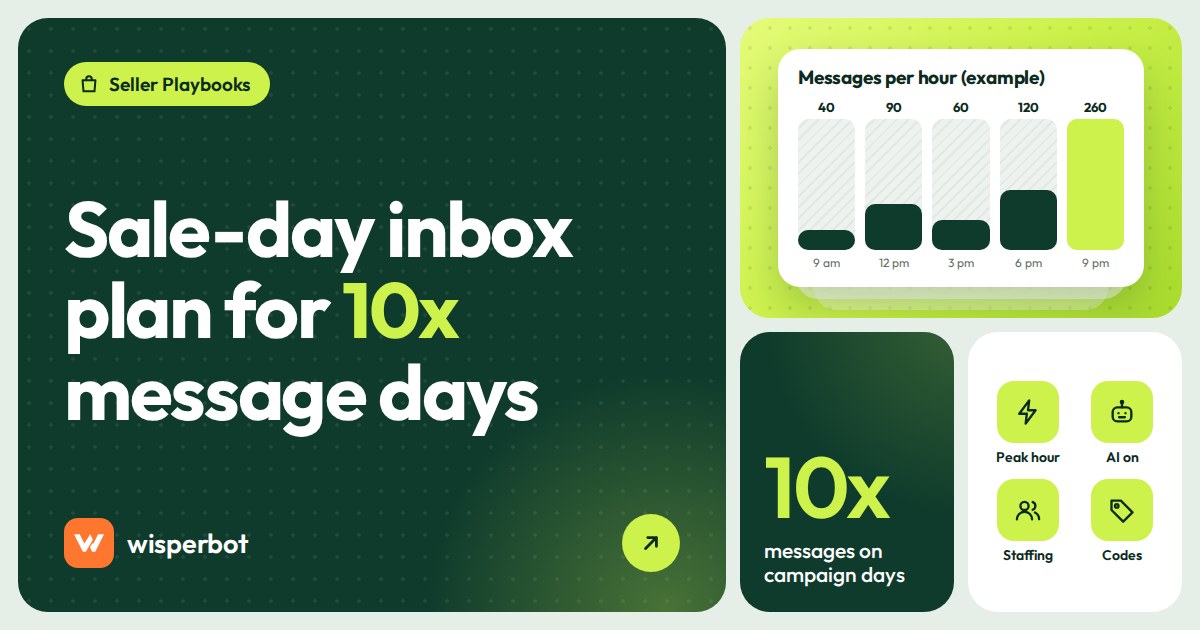
To handle customer messages during a sale, plan for many times your normal volume, concentrated into a few hours. Forecast from last campaign's numbers, staff in shifts around the launch hour and the evening peak, put the AI bot first on every channel for price, stock, code and delivery questions, prepare stock-out and delay messages before the sale starts, label order problems as they come in, and clear every open conversation within 48 hours of the sale ending.
The sale opens at midnight on 11.11. By 12:20 am you have 140 unread DMs, mostly "code kaj korche na", "XL ache?" and "delivery kobe?" (example numbers). Two people can't clear that before the next 140 arrive, and every buyer who waits more than a few minutes has another tab open with the same product on it.
Key takeaways
- Sale traffic arrives in spikes: the launch hour and the evening. Adobe reported US shoppers spent $16 million a minute between 8 pm and 10 pm on Cyber Monday 2025.
- Forecast your peak from last campaign's busiest hour, not your daily average, and staff for that hour.
- Switch AI answering to Always on for the campaign and let the bot take price, stock, code and delivery questions so people can handle orders and problems.
- Write stock-out, delay and payment-problem messages before the sale, and update stock in your sheet during the peak.
- Black Friday 2026 falls on 27 November and 11.11 on a Wednesday this year; put both in the calendar now.
How many messages should you expect on sale day?
Start from your own history: take your busiest hour in the last campaign and multiply by your expected growth. If you have no history, plan for five to ten times a normal day as a working assumption. What matters most is the shape: most messages arrive in two or three short spikes, not spread evenly across the day.
The public data agrees on the shape, if not your numbers. Adobe's Cyber Monday 2025 release put US online spending at $14.25 billion for the day, with shoppers spending $16 million every minute during the 8 pm to 10 pm peak. Daraz Pakistan said brands in its 11.11 2025 "Brand Rush Hour" windows saw a 700% uplift in orders during those time-bound slots. Short windows create short, sharp peaks, and your inbox gets the same spikes a few minutes earlier, because people ask before they buy.
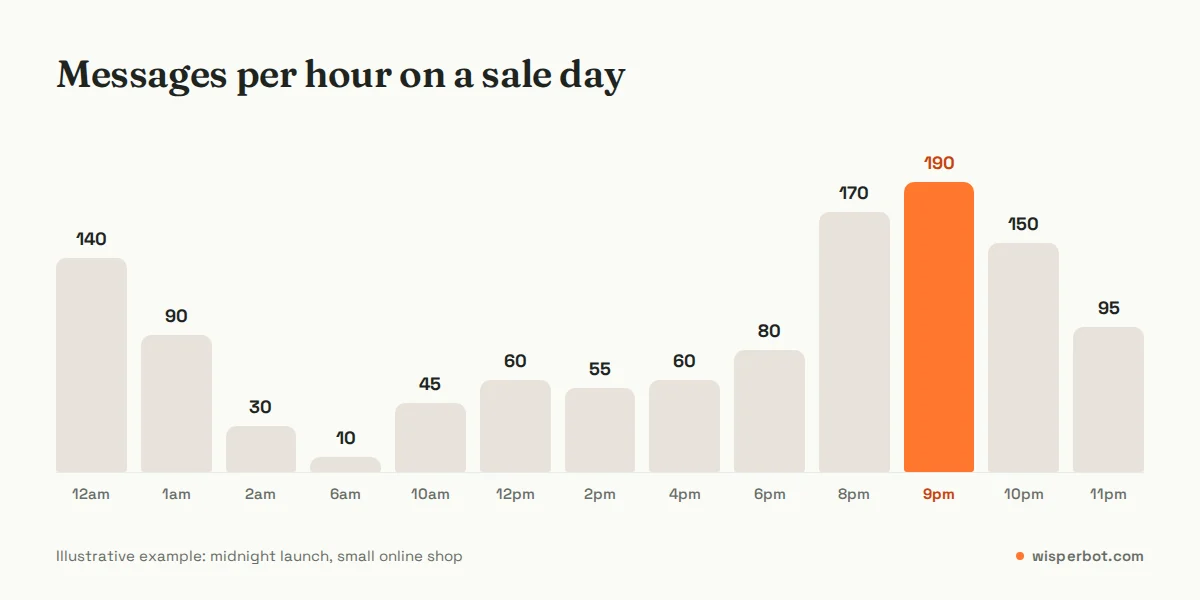
Do the forecast in a spreadsheet the week before. Three numbers are enough: your normal messages per hour at the busiest time, your expected multiplier, and how many conversations one person can handle in an hour on your channels. If the peak is 300 messages an hour and a person handles 40 (example figures), you have a gap the bot has to close.
The staffing plan
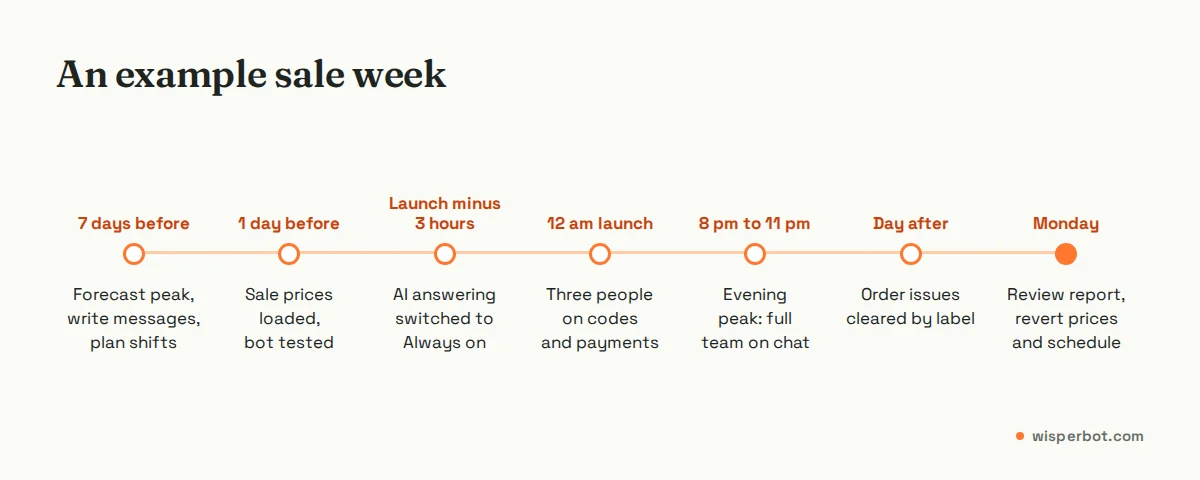
Staff for the peaks and let the bot hold the line in between. Here's an example plan for a five-person shop with a midnight launch. The volumes are illustrative.
| Time block | Expected load | People on chat | AI answering | Main job for people |
|---|---|---|---|---|
| Week before | Normal, plus "kobe sale?" questions | Normal rota | Scheduled (nights) | Load sale prices, write messages, test the bot |
| Launch, 12 am to 2 am | Spike, 5 to 8 times normal | 3 | Always on | Code problems, payment failures, orders |
| 2 am to 10 am | Low | 0 (one on call) | Always on | Urgent handovers only |
| 10 am to 6 pm | Steady, 2 to 3 times normal | 2 | Always on | Orders, stock updates, follow-ups |
| Evening peak, 8 pm to 11 pm | Highest, up to 10 times normal | 4 | Always on | Orders, complaints, stock-outs |
| Day after | "Where is my order" wave | 2 | Always on | Order issues by label, delays |
| 48 hours after | Back towards normal | Normal rota | Back to Scheduled | Clear backlog, revert prices, review |
Two rules we'd keep however small the team. Nobody works both the launch and the morning shift. And one person in each peak shift does only handovers from the bot, never new conversations, so the hardest cases don't sit in the queue behind easy ones.
Why should the bot answer first during a sale?
Because most sale-day questions are the same five: price, stock, size, code and delivery time. An AI bot that answers from your own price sheet can reply to all of them in seconds, at any volume, which leaves your people free for the conversations that need judgement: orders, failed payments and complaints.
Set it up the day before, not on the night:
- Update prices. Add sale prices to your CSV, Google Sheet or connected store, with the sale start and end times in a note the bot can read. A CSV or Google Sheet can be up to 2 MB and 5,000 rows.
- Add sale knowledge. Code rules, delivery times for sale orders, whether exchanges apply to sale items, and the cut-off for same-week dispatch.
- Keep it strict. Use Strict mode, which answers only from your knowledge and sends anything else to your team. The app marks Balanced as recommended, and neither mode invents prices, but on sale night you want every question outside your written sale rules going to a person.
- Switch AI answering to Always on for every inbox from a few hours before launch until 48 hours after.
- Test 20 sale questions, including "code kaj korche na", "sale kobe shesh?" and "ager price e pabo?". A wrong price is a fail.
- Set a reminder to revert. The most common sale-week mistake is a bot still quoting sale prices two days later because nobody changed the sheet back.
Messages to write before the sale
Write these once and keep them where everyone can paste them. Adjust the wording to your shop; the details are examples.
- Sale timing: "The 11.11 sale runs from 12 am on 11 November to 11:59 pm on 13 November. Prices update automatically at checkout."
- Stock-out: "The black hoodie in XL has sold out. M and L are still available at the sale price. Want one of those?"
- Delay: "Because of sale volume, orders placed today will ship within 3 to 5 days. You'll get a message when yours leaves us."
- Code problem: "Sorry about that. Please send a screenshot of the error and I'll check it now." (This one goes to a person.)
- Payment taken, no order: "Sorry, that's stressful. Please send the time you paid and the amount, and we'll check it within the hour." (Person only.)
Then pin the top three answers where buyers look first: a pinned post on your Facebook page, an Instagram story highlight, and the starter questions on your website chat widget. Every question answered by a pinned post is one less in the queue. Our saved replies for online sellers has more lines to adapt.
How do you handle stock-outs in the middle of a sale?
Update stock in your sheet or store as soon as an item sells out, and check before sale day how quickly that change shows up in the bot's answers. During the evening peak, give one person the job of updating stock every 30 minutes. A bot confidently selling something you no longer have is worse than no bot at all.
Test the delay before the sale: change one item's stock in your sheet, then ask the bot about it and note how long the new answer takes to appear. If it's slow, keep a stock-out line in Knowledge for your top ten items and update it by hand on the night.
Labels for sale-day problems
On a normal day, you remember every problem conversation. On sale day, you won't. Use a small set of labels and stick to them:
- Sale: payment for money taken without an order, or failed payments.
- Sale: code for discount codes that didn't apply.
- Sale: change/cancel for orders the buyer wants to edit.
- Sale: delay for "where is my order" after the promised date.
- Follow up for anything you promised to come back to.
Assign each label to one person, and use internal notes so the next shift knows what was promised. Our guide to labels, assignment and notes for a small team goes further.
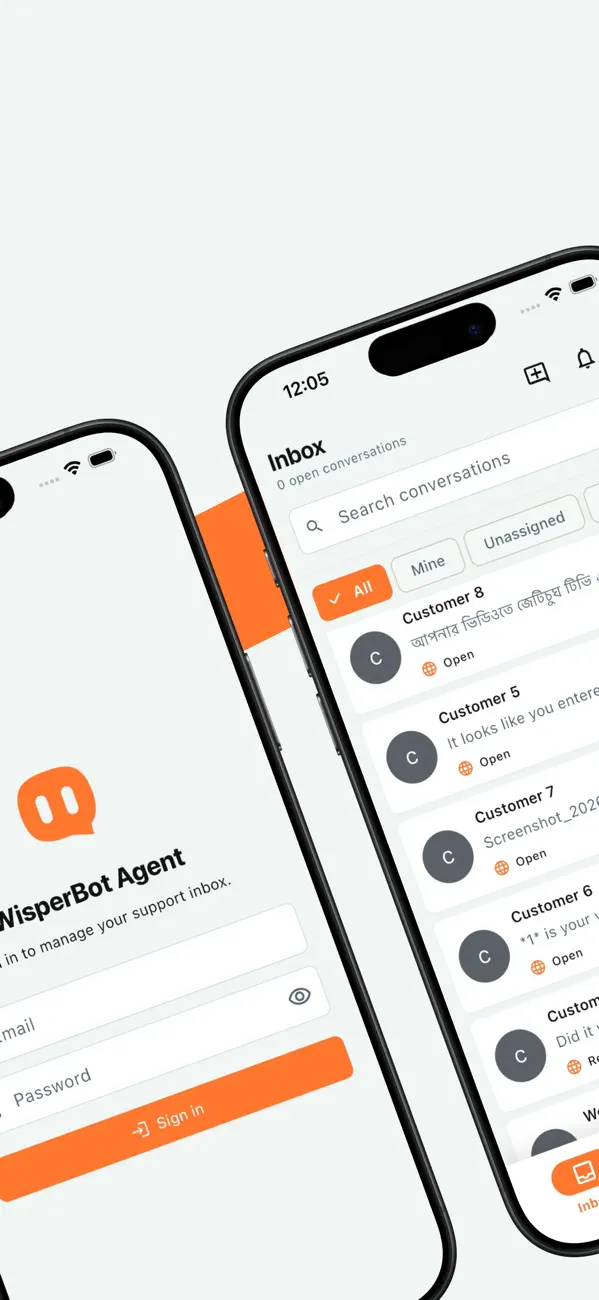
The person "on call" between 2 am and 10 am doesn't need to sit at a laptop. With the WisperBot agent app on iOS or Android, they can switch a conversation from AI to Human, reply (by voice note if typing is slow), label it and go back to sleep.
What should you do in the 48 hours after the sale?
Clear every open and labelled conversation, send clear updates to anyone whose order is late, switch prices and AI answering back to normal, and review the numbers. Look at median first response time for the sale days, the conversations the bot handed over, and the questions it couldn't answer. Those three tell you what to fix before the next campaign.
WisperBot's Reports show median first response time (the typical wait between a customer's first message and your first real reply), median resolution time and an SLA trend, and the weekly performance digest arrives on Monday, so the Monday after Black Friday (30 November 2026) is a natural review point. Use it to write next year's forecast while the details are fresh.
Where WisperBot fits
WisperBot, a reply-first inbox for WhatsApp, Instagram, Messenger and website chat, covers the inbox side of a sale: AI answering you can switch to Always on, a Smart Bot that answers from your price sheet or connected store, labels, assignment and internal notes, Quick Replies your team can insert (type a /shortcut) for the answers that need a person, and the mobile agent app for whoever is on call. It doesn't take orders, process payments or connect to couriers, so those stay in your store and with your team. See the inbox and pricing; AI reply allowances run from 750 a month on Starter and 3,000 on Growth up to 10,000 on Scale, and each answer the bot sends counts as one, so check yours covers the campaign.
Frequently asked questions
How many extra staff do I need for a sale?
Work it out from your peak hour. Estimate messages in your busiest sale hour, divide by how many conversations one person handles in an hour, and subtract what your bot answers on its own. As a rough starting point, plan on double your normal team for the launch and the evening peak, and fewer in between.
Should I turn the chatbot on all day during a sale?
Yes. During a campaign, switch AI answering from scheduled hours to always on, from a few hours before launch until about 48 hours after. Keep it in strict mode so it only answers from your price sheet and knowledge, and keep at least one person on handovers during every peak.
What if the bot quotes sale prices after the sale ends?
That happens when the price sheet isn't changed back. Set a reminder for the exact end time, revert the sheet or store prices, and test the bot with two or three price questions. If a customer was quoted a sale price by mistake, decide your policy in advance and apply it consistently.
How fast should I reply during a flash sale?
As close to instantly as you can for the first reply, because buyers in a flash sale are comparing tabs. An AI bot can give a first reply in seconds for price, stock and code questions. For problems that need a person, aim to pick them up within the same hour.
Can a chatbot take orders during a sale?
Some can, but WisperBot doesn't capture orders, carts or cash-on-delivery bookings. During a sale, use the bot to answer questions and send buyers to your store's checkout, and have a person handle any order taken by chat, labelled so nothing gets lost in the rush.
Sources
- Adobe, "Cyber Monday Hits Record $14.25 Billion in Online Spending" (2 December 2025)
- Daraz Pakistan 11.11 2025 results, published via ProPakistani (4 December 2025)
Last checked: 8 October 2026.