COD Order Confirmation on WhatsApp: Cut Fake Orders and Returns
Confirm every cash-on-delivery order on WhatsApp before the courier sees it. Template wording, a no-reply rule and what it costs.
In this article
COD order confirmation on WhatsApp means sending every cash-on-delivery buyer a short, specific message (order number, items, total, address) and asking them to confirm before you hand the parcel to a courier. It catches fake orders, wrong addresses and impulse buyers who have already changed their mind, while the parcel is still on your shelf. Done well, it takes one approved utility template, a clear rule for buyers who don't reply, and ten minutes of inbox work each evening.
Key takeaways
- Confirm every COD order before booking the courier, not after. A cancelled order costs you nothing; a returned parcel costs two delivery charges and a week of stock.
- Use a WhatsApp utility template: order-specific, no offers. Meta treats any promotional line as marketing, which costs more where fees apply.
- Since 1 October 2026 Meta charges per message for utility templates and normal replies inside the 24-hour customer service window too, at the utility rate for that market, after 1,000 free service messages per business number each month. Until then both were free.
- Set a no-reply rule in advance: one reminder, one call, then hold or cancel at 24 hours.
- WisperBot does not capture orders or connect to couriers. You run confirmation with templates, labels and the inbox, and book couriers in their own portals.
Why do fake COD orders hurt small sellers so much?
Because you pay for the failure twice. The courier charges for delivery and often for the return, the stock is stuck in transit for days, and the packing time is gone. A buyer who never meant to pay costs you nothing to place the order, so without a check you carry all the risk.
Return to origin (RTO) is the courier term for a parcel that comes back to you undelivered. On a prepaid order RTO is rare. On COD it is a normal line in your weekly accounts, and most sellers we talk to in Dhaka can name their worst week from memory.
The causes are boringly familiar:
- A prank order with a friend's number.
- A real buyer who ordered at 1:15 am and woke up with regret.
- An address like "near the mosque, Block C" that no rider can find.
- A buyer who ordered the same dress from three pages and will accept whichever arrives first.
- A phone number with one digit wrong.
A confirmation message catches most of these. The three-pages buyer is the hardest, but a message that names your shop and the exact item makes an honest cancellation more likely than a refusal at the door.
What should a COD confirmation message say?
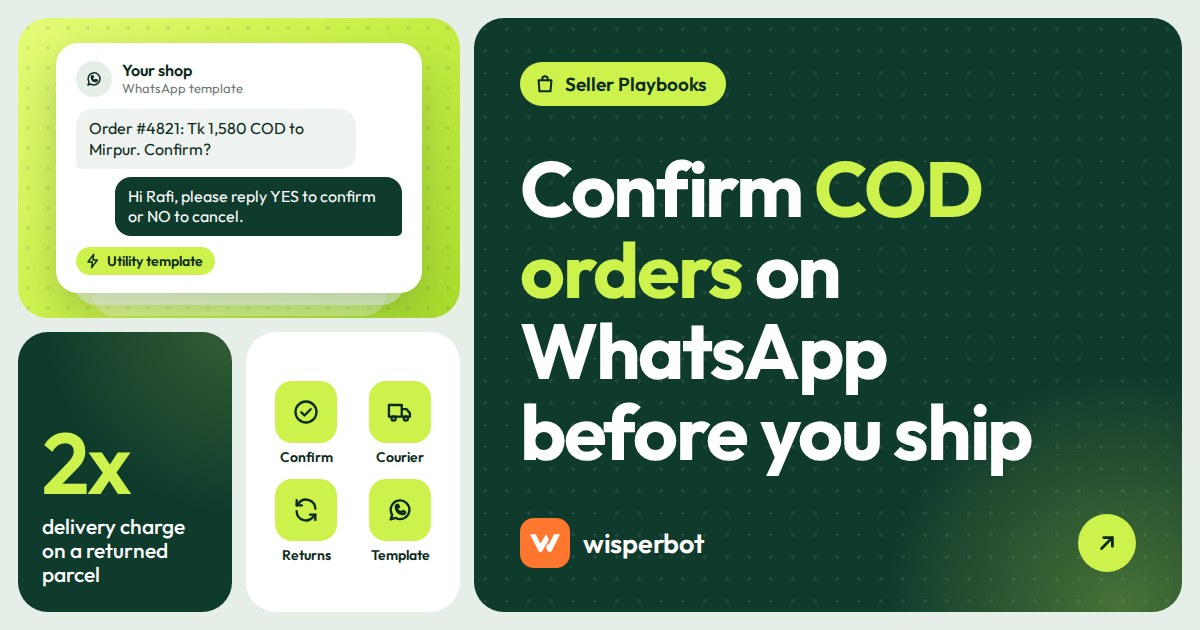
It should say who you are, what was ordered, the total the buyer will pay in cash, and where it is going, then ask for one tap: confirm, change or cancel. Keep it under 60 words. Every extra line is a reason to skim, and every offer you add turns a utility template into a marketing one.
Here is a body we would submit as a utility template. The numbers in double braces are variables you fill per order:
Hi {{1}}, this is {{2}}. We received your order {{3}}: {{4}}. Total to pay on delivery: {{5}}, including delivery. Address: {{6}}. Please confirm so we can send it today. If anything is wrong, tap Change and tell us.
Add three quick-reply buttons: Confirm order, Change something, Cancel. A tap is easier than typing "ji confirm" on a crowded bus, and it gives you a clean answer to sort by.
Meta's own utility example is even shorter ("Thank you! Your order {{order_number}} is confirmed."), so yours does not need to be clever. It needs to be specific enough that a real buyer recognises it in two seconds and a fake one knows you are checking.
Is an order confirmation a utility or marketing template?
It is a utility template as long as it is about that buyer's specific order and contains nothing promotional. Meta's categorisation guidelines say order-related utility messages should not promote, recommend, upsell or cross-sell, and that a mixed message, such as an order update with a promo, is treated as marketing.
That rule is where many sellers trip. "Confirm your order and get 5% off your next one" is a marketing template. So is "Confirm now, only 3 left in stock". If you want to sell something, send it separately, later, to people who opted in to offers.
| Template | Category | When to send | Example body (shortened) |
|---|---|---|---|
| Order confirmation | Utility | Within 30 minutes of the order, during waking hours | "We received order {{1}}: {{2}}, total {{3}} cash on delivery. Please confirm." |
| Confirmation reminder | Utility | 4 to 6 hours after the first message, if no reply | "Your order {{1}} is waiting for confirmation. We will hold it until {{2}}." |
| Address check | Utility | When the address is incomplete | "For order {{1}}, could you share a landmark or road number so the rider can find you?" |
| Dispatch notice | Utility | When the courier collects the parcel | "Order {{1}} is on its way with {{2}}. Tracking: {{3}}. Please keep {{4}} ready in cash." |
| Hold or cancel notice | Utility | 24 hours after the order with no answer | "We could not confirm order {{1}}, so we have not sent it. Reply here if you still want it." |
| Prepay discount | Marketing | Only to opted-in buyers, never inside a confirmation | "Pay in advance and get {{1}} off your next order." |
Our longer guide on getting WhatsApp templates approved covers variables, sample values and common rejection reasons.
The confirmation flow, step by step
This is the routine we would set up for a shop doing 20 to 150 COD orders a day.
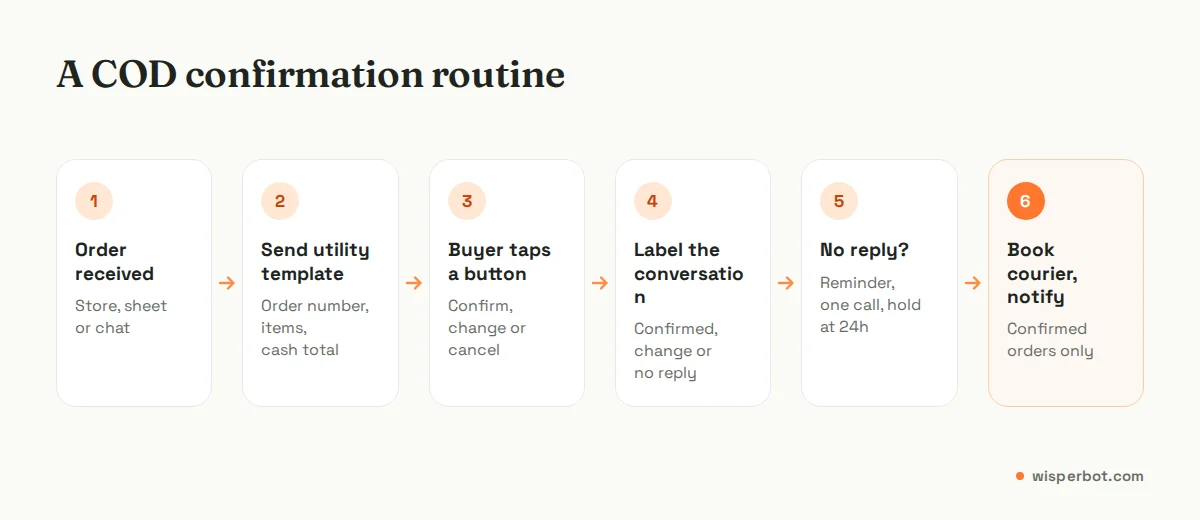
- Collect a WhatsApp number at checkout. On your website form, label the field "WhatsApp number for order confirmation" and add a line saying you will message them about this order. That line is your opt-in, which WhatsApp's Business Messaging Policy requires before you contact anyone.
- Send the confirmation template. Fill in the order number, items, cash total and address. If the order came in through a WhatsApp chat, the customer service window is already open and a plain message works too.
- Label the reply. Use three labels: COD confirmed, COD change, COD no reply. Anything with change goes to whoever can edit the order.
- Book the courier for confirmed orders only. Copy the confirmed orders from your store or order sheet into your courier's portal (Pathao, Steadfast, RedX, Delhivery, Leopards, whoever you use).
- Send the dispatch notice with the tracking number and the exact cash amount, so nobody is surprised at the door.
The label step matters more than it looks. At 9 pm you want to filter by COD no reply and see exactly which 11 buyers still need a call, without scrolling through 200 chats. Our guide to labels, assignment and notes for a small team shows how to keep that list short.
What should you do when the buyer doesn't reply?
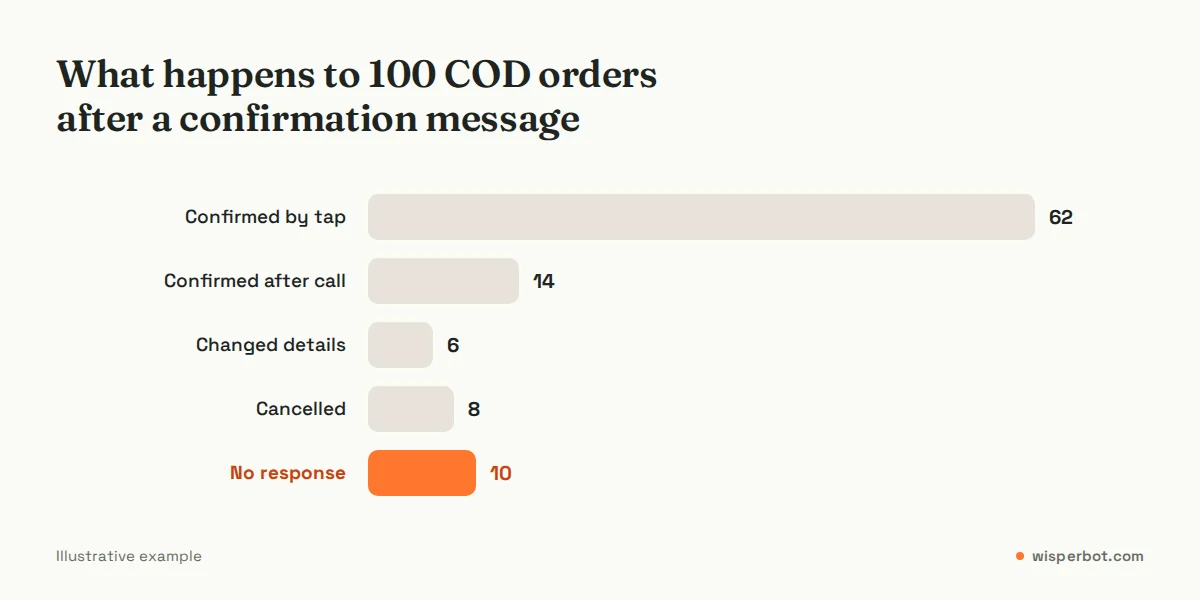
Decide the rule before you need it, and tell buyers what it is. A sensible default: one reminder after four to six hours, one phone call in the evening, then hold the order at 24 hours and send a polite notice that you have not dispatched it. Never ship an unconfirmed COD order during a sale week.
Two details make this work. First, the reminder should give a deadline ("we will hold it until 8 pm tomorrow") because an open-ended request is easy to ignore. Second, the call should come from a number that matches the shop name, or at least follow a WhatsApp message saying "we will call from this number". Unknown numbers get ignored in Dhaka and Karachi alike. The same goes for the WhatsApp message itself: a confirmation from a number that shows your shop name is far less likely to be ignored than one from a bare number. Our guide to getting a verified WhatsApp Business account explains both routes to the badge and what it does and doesn't change.
Some sellers prefer to cancel silently. We would not. A buyer who was simply busy and finds their order gone often goes to the next page. A one-line "reply here if you still want it" keeps the door open at almost no cost.
Should you ask for a partial advance on COD orders?
For first-time buyers in high-risk areas or for expensive items, yes. Asking for the delivery charge in advance is common in Bangladesh, and a small token is common elsewhere. It filters out most pranks. The cost is that some genuine buyers leave, so apply it selectively, not to every order.
Our rule of thumb: ask for an advance when the order is above your average order value, the buyer has no previous delivered order with you, and the address is outside your usual delivery zones. For a repeat customer in Dhanmondi who has accepted six parcels, asking for an advance is an insult.
Keep the payment request in its own message, not inside the confirmation template, and send your bKash, Nagad, UPI or JazzCash details as plain text inside the chat once the buyer has replied. WisperBot does not take payments or connect to mobile wallets, so you check the payment in your own wallet app before you mark the order confirmed.
How much does WhatsApp order confirmation cost?
Since 1 October 2026, almost every WhatsApp message in this flow carries a Meta fee. The confirmation template is charged at the utility rate for the buyer's country, and Meta now also charges for utility templates and normal replies sent inside an open 24-hour window, at that same rate, once a business number has used the 1,000 free service messages Meta's pricing page allows each month. Until 30 September 2026 both were free.
In practice that means three cases:
- Order placed in a WhatsApp chat: the window is open, so a plain message works, but it is charged at the utility rate like any other reply. The exception is a buyer who came from a click-to-WhatsApp ad and is still inside Meta's free entry point window, which can stay open for up to 7 days after your first reply.
- Order placed on your website or in Messenger: the first WhatsApp message to that buyer has to be a template, and it is charged as utility.
- Buyer taps Confirm: their tap opens a 24-hour window, so your follow-up questions and the dispatch notice can go as normal messages. Each one is charged once, at the utility rate.
Utility rates vary by country and Meta can change them on the first day of each quarter (Bangladesh's utility rate was lowered on 1 October 2026, for example). Check Meta's rate card for your market rather than trusting a number in a blog post, including this one. Because each message now costs something, one clear template and one dispatch notice beat six chatty follow-ups. Our explainer on WhatsApp Business API pricing in 2026 walks through the categories, and the one on the 24-hour messaging window explains when the clock starts.
Where WisperBot fits (and where it doesn't)
WisperBot, a reply-first inbox for WhatsApp, Instagram, Messenger and website chat, does not capture orders, run a cart or connect to couriers. Your store or order sheet stays the source of truth, and you book Pathao or Steadfast in their own portals.
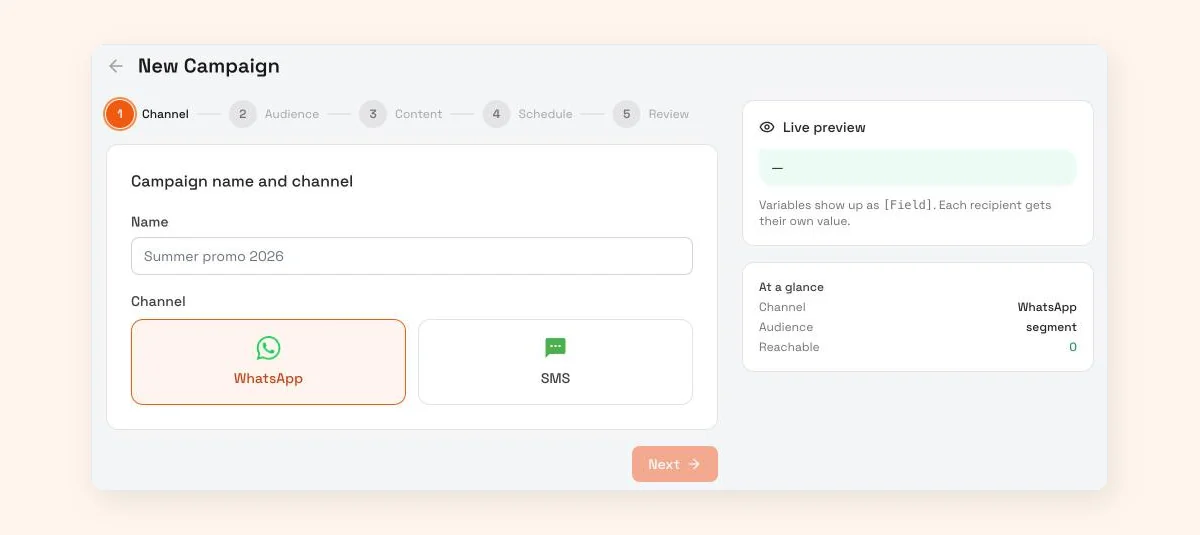
What it does help with: sending approved WhatsApp templates through broadcast, keeping every confirmation reply in one inbox with labels and notes, and letting the Smart Bot answer the questions that come back ("delivery kobe?", "can I change the size?") from your own information, then hand over to a person. A broadcast uses an approved template picked from your synced WhatsApp templates, with variables for the header, body and buttons. Each variable fills in the recipient's own value from their contact fields, so a per-order detail such as the order number or cash total has to be on the contact before you send. Test it with two orders before you rely on it. Meta's WhatsApp fees, where they apply, are separate from WisperBot's plans.
Frequently asked questions
Is it OK to send COD confirmations on WhatsApp without asking first?
Only if the buyer gave you their number and agreed to be contacted on WhatsApp. WhatsApp's Business Messaging Policy requires opt-in permission. A clear line next to the checkout phone field ("we will confirm this order on WhatsApp") is the simplest way to get it, and you must stop if they ask.
How soon after an order should I send the confirmation?
Within 30 minutes during waking hours, while the buyer still remembers ordering. For orders placed between midnight and 8 am, send it at about 9 am rather than waking anyone. Speed matters: the longer the gap, the more likely they have bought the same item somewhere else.
Can I add a discount code to my order confirmation template?
You can, but Meta will treat the whole template as marketing, which is charged at a higher rate than utility in most markets. Keep the confirmation purely about the order and send offers separately, only to buyers who opted in to promotions.
What is a good confirmation rate for COD orders?
There is no reliable public benchmark, because it depends on your category, price point and how orders arrive. Track your own: confirmed orders divided by orders placed, every week. Watch the trend and the "no response" share, which is where most of your calling time and returned parcels come from.
Can a chatbot confirm COD orders automatically?
A bot can answer the questions buyers send back, such as delivery time or size changes, from your own information. Confirming the order itself means changing your order records and booking a courier, which WisperBot does not do. A person should mark the order confirmed and book the parcel.
Sources
- Meta for Developers: WhatsApp template categorization (checked October 2026)
- Meta for Developers: WhatsApp Business Platform pricing (checked October 2026)
- WhatsApp Business Messaging Policy (checked October 2026)
- Meta for Developers: Non-template (service) message pricing, charged per message from 1 October 2026
Last checked: 8 October 2026.