Website Chat Widget Best Practices: Placement, Greeting and Offline Hours
Where to put your chat widget, what the greeting should say on each page, and why it should answer questions after hours instead of showing a 'leave a message' form.
In this article
Website chat widget best practices come down to five decisions: put the launcher where people expect it (bottom-right, or bottom-left on right-to-left sites), greet visitors with a specific line tied to the page they are on, offer three or four starter questions taken from real customer messages, answer with AI when nobody is online instead of showing a "leave a message" form, and load the widget so it doesn't slow your mobile pages. Above all, never promise a reply time you don't meet.
Key takeaways
- Keep the launcher in the bottom corner and make sure it never covers "Add to cart", checkout buttons or the cookie banner on mobile.
- Write greetings per page type. "Hi, how can we help?" is the weakest greeting there is.
- Starter questions should be the questions your customers actually ask, in their words.
- Offline, answer the question. A form that says "we'll get back to you" is just a slower inbox.
- Load chat after your main content and check Core Web Vitals before and after installing it.
Why the details of a chat widget matter
A visitor lands on your pricing page at 10:15 pm, taps the chat bubble and reads "We typically reply in a few minutes". She types her question and waits. Nobody is working. Nine hours later someone replies "Hi, sorry for the delay!", and she has already bought elsewhere.
That widget did more harm than no widget at all. It made a promise and broke it on the first try, which is the opposite of what a reply-first inbox is for. In Meta's State of Business Messaging report (Kantar, 22 markets, fieldwork April to September 2025, published as the 2026 edition), 66.8% of consumers said they feel frustrated when messaging isn't offered as a way to contact a business. A widget that looks live but isn't can be worse, because now the frustration has a timestamp.
Most widget advice focuses on colours and avatars. Those matter less than the practical choices below: placement, page targeting, greeting, starter questions, offline behaviour and speed. Privacy sits underneath all of them.
Where should a chat widget go on a website?
Put the launcher in the bottom-right corner on left-to-right sites and bottom-left on right-to-left sites such as Arabic pages. That is where visitors look for it. On mobile, check it doesn't sit on top of your "Add to cart" or "Buy now" button, a sticky footer or the cookie banner.
Test on a real, cheap Android phone, not just your laptop's mobile preview. (If you run Arabic and English versions, our guide to bilingual Arabic-English AI replies covers right-to-left layouts.) The overlap problems show up on a 360-pixel-wide screen with a sticky checkout bar, and that is the phone many of your buyers in Dhaka or Karachi are holding.
For accessibility, WCAG 2.2 (the W3C's web accessibility guidelines) sets a minimum pointer target of 24 by 24 CSS pixels at level AA. Most launchers are bigger than that, but the small "close" cross inside the chat window often isn't. If people can't close the window easily on a phone, they will leave the page instead.
Two more placement rules we hold to:
- Never auto-open the full chat window on mobile. It covers the page the visitor came to read. A small greeting bubble next to the launcher is enough.
- Don't stack widgets. A chat bubble, a WhatsApp button, a newsletter pop-up and a cookie banner in four corners leave no room for the page itself. Pick one main way to chat.
Which pages should show the widget?
Show the launcher on every page, but only send a proactive greeting on pages where people hesitate: pricing, product pages, delivery and returns information, checkout and contact. On blog posts and policy pages, leave the launcher quiet. A pop-up greeting on every page trains visitors to ignore it.
A sensible timing rule is to show the greeting after the visitor has spent 20 to 30 seconds on a high-intent page, or when they scroll to the price. Those numbers are a starting point, not research; adjust them after a few weeks of watching which greetings lead to conversations.
Checkout deserves care. A greeting that pops up while someone is typing their address is an interruption. On checkout, keep the launcher visible and let the visitor come to you.
What should a chat widget greeting say?
A good greeting names something specific about the page and invites a question the visitor already has. "Questions about delivery to Chattogram? Ask here and get an answer straight away" works better than "Hi, how can we help you today?" because it shows you know what people worry about on that page. Keep it under 20 words.
Delivery charges deserve a special mention. Baymard Institute's checkout research, which surveys US online shoppers, puts "extra costs too high (shipping, tax, fees)" at the top of the reasons people abandon a checkout, at 40% (page checked 8 October 2026). Your market will differ, but a widget that answers "delivery koto?" before checkout removes the surprise.
Here are greetings we would use, by page type. Change the details to match your business.
| Page | Weak greeting | Better greeting | Why it works |
|---|---|---|---|
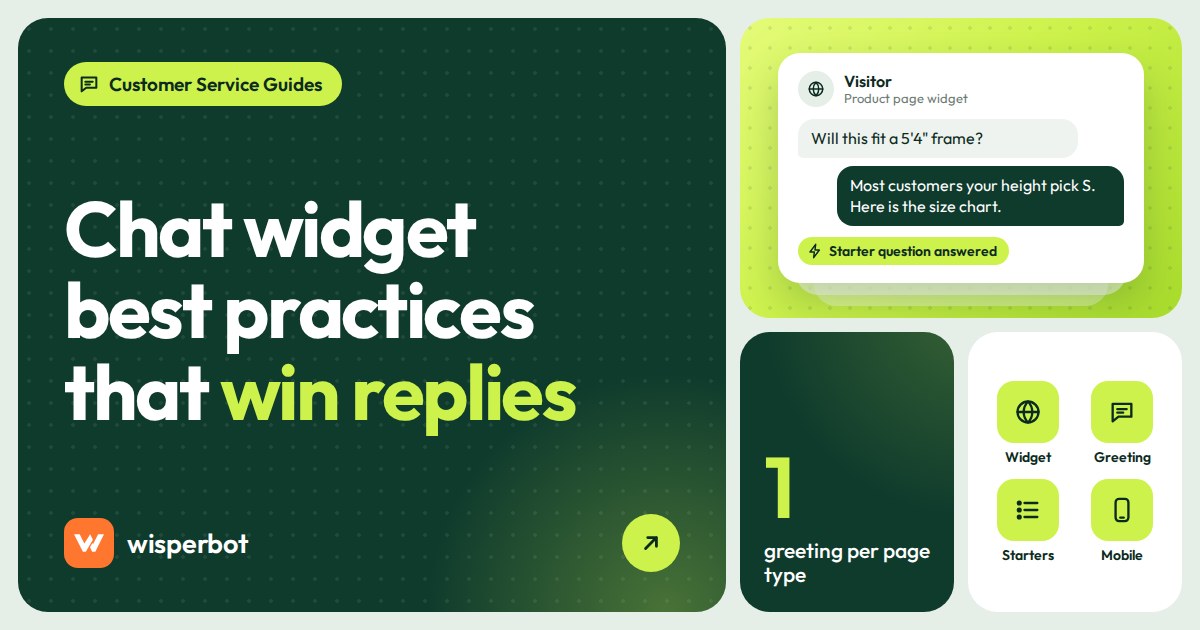
| Product page | Hi there, how can we help? | Not sure about the size? Tell me your usual size and I'll check this one. | Answers the most common hesitation on clothing pages |
| Pricing page | Have any questions? | Comparing plans? Ask which one fits your team and get an answer now. | Matches the visitor's task on that page |
| Delivery information | Welcome to our store. | Ask about delivery time and charge to your area. | Surprise costs are the top checkout drop-off reason in Baymard's research |
| Checkout | (pop-up greeting) | No pop-up. Launcher only. | Avoids interrupting someone mid-payment |
| Contact page | Leave us a message and we'll reply soon. | Ask here for an instant answer, or choose "Talk to an agent". | Offers speed and a clear route to a person |
| Clinic or coaching site | How may I assist you? | Ask about fees, timings or how to book. A person can take over any time. | Sets expectations and reassures |
One opinion: write greetings in the first person singular ("I'll check") only if a person or a clearly labelled assistant is answering. Don't dress a bot up as "Rafiq from the sales team". Customers find out, and then they trust nothing else the widget says.
Starter questions: copy your inbox, not your FAQ page
Starter questions are the tappable suggestions shown when the widget opens. They work because typing a question is effort, and tapping is not.
Take them from real conversations. Open your last 100 chats and DMs and note the first message in each. You'll usually find four or five questions covering a big share of them. For an online clothing shop that might be:
- How much is delivery to my area?
- Is this available in size L?
- Can I pay cash on delivery?
- How do I return or exchange?
Write them the way customers write them. "Delivery charge?" beats "What are your shipping rates and policies?" Keep it to three or four; six starter questions is a menu, not a shortcut. Refresh them each quarter, and before seasonal peaks such as Eid or 11.11, when the top questions change.
What should happen when nobody is online?
When no one is working, the widget should still answer the question, using an AI that replies only from your own information, and offer a clear way to reach a person later. A "leave your email and we'll get back to you" form turns a live chat into slow email, and most visitors won't fill it in.
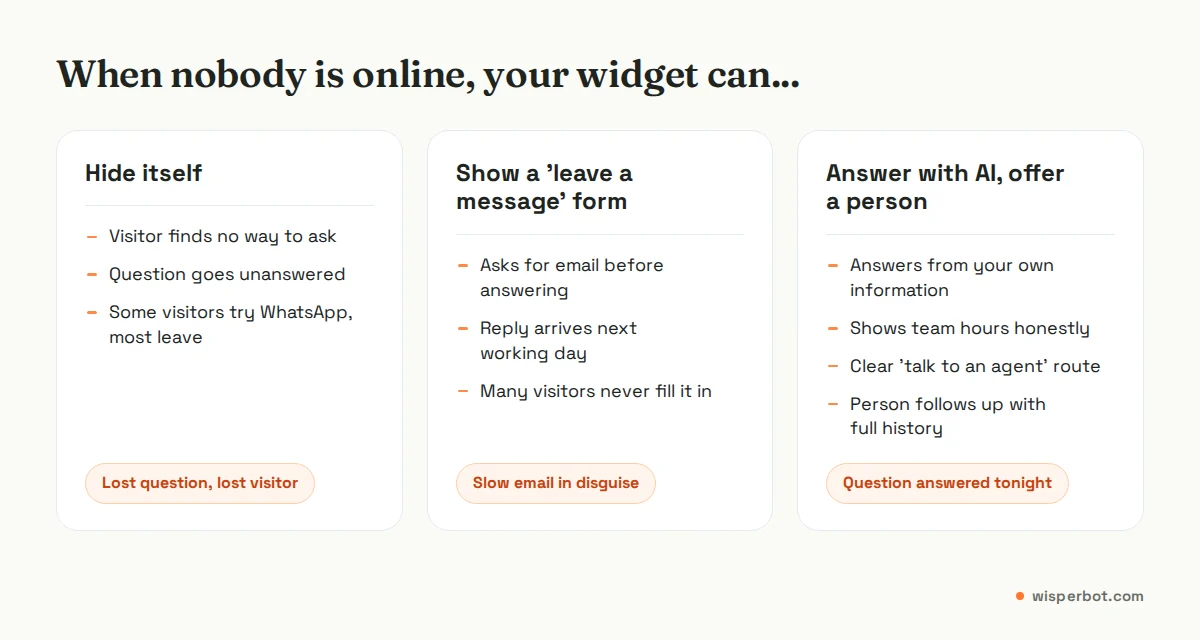
Be honest about availability. If your team works 10 am to 7 pm Dhaka time, say so near the "talk to a person" option. And check the subtitle under your widget's name. Many widgets show a default line such as "We typically reply in a few minutes", including ours by default until you change it. Change it to match what really happens: if a person can't reply in a few minutes at 11 pm, rewrite it, or let the AI answer so the line stays true. When the AI hands over, the person who picks it up should see the whole chat; our AI-to-human handoff playbook covers how.
We set out how to choose night hours and test the answers in setting up after-hours AI replies. Start there before switching the AI on around the clock.
Speed: don't let chat slow your pages
Chat widgets are third-party scripts, and they add weight. Google's Core Web Vitals give clear targets measured at the 75th percentile of page loads: Largest Contentful Paint (how fast the main content appears) within 2.5 seconds, Interaction to Next Paint (how quickly the page responds to a tap) of 200 milliseconds or less, and Cumulative Layout Shift (how much the page jumps around) of 0.1 or below.
In practice:
- Run PageSpeed Insights on your three most visited pages and note the scores.
- Install the widget so its script loads asynchronously, after your main content.
- Make sure the launcher has a fixed size and position so it doesn't push content around when it appears.
- Run the same test again. If mobile scores dropped noticeably, delay loading the widget until the visitor scrolls or has been on the page for a few seconds.
- Repeat after any widget update.
Privacy and consent
A chat window collects personal data the moment someone types their name, phone number or address. Link your privacy policy from inside the widget, ask only for details you need, and never ask for card numbers or passwords in chat.
Cookies need thought too. The UK's Information Commissioner's Office says non-essential cookies need consent given by a clear positive action, and the "strictly necessary" exemption only covers storage that is essential to a service the user has asked for. Whether a particular widget's cookies count as strictly necessary depends on what they do, so check with whoever manages your cookie banner. Rules differ by country, so if you sell into several markets, get local advice rather than copying a UK template.
Where WisperBot fits
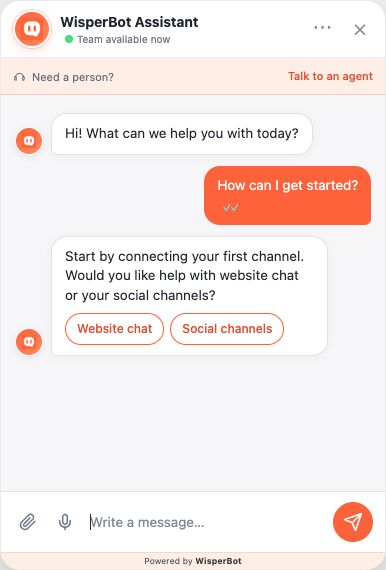
WisperBot, a reply-first inbox for WhatsApp, Instagram, Messenger and website chat, includes a website widget with starter questions, AI answers from your own information, a "Need a person? Talk to an agent" row and team availability. Website chat has its own switch, "Let a Smart Bot answer first", set to Permanent or Scheduled with its own AI active hours, so you can run it differently from your DMs, and every chat lands in the same inbox and the iOS and Android agent app. You can see who is on your site from the Live view in the app. More on the chatbot and widget page.
Frequently asked questions
What is a good greeting message for website live chat?
A good greeting is short, specific to the page and points at a question visitors already have. On a product page, "Not sure about the size? Tell me your usual size and I'll check" beats "Hi, how can we help?". Keep it under 20 words and avoid promising a reply time you can't keep.
Should a chat widget pop up automatically?
Only a small greeting bubble, and only on high-intent pages such as pricing or product pages, after the visitor has been there for a short while. Never auto-open the full window on mobile, and don't pop up on checkout, where it interrupts people who are already buying.
What should a chat widget say when you are offline?
Ideally it shouldn't just say you're offline. Let an AI answer common questions from your own information, show your team's real hours, and offer a clear way to reach a person later. A plain "leave a message" form turns chat into slow email.
Does a live chat widget slow down a website?
It can, because it is a third-party script. Load it asynchronously after your main content, give the launcher a fixed size so the page doesn't jump, and compare PageSpeed Insights results before and after installing. If mobile scores fall noticeably, delay loading until the visitor scrolls.
Is it OK to give a chatbot a human name?
We advise against it. Customers usually work out they are talking to a bot, and then they doubt everything else it said. Label it clearly as an assistant, let it answer well, and make the route to a real person obvious.
Sources
- Meta / Kantar: State of Business Messaging (2026 edition, fieldwork April to September 2025)
- web.dev: Web Vitals (Core Web Vitals thresholds)
- W3C: Understanding WCAG 2.2 Success Criterion 2.5.8 Target Size (Minimum)
- Baymard Institute: Cart abandonment rate statistics and reasons for checkout abandonment
- ICO: Cookies and similar technologies (guide to PECR)
Last checked: 8 October 2026.