Running Your Shop Inbox From Your Phone: A One-Owner Workflow
How one owner can run WhatsApp, Instagram and Messenger from a single phone app, with an hour-by-hour routine that ends each day at zero unanswered.
In this article
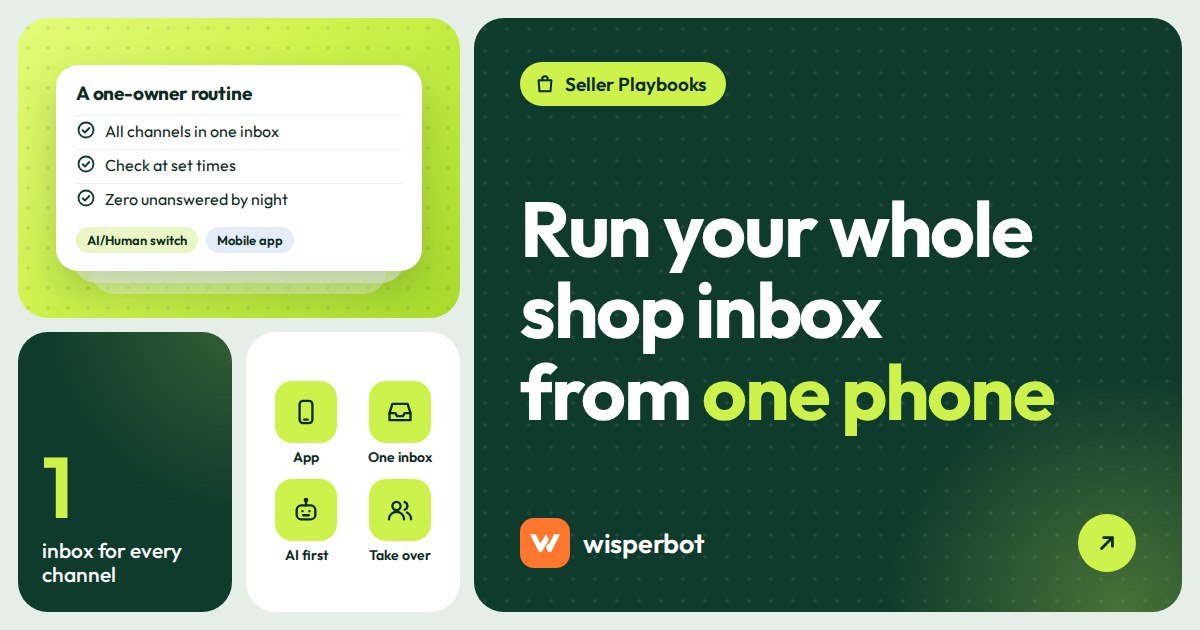
One person can manage WhatsApp, Instagram and Messenger from one app on their phone, as long as every channel lands in the same inbox and something answers the routine questions while you are packing parcels. The routine that works for most owner-run shops is short: a morning sweep, a few planned checks, an evening watch during peak hours, and an end-of-day rule of zero unanswered conversations. This post sets out that routine hour by hour.
Key takeaways
- Put all channels in one inbox first. Three separate apps on one phone means three places to forget someone.
- Check the inbox at set times instead of reacting to every buzz, and let an AI reply bot send first answers in between.
- Use a per-conversation AI/Human switch: take over when money, complaints or judgement are involved, and give it back when you're done.
- Close each day with zero unanswered conversations and a note on anything you promised.
- Meta's 24-hour messaging window means a reply left until tomorrow evening may need an approved template on WhatsApp.
Can you really run a shop's inbox from one phone?
For most owner-run shops, yes. A phone app that shows WhatsApp, Instagram, Messenger, website chat and email in one list is enough for a few dozen to a couple of hundred conversations a day, especially if a bot handles price and delivery questions. You outgrow it when conversations wait because you are physically busy, not because the app is small.
The problem is rarely the phone. It is the setup most owners start with: WhatsApp Business on the phone, Instagram DMs in the Instagram app, Messenger in Meta Business Suite, email somewhere else. Each has its own badge. At 10:15 pm you clear WhatsApp, feel done, and miss the six Instagram DMs sitting under "Requests".
One inbox fixes that before any routine does. If you are still deciding how to connect WhatsApp, our comparison of the WhatsApp Business app, Cloud API and coexistence explains which setup lets a shared inbox see your messages.
What does the one-app setup look like?
All your channels connected to one shared inbox on the web, and the same inbox on your phone through an agent app. On WisperBot's agent app for iOS and Android, that means tabs for Inbox, Email, Comments, Live (who is on your website right now) and Settings, with assign, status, labels, internal notes and voice-note replies inside each conversation.
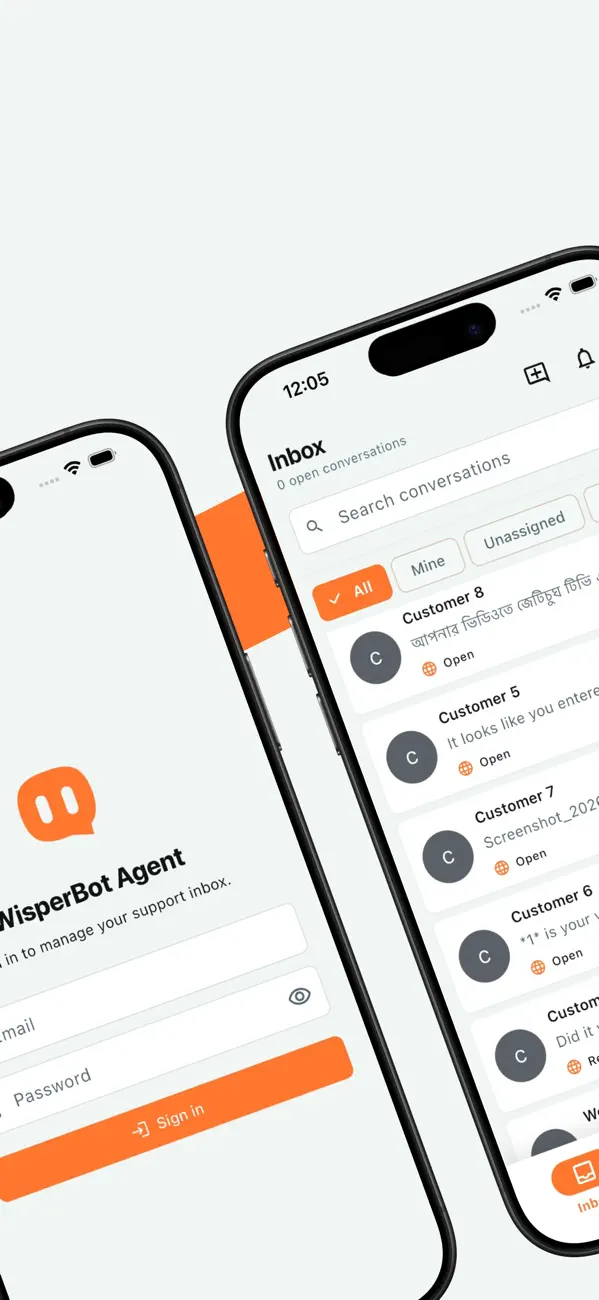
The Comments tab is there, but replying to Facebook and Instagram comments from customer accounts is still rolling out. Plan to handle comments in the Facebook and Instagram apps for now, and see our guide on replying to comments without losing buyers.
A one-owner day, hour by hour
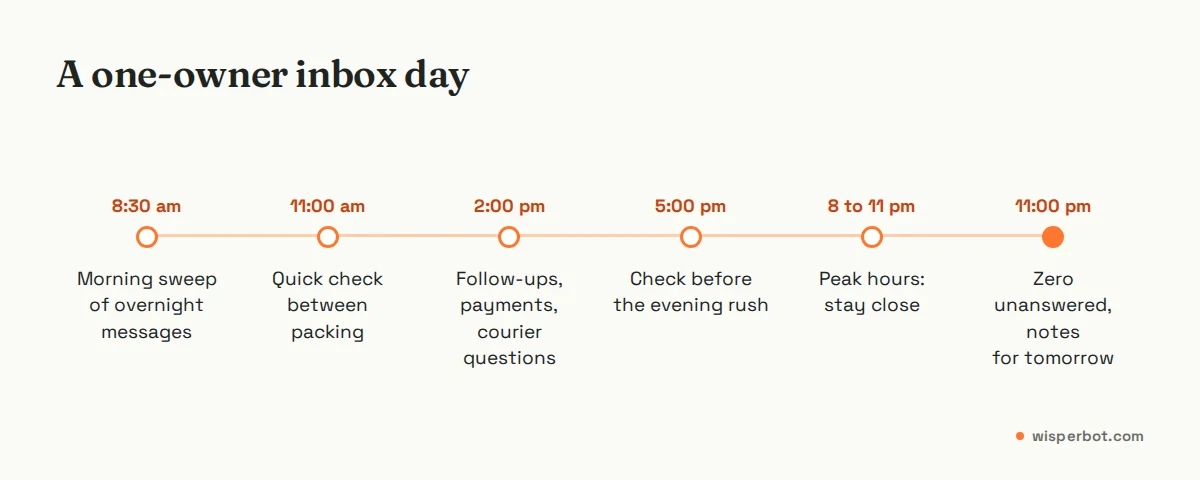
This is the routine we suggest to owners who sell through DMs and do everything else themselves. Shift the times to fit your city and your peak hours; the shape matters more than the clock.
| Time | What you do | In the app | Time needed |
|---|---|---|---|
| 8:30 am | Morning sweep: read what came in overnight | Inbox, open conversations, check what the bot answered | 15 to 20 minutes |
| 11:00 am | Quick check between packing | Inbox, anything waiting on Human | 5 minutes |
| 2:00 pm | Follow-ups: confirmations, payment checks, courier questions | Filter by label, internal notes | 15 minutes |
| 5:00 pm | Quick check before the evening rush | Inbox, Email | 5 minutes |
| 8:00 to 11:00 pm | Peak hours: stay close to the phone | Inbox, AI/Human switch, voice notes | On and off |
| 11:00 pm | Close-out: zero unanswered, notes for tomorrow | Status, labels, notes | 10 minutes |
How to do the morning sweep
The sweep is the most important 20 minutes of the day. Overnight messages are often your warmest buyers: people who asked at 12:40 am, got an answer from the bot and are waiting to hear back about a size or a delivery date.
- Open the Inbox and sort out what needs you. Start with conversations switched to Human or waiting on a reply, not the newest message.
- Skim what the bot answered. Read three or four of its replies properly. If one is wrong or vague, fix the source (your price list or business details) as well as that chat.
- Reply to the ones it handed over. These are usually order changes, complaints or questions it couldn't answer from your information.
- Label as you go. Keep labels few and boring: order pending, payment check, complaint, follow up.
- Leave a note on anything you promised. "Said we'd confirm stock of maroon L by 2 pm." Future you, at 2 pm, will not remember.
When should you switch a conversation from AI to Human?
Switch to Human when the conversation needs judgement or touches money: a complaint, a refund, a discount request, a custom order, an angry tone, or a buyer who has asked the same thing twice. Leave the bot on for price, stock, sizes and delivery charges. Switch back to AI when you're finished so it handles that customer's next routine question.
A simple test: if a wrong answer would cost you more than one sale, a person should give it. "Do you deliver to Sylhet?" is bot territory. "My parcel came with the wrong colour and I need it for a wedding on Friday" is yours, immediately.
Our longer AI-to-human handoff playbook covers handover rules for teams. For one person, the rule fits on a sticky note: money, anger, exceptions.
Are voice-note replies a good idea for a business?
Yes, for explanations that would take five typed messages: how to measure for a size, how a fabric feels, why a parcel is late. Plenty of buyers would rather listen than read a long message. Don't use voice notes for prices, totals, addresses or promises, because the buyer can't scan them later and neither can you.
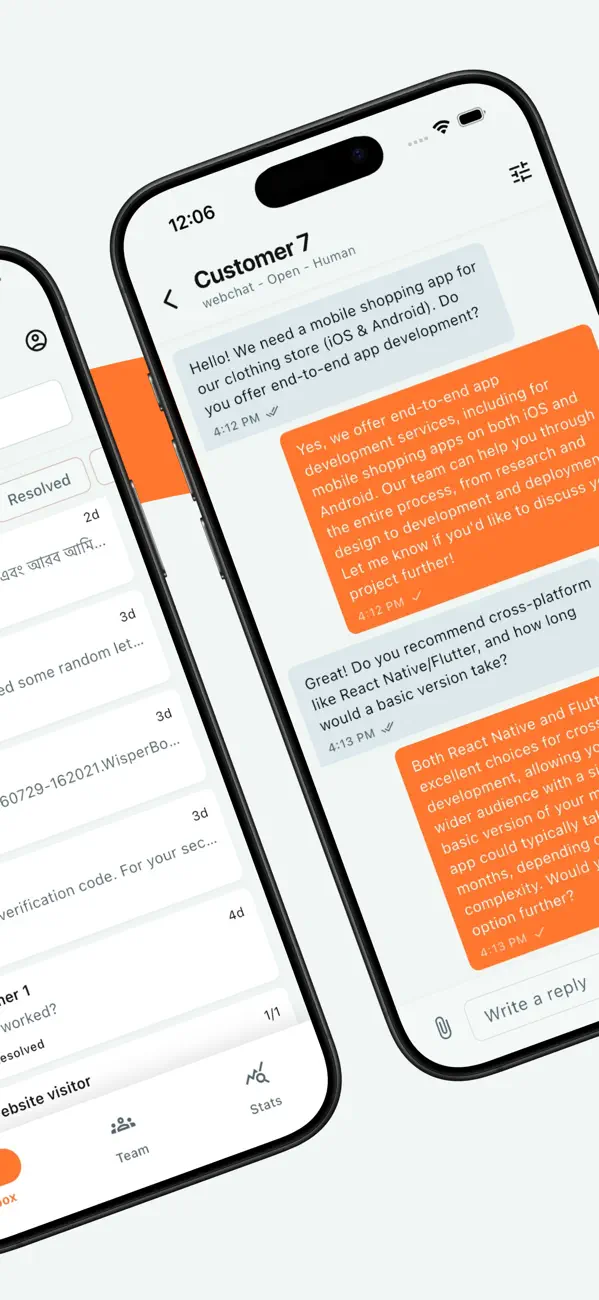
A good pattern is voice first, text second. Send a 30-second voice note explaining the size options, then a one-line text: "So: M fits 36 to 38 chest, L fits 40. Which one?" The text is the record; the voice is the warmth.
How should you set notifications so they don't run your day?
Let the business inbox through and silence most other apps during working hours, then quiet the inbox itself at night if a bot covers those hours. On iPhone, a Focus lets you choose which apps can notify you. On Android, you can set each app's notifications to alerting or silent from Settings.
The aim is fewer, more meaningful buzzes. If your phone alerts you to every message the bot has already answered well, you will either stop trusting the alerts or stop working. Check in at the planned times and rely on the bot in between.
At night, make a real decision: are you going to reply at 1 am or not? If not, set AI answering to Scheduled for the night hours, silence the phone and sleep. The buyer gets an answer to "dam koto?" in seconds either way, and the hard questions wait for your morning sweep.
The end-of-day rule: zero unanswered
Before you put the phone down, every conversation should have had a real reply, from you or the bot, and every promise should have a note. Not every conversation needs to be resolved. It needs to be answered.
There is a practical reason beyond manners. On WhatsApp, once 24 hours pass since the customer's last message, you can only send an approved template, which can carry Meta's fees. On Messenger and Instagram, the standard messaging window is also 24 hours, with narrow exceptions. A message from 9 pm that you leave until 10 pm tomorrow is harder to answer. Waiting doesn't save money either: since 1 October 2026 Meta charges per message for WhatsApp replies inside the window as well, once a number has used its 1,000 free service messages for the month. Our guide to the 24-hour window has the details.
Once a week, look at the bigger picture: how many messages came in, how many waited overnight, your median first reply. The seven numbers to check every Monday take about ten minutes.
Where WisperBot fits
WisperBot, a reply-first inbox for WhatsApp, Instagram, Messenger and website chat, puts every channel in one list, on the web and in the agent app for iOS and Android. The Smart Bot answers routine questions from your own information, scheduled for the hours you can't cover, and you take over any conversation with the AI/Human switch. The Free plan covers one team member, one WhatsApp number plus web chat and 100 AI replies a month, which is enough to test this routine for a week. If your shop already has three people answering messages, you need team rules more than a phone routine.
Frequently asked questions
Can I manage WhatsApp, Instagram and Messenger from one app?
Yes, if you connect them to a shared inbox that has a mobile app. The Meta apps themselves keep each channel separate, so owners juggling all three often miss messages. A shared inbox shows every conversation in one list, with the same labels, notes and reply tools whichever channel the customer used.
How often should a small shop owner check messages?
At planned times rather than constantly: a morning sweep, a few short checks in the day and close attention during your evening peak. If a bot sends first replies in between, buyers still hear back in seconds. Constant checking feels responsive but usually means slower packing, dispatch and everything else.
Is it OK to reply to customers with voice notes?
Yes for explanations and reassurance, especially with buyers who prefer speaking to typing. Follow any voice note that includes a price, total, size or delivery promise with a short text, so both of you have a written record to check later and nobody argues about what was said.
What happens to messages while I'm asleep?
Without a bot, they wait, and some buyers order elsewhere. With AI answering scheduled for night hours, routine questions like price, stock and delivery get an answer in seconds, and anything the bot can't answer from your information waits for your morning sweep with the conversation history intact.
When does a one-owner phone workflow stop working?
When conversations wait because you are busy, not because the questions are hard. Signs: overnight messages still unanswered at noon, notes you forget, complaints about slow replies. That is the point to add a part-time teammate, give each person clear labels and assignment, and keep the bot on first replies.
Sources
- WisperBot on the App Store (checked October 2026)
- WisperBot on Google Play (checked October 2026)
- Apple Support: Allow or silence notifications for a Focus on iPhone
- Android Help: Control notifications on Android
- Meta for Developers: Messenger Platform policy, 24-hour standard messaging window (checked October 2026)
- Meta for Developers: WhatsApp Business Platform pricing and customer service window (checked October 2026)
- Meta for Developers: Non-template (service) message pricing, charged per message from 1 October 2026
Last checked: 8 October 2026.