Telegram for Business: Is It Worth Adding to Your Customer Support?
What a Telegram Business account does, what it costs, how business chatbots work and how Telegram compares with WhatsApp for customer support.
In this article
The third customer this month asks "do you have Telegram?", and you're wondering whether a fourth inbox is worth it. Telegram for business is worth adding when a real share of your customers already use it, because it's cheap to run: Telegram Business gives you opening hours, greeting and away messages, quick replies and a connected chatbot, all included with a Telegram Premium subscription, and Telegram bots can message their users at no cost. It rarely replaces WhatsApp, though. Add it as an extra channel in the same inbox, not as a separate phone on someone's desk.
Key takeaways
- Telegram Business, launched on 31 March 2024, turns a normal Telegram account into a business account with hours, location, greeting and away messages, quick replies, chat links and a connected chatbot.
- Telegram says all Business features are free for Premium subscribers, so budget for Premium on the account you use.
- A chatbot connected to your business account can answer on your behalf, but only in private chats with an incoming message in the last 24 hours.
- Unlike the WhatsApp Business Platform, Telegram doesn't charge per message, and customers can reach you by username without your phone number.
- Add Telegram only where customers ask for it, and run it from the same shared inbox as your other channels.
What is a Telegram Business account?
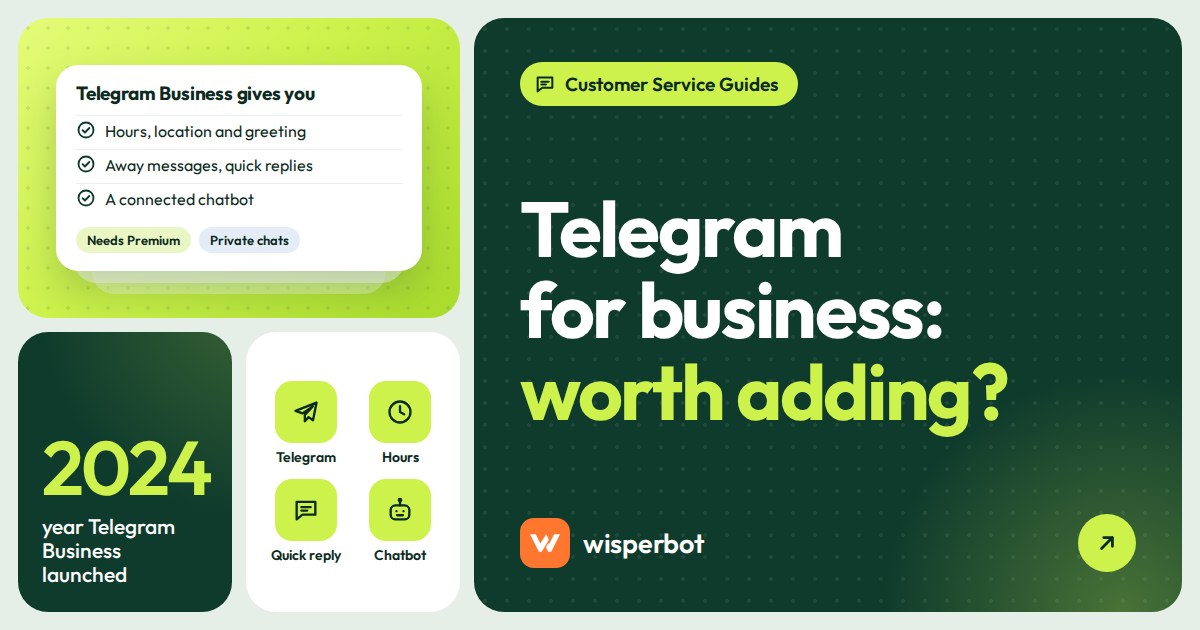
A Telegram Business account is an ordinary Telegram account with business tools switched on. Telegram's announcement of 31 March 2024 says "anyone can turn their Telegram account into a business account", which then shows opening hours and location, sends greeting and away messages, offers quick replies and can connect a chatbot that answers on its behalf.
From Telegram's own description, the features are:
- Business hours and location. Shown on your profile, with your location on a map.
- Greeting messages. Sent to new customers. You choose a period after which a returning customer gets the greeting again.
- Away messages. Sent when you're closed or on holiday. You can exclude specific chats from any automated message.
- Quick replies. Typing "/" in the message bar shows your saved replies. They work in private chats, not groups.
- Start page. The text and sticker people see in an empty chat before they write.
- Chat links. Links that open a chat with you and paste a suggested message, such as "Hi, I'd like the price of the blue kurti". Each link shows how many times it was tapped.
- Chatbots. Connect a Telegram bot to process and answer messages on your behalf, and choose which chats it can access.
- Chat tags. Coloured labels on chats, based on your folders.
Most of that will look familiar if you use the WhatsApp Business app. Two things won't: the chatbot connection, and the fact that nobody charges you per message.
Do you need Telegram Premium for a Telegram business account?
In practice, yes. Telegram's announcement says "all Telegram Business features are available for free to Premium subscribers", so the business tools come with a Premium subscription on the account. Premium prices vary by country and by where you buy it, so check the price in the app before you plan around it. Your customers don't need Premium to message you.
Premium is billed per account, not per message. For a small shop that's a fixed, predictable cost, which is part of Telegram's appeal next to per-message pricing elsewhere.
Telegram vs WhatsApp for business
The two look alike on a phone screen and work very differently underneath. Here's how they compare for a small support team, from each company's own documentation as checked on 12 October 2026.
| What matters | Telegram (Business account and bots) | WhatsApp (Business app and Business Platform) |
|---|---|---|
| Cost per message | Telegram says bots can message their users at no cost | Business app: free to download. Platform: Meta charges for templates and, since 1 October 2026, for service replies beyond 1,000 free per number each month |
| Automation tools | Greeting, away, quick replies; connect a bot to your account or run a separate bot | Business app: greeting, away, quick replies, labels. Platform: bots through a provider |
| How customers find you | Username or t.me link, no phone number needed | Your phone number, a wa.me link or click-to-WhatsApp ads |
| Reply rules for bots | Business-connected bots reply only in private chats with an incoming message in the last 24 hours | Free-form replies inside the 24-hour window; approved templates outside it |
| Broadcasting | Channels with unlimited subscribers; groups up to 200,000 members | Template broadcasts to people who opted in, charged per message |
| Product catalogue | Not listed among Telegram Business features | Catalogue in the Business app |
| Where customers already are | Varies widely by country and community; ask yours | In the markets we work in (South Asia, the Gulf), where most shop chats happen |
Our honest read: for most shops we talk to in Bangladesh, WhatsApp and Facebook carry the orders, and Telegram turns up mostly with course sellers, software and digital-product businesses, and community-led brands. That's our observation, not a survey. Your customers may be different, so count before you decide.
If you're weighing up WhatsApp's own broadcast options against a Telegram channel, our guide to WhatsApp broadcast, groups, communities and channels covers the WhatsApp side.
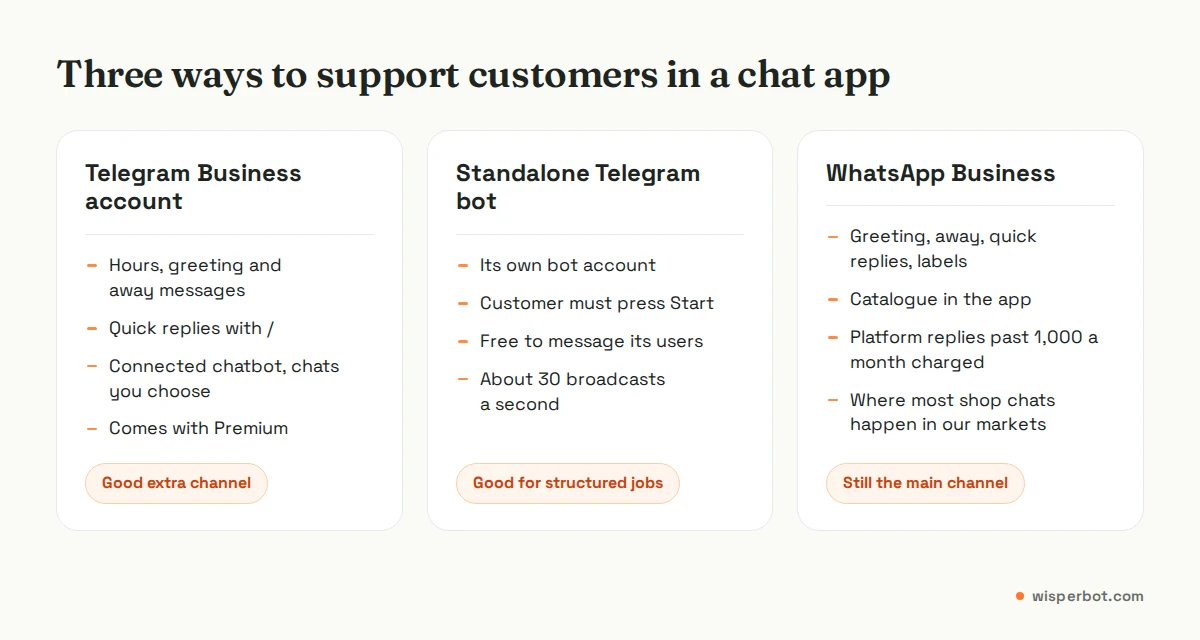
Telegram customer support bot: two ways to automate
People mean two different things by "a Telegram bot", and for support we'd pick the first almost every time.
A business chatbot connected to your account
Telegram calls this connecting a chatbot to your business account. Customers message your account as normal, and the bot reads and answers on your behalf in the chats you allow, for example only new chats, or everyone except your saved contacts. Telegram's bot documentation adds one important limit: a business bot can only reply to private chats with incoming messages in the last 24 hours. So it answers people who've just written to you, not old threads.
This is the right set-up for support, because customers talk to "your shop", not to a separate bot account they have to find. Nobody searches for @yourshop_bot at 11 pm; they open the chat they already have.
A standalone bot
A standalone bot is its own account, built on Telegram's Bot API. Customers open it and see a Start button the first time. It's good for structured jobs such as order lookups, booking or broadcasting updates to people who started the bot. Telegram says bots can broadcast at roughly 30 messages a second before hitting limits, more with paid broadcasts. The catch for support is that customers must find and start the bot, and many will simply message your main account instead.
Is Telegram for business worth adding to your customer support?
Add it if customers ask for it, if your audience skews towards groups where Telegram is common, or if you already run a Telegram channel and its followers message you. Skip it if nobody has asked in three months, or if adding it means another phone someone checks twice a day. An unanswered channel is worse than no channel.
A simple test: put "We're also on Telegram" with a chat link in your order confirmation for a month and count the conversations. Example: a shop sending 600 confirmations a month that gets 4 Telegram chats doesn't need it; one that gets 60 does. Those numbers are illustrative; your threshold depends on how cheaply you can answer them.
How to add Telegram to your customer support
- Use a dedicated account. Not the owner's personal Telegram, however tempting; when that person is home in Sylhet for Eid, so is your support channel. Give it a username customers can type, such as your shop name.
- Turn on Business features. Set business hours, location if you have a shop, a greeting, and an away message that says when a person will reply.
- Write quick replies for price, delivery, payment and returns, the same wording you use on WhatsApp so answers match.
- Connect it to your shared inbox so Telegram chats sit next to WhatsApp, Instagram and Messenger and your team doesn't need another phone.
- Decide what any bot handles. If you connect a Telegram chatbot, give it the same prices and policies you use on your other channels, and keep refunds and complaints with people.
- Share a chat link with a suggested message in your order confirmation and profile, then count the chats for a month.
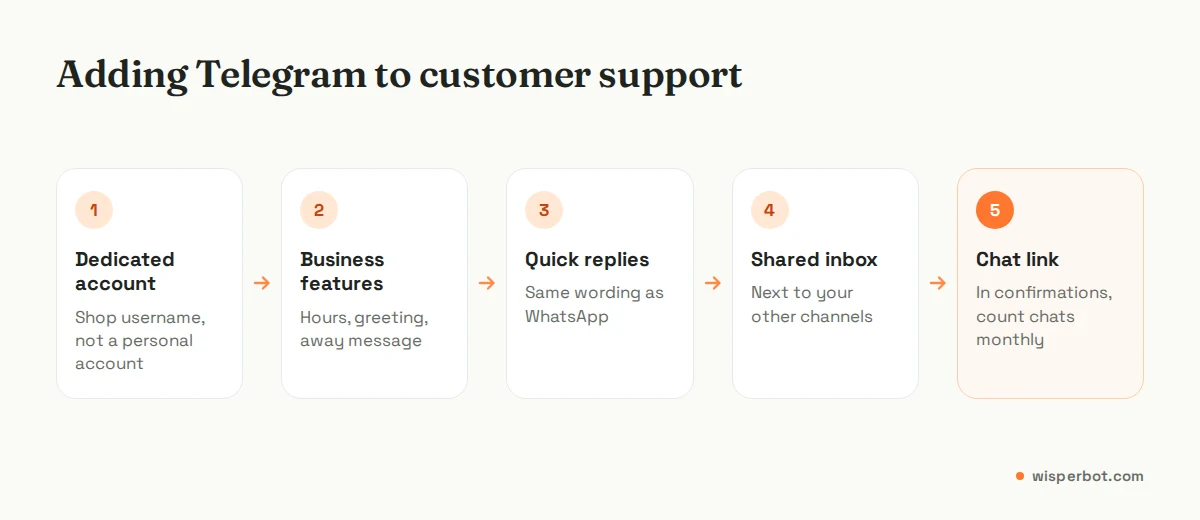
Step four is the one that decides whether this works. Our comparison of helpdesks, shared inboxes and chatbots explains why a shared inbox suits small teams with several chat channels.
Where WisperBot fits
WisperBot, a reply-first inbox for WhatsApp, Instagram, Messenger and website chat, also connects a Telegram Business account, so Telegram chats land in the same shared inbox with assignment, labels, internal notes and Quick Replies (type /shortcut to insert one). Our integrations page notes that a connected Telegram Business account is required, so you'll need the Business features switched on first. Plan on your team answering Telegram chats from the inbox, and ask us before counting on the Smart Bot to answer there. Telegram comes with the Starter plan at $15 a month. If you want the idea behind answering every channel fast, read what a reply-first inbox is, then see pricing.
Frequently asked questions
Is Telegram Business free?
Telegram says all Business features are available for free to Premium subscribers, so in practice you pay for Telegram Premium on the business account and nothing more. There's no per-message charge, and Telegram's bot documentation says bots can message their users at no cost. Customers don't need Premium to message you.
Can a Telegram bot message customers first?
A standalone bot can only message people who have started it. A chatbot connected to your Telegram Business account can only reply in private chats with an incoming message in the last 24 hours. Neither is a way to send cold messages, and Telegram limits bots that send too much, too fast.
Is Telegram better than WhatsApp for business?
It's cheaper to run, with no per-message fees and usernames instead of phone numbers, and its channels and groups are larger. In the markets we work in, South Asia and the Gulf, most shop conversations still happen on WhatsApp. For most shops Telegram is an extra channel, not a replacement.
How do I set up a Telegram customer support bot?
Create a bot with Telegram's BotFather or use a tool that provides one, then connect it to your Telegram Business account and choose which chats it may answer. Give it your prices, delivery rules and returns policy, and make sure a person can take over. Test it from a personal account first.
Can I manage Telegram and WhatsApp in one inbox?
Yes, with a shared inbox that supports both. WisperBot connects Telegram Business alongside WhatsApp, Instagram, Messenger, website chat and email, so one team sees every conversation, assigns it and replies from one place. Check that any tool you choose supports Telegram Business accounts, not only standalone bots.
Sources
- Telegram blog: Telegram Business (31 March 2024), checked 12 October 2026
- Telegram: Bot features (business bots, 24-hour reply limit, Start button), checked 12 October 2026
- Telegram: Bots FAQ (cost, broadcast limits), checked 12 October 2026
- Telegram FAQ (usernames, group and channel sizes), checked 12 October 2026
- WhatsApp Business: Business app features, checked 12 October 2026
- Meta for Developers: WhatsApp pricing (service messages, 1,000 free per number per month), checked 12 October 2026
- WisperBot integrations (Telegram Business), checked 12 October 2026
Last checked: 12 October 2026.