WhatsApp Broadcast vs Group vs Community vs Channel for Business
Broadcast lists keep replies private, groups expose numbers, communities organise groups and channels are one-way. Here is which one a business should use.
In this article
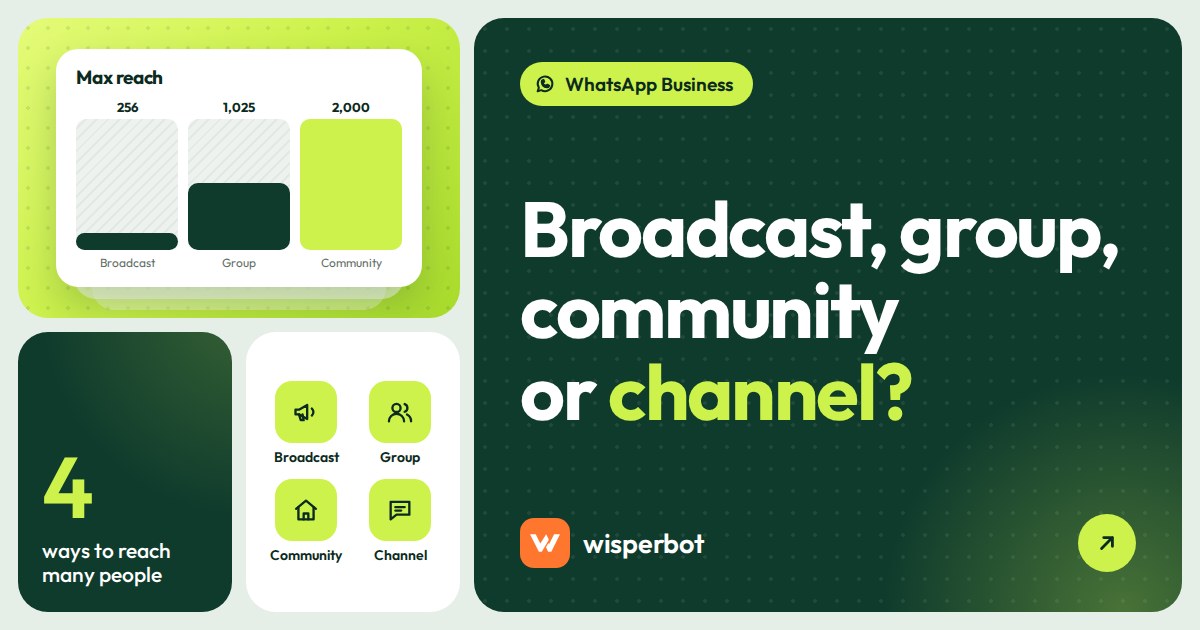
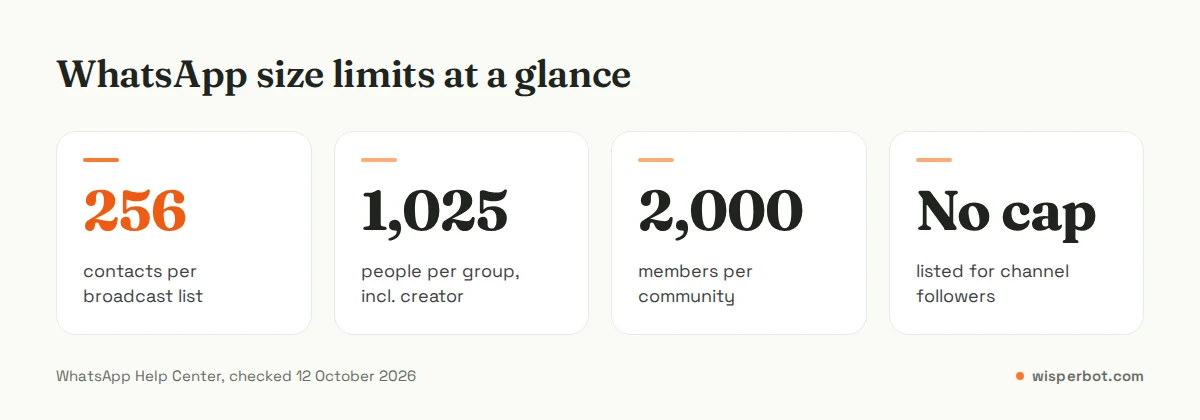
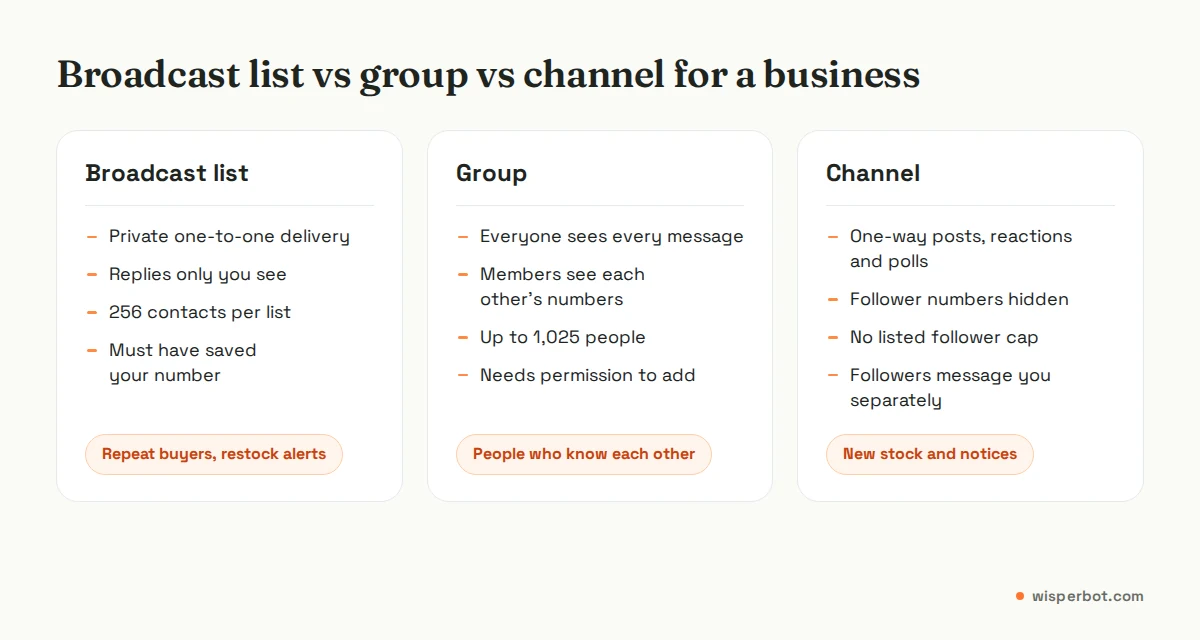
A clothing seller in Mohammadpur adds 300 past buyers to a group called "VIP Customers" on a Tuesday night. By Wednesday lunchtime, 40 have left, one has posted a complaint about a late parcel for the other 259 to read, and two competitors have joined through a forwarded link. WhatsApp broadcast vs group comes down to privacy and who talks, and this is what getting it wrong looks like. A broadcast list sends your message as a private one-to-one chat to up to 256 contacts who have saved your number, and only you see their replies. A group is a shared room of up to 1,025 people where everyone can see each other's numbers and, by default, everyone can post. Communities bundle up to 100 groups and 2,000 members with an admin-only announcement group, and channels are one-way, public feeds where followers can react but can't reply.
Key takeaways
- Broadcast lists: private replies, up to 256 contacts per list, only reach people who saved your number.
- Groups: up to 1,025 participants including the creator, members see each other, best for small circles who know each other.
- Communities: up to 100 groups and 2,000 members, with an announcement group only admins can post in.
- Channels: one-way updates in the Updates tab, follower numbers hidden, no published follower cap, followers can't message you from the channel.
- For most shops, a channel plus one-to-one chats beats a big customer group.
WhatsApp broadcast vs group vs community vs channel at a glance
The four features answer different questions: who can post, who sees replies, and whether customers can see each other's numbers. This table uses the limits WhatsApp's own help centre lists as of 12 October 2026.
| Feature | Broadcast list | Group | Community | Channel |
|---|---|---|---|---|
| Size limit | 256 contacts per list, unlimited lists | 1,025 participants including creator | Up to 100 groups, 2,000 members across all groups | No cap listed in WhatsApp's help pages |
| Who can post | Only you | Everyone, or admins only if you set it | Admins in announcements; group settings decide the rest | Owner and up to 16 extra admins |
| Who sees replies | Only you, as normal one-to-one chats | Everyone in the group | Thread replies to announcements; group chat in sub-groups | Nobody: followers can only react and vote in polls |
| Phone numbers visible to others | No | Yes, members are visible to each other | Only to people in the same sub-group; admins see all members | No; followers can't see who else follows |
| Who receives it | Only contacts who saved your number | Members you added or who joined by link | Members invited by link or directly | Anyone who chooses to follow |
| Cost in the app | Free (some countries cap free broadcast messages monthly) | Free | Free | Free |
| Best business use | Restock alerts to past buyers | Small team, wholesale buyers, a class batch | Coaching centre, school, members' club | New arrivals, offers, notices to a wide audience |
When is a broadcast list the right choice?
Use a broadcast list when the message is personal enough that you want a private reply. Each person gets it as a normal chat from you, answers privately, and never sees who else received it. It suits restock alerts and "your order is ready" notes to people who already know you and have saved your number.
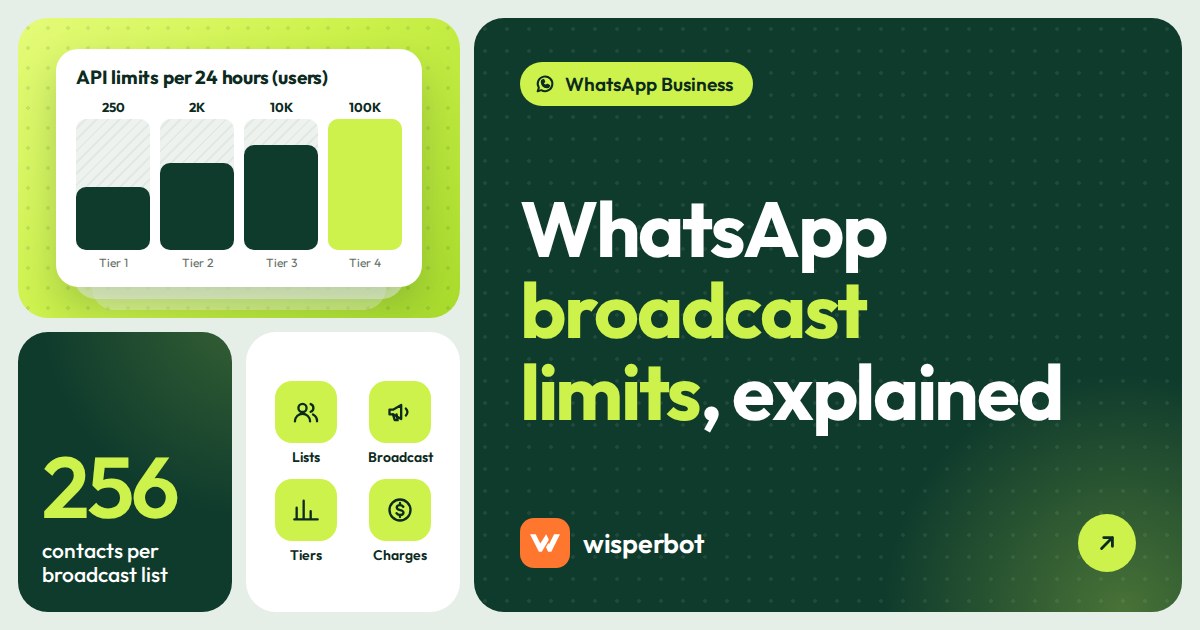
The limits are real, though. A list holds 256 contacts, only people who saved your number receive the message, and WhatsApp's help centre says some countries are getting a monthly cap of 35 free broadcast messages. WhatsApp also warns that over-using broadcast lists leads people to report you. We go through each cap, and the paid business broadcasts feature, in WhatsApp broadcast limits explained.
Why are groups risky for customer marketing?
In a WhatsApp group, members are visible to each other, so every customer's number is exposed to every other customer. One unhappy buyer's complaint is seen by 400 people, and competitors can join through a forwarded invite link. Groups work for people who already know each other, not for strangers who bought from you once.
There is also the consent problem. WhatsApp's guidance on responsible use says you should get permission before adding someone to a group, and respect it if they leave. Adding 300 past buyers to "Rina's Fashion House VIP" without asking is a quick way to collect reports, and WhatsApp bans accounts that are reported many times.
Where groups do earn their place:
- A wholesale group for 25 regular resellers in Narayanganj who all know each other and want to see stock photos at the same time.
- Your own team: packers, riders and the person answering chats.
- A course batch, where students genuinely benefit from each other's questions.
If you do run a customer group, set it so only admins can send messages. WhatsApp offers that setting precisely to cut down unwanted messages. It also stops the 11 pm "bhai eta ache?" that the whole group wakes up to.
WhatsApp community vs group: what's the difference?
A community is a container for related groups. It has one announcement group that every member is added to, where only community admins can post and members can reply in a thread or react. Underneath sit up to 100 groups that members can browse and choose to join.
The privacy model is better than a plain group. WhatsApp says members only see the phone numbers of people in the same sub-group, while community admins can see all members. Communities are invite-only and not searchable, can have up to 20 admins, and hold up to 2,000 members across the announcement group and its groups. Reactions switch off in communities with more than 1,025 members.
For a business, a community fits when your customers form natural sub-groups. A coaching centre in Farmgate is the classic case: one announcement group for holiday notices and fee dates, and separate groups for "HSC 2027 Physics" and "Admission test batch". Our guide for coaching centres and course sellers covers the admission questions that still need one-to-one replies.
For a clothing shop, a community is overkill. You don't need 100 sub-groups. You need a way to tell 2,000 people a new collection has landed, and that's the next section.
Is a WhatsApp channel good for business?
For most sellers, yes. A WhatsApp channel for business is a one-way feed of text, photos, videos, links and polls that appears in the Updates tab, away from personal chats. Followers can react and vote but can't reply or message admins, and nobody can see who else follows, so customer numbers stay private.
Channels are what many people mean when they search for a "WhatsApp broadcast channel": a broadcast to anyone who opts in, with no 256 cap and no need for them to save your number. A few details from WhatsApp's help centre change how you'd run one.
- All channels are public. You can't password-protect one, and you can't remove followers.
- Followers' notifications are muted by default, so a channel post is easier to miss than a chat message.
- The owner can invite up to 16 more admins, and admins can show a separate admin profile instead of their personal number.
- Every channel has a link and QR code you can put on parcels, posters and your Facebook page.
- Admins see follower counts, top regions and views per update.
- WhatsApp shows ads in Status and Channels, separate from personal chats.
The weakness is the one-way design. A follower who loves a new panjabi can't ask "size 42 ache?" inside the channel. He has to leave, open a chat with you, and type it, and some won't bother. So every channel post should end with the next step: "Order or ask on WhatsApp: tap the link in the channel description." Not once in the description. Every post.
Which should a business use?
Most shops should run a channel for announcements and keep selling in one-to-one chats, with a small broadcast list for loyal repeat buyers. Use a community only when customers fall into real sub-groups, like class batches. Keep groups for people who already know each other. None of this needs the paid API.
| Business | Main tool | Add if useful | Avoid |
|---|---|---|---|
| Facebook or Instagram clothing seller | Channel for new arrivals and Eid drops | Broadcast list for 50 to 200 repeat buyers | Big customer groups |
| Restaurant or cloud kitchen | Channel for daily menu and closing times | Broadcast list for office lunch regulars | Groups where complaints go public |
| Coaching centre or school | Community with a group per batch | Channel for public admission news | One giant group for every student |
| Clinic or diagnostic centre | Channel for timings and doctor schedules | One-to-one chats for reports | Groups of any kind, for patient privacy |
| Wholesaler with regular resellers | Admin-only group for stock photos | Broadcast list for price changes | Adding resellers without asking |
Two opinions from talking to sellers. First, the channel only works if you post on a rhythm, say new stock every Thursday at 8 pm, so followers learn when to look. Posting whenever stock arrives trains them to ignore you. Second, whatever you pick, the sale still happens in one-to-one chats. A channel post with 2,000 views on a Thursday night can mean 60 private messages by 9 pm, and that hour is where shops lose orders, not in the channel.
When you need to reach thousands of opted-in customers directly in their chat list, with templates, that is the WhatsApp Business Platform and it costs per message. For a promotion to a big list, compare it with SMS first: WhatsApp broadcast vs SMS runs the numbers, and WhatsApp marketing in Bangladesh covers the rules and costs locally.
Where WisperBot fits
WisperBot, a reply-first inbox for WhatsApp, Instagram, Messenger and website chat, works on the one-to-one side: the private chats your channel posts and broadcasts create. Groups, communities and channels are run from the WhatsApp app itself. When those 60 messages arrive after a Thursday drop, a Smart Bot answers price and size questions in seconds and hands over to a person when needed, all in one shared inbox. WhatsApp campaigns to opted-in customers use approved templates, and Meta's WhatsApp fees, where they apply, are separate from WisperBot plans.
Frequently asked questions
What is the difference between a WhatsApp broadcast and a group?
A broadcast list sends your message privately to each contact, and replies come back only to you. A group is a shared chat where every member sees all messages and each other's numbers. Broadcast lists cap at 256 contacts per list; groups hold up to 1,025 people including the creator.
Can people see each other's numbers in a WhatsApp channel?
No. WhatsApp says people viewing a channel can't see who follows it, and followers' names, numbers and profile photos are hidden from other followers. Channel admins can see a follower's profile name, and sometimes their photo, next to reactions or poll votes.
How many people can join a WhatsApp community?
WhatsApp's help centre says you can add up to 2,000 members to a community and its announcement group, spread across up to 100 groups. Each group inside the community can hold up to 1,024 members plus the creator, and a community can have up to 20 admins.
Can customers reply to a WhatsApp channel?
Not directly. Channel updates are a one-way broadcast: followers can react with emoji and vote in polls but can't reply or send messages to admins. Put your WhatsApp chat link in the channel description and in each post so interested customers can message you privately.
Is it allowed to add customers to a WhatsApp group without asking?
WhatsApp's guidance says to get permission before adding people to a group and to respect it if they leave. Adding customers without consent leads to reports, and WhatsApp says it bans accounts that are reported many times. Ask first, or use a channel people choose to follow.
Sources
- WhatsApp Help Center: How to decide whether to create a WhatsApp group or community
- WhatsApp Help Center: About community announcements
- WhatsApp Help Center: How to join a group in a community
- WhatsApp Help Center: About WhatsApp Channels
- WhatsApp Help Center: How to create a WhatsApp Channel
- WhatsApp Help Center: About channel admin controls
- WhatsApp Help Center: How to use broadcast lists
- WhatsApp Help Center: About broadcast limits
- WhatsApp Help Center: How to use WhatsApp responsibly
- WhatsApp Business: Ads in Status and Channels
Last checked: 12 October 2026.