White Label Chatbot Branding for Agency Clients
Give client chatbots their own company-name tag, including on Free. Define agency deliverables, knowledge ownership, handoff, and the limits of rebranding.
In this article
An agency can spend weeks bringing a client's website into line: the right type, the right photography, the right words. Then the chat window introduces a software supplier the client has never mentioned.
For a client-facing chatbot, the first branding question is straightforward. Whose name should appear in the conversation?
WisperBot lets the footer company name be changed on every tier, including Free. An agency can give a client a widget whose tag reads “Powered by Client Brand” while evaluating the setup. That text control is distinct from buying a reseller platform, a custom domain, or a fully rebranded staff dashboard.
Sell a managed conversation, not just an installation
Installing chat is only the visible beginning of the work. The useful agency service includes preparing knowledge, agreeing answer boundaries, testing questions, and defining who handles the conversations that need a person.
A client may initially ask for “a bot on the site”. Translate that into a concrete job. A retailer might need help explaining shipping policies. A consultancy might need an initial service enquiry handled clearly. Each job calls for different source material and different escalation rules.
The brand tag belongs in that specification. Agree the exact company name before launch. Record whether it should use the client's trading name, a sub-brand, or another approved public identity.
This prevents a common handover problem: the agency has finished the technical work, but nobody has decided which name customers should see.
Define the white-label scope in the proposal
An agency proposal should describe the surfaces it will change. “White label included” is too open to interpretation when the client expects a branded login and the agency means the chatbot footer.
For WisperBot's free brand-tag control, the deliverable is specific: an editable company name within the website widget's “Powered by” line. The prefix remains. Custom launcher images have a separate paid entitlement.
You can still offer a broader service. Just price and describe the extra work separately rather than implying that the footer field grants every form of rebranding.
| Proposal item | Decision to document | Acceptance check |
|---|---|---|
| Footer company name | Client-approved public name | Correct name appears in the widget |
| Welcome and header | Purpose and tone of the introduction | Client approves the opening screen |
| Knowledge ownership | Who maintains each source | Named owner and review process |
| Human handoff | Who replies and when | Test enquiry reaches the right team |
| Extra branding | Launcher, domain, or admin requirements | Separate availability confirmed |
Keep each client's information separate
Brand presentation and account separation solve different problems. A widget with the right logo or name can still be misconfigured if it uses another client's knowledge or sends an enquiry to the wrong team.
WisperBot uses workspaces to separate business data. Plan the workspace and access arrangement deliberately. Do not assume a free account includes all the workspaces, team seats, or operational controls needed for a multi-client service.
Prepare a launch sheet for each client. Include the website, widget, knowledge sources, footer name, and responsible contact. Use test content when checking the installation. Avoid copying real customer conversations into an agency demonstration.
Before handing the site over, ask a question whose answer is unique to that client. This is a simple way to detect the wrong knowledge source or widget before a customer does.
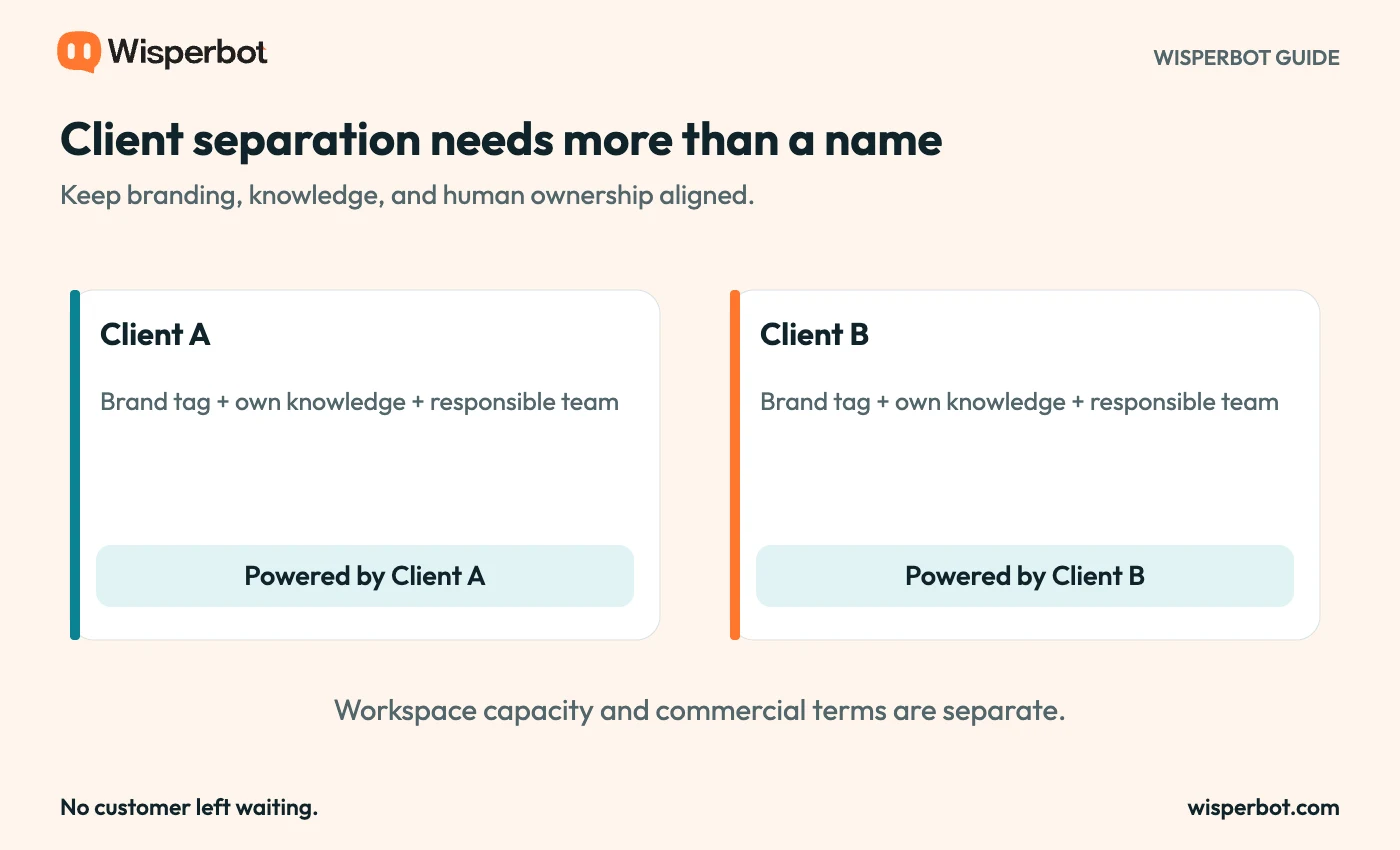
Client separation is an operational requirement. This diagram does not imply unlimited free workspaces or an all-client overview.
Make approval concrete
Clients can approve a screenshot without understanding how the chatbot behaves. Give them a small acceptance test instead.
Ask them to review a routine question, an ambiguous question, an unsupported request, and a request for a person. Include at least one answer that should quote a policy precisely.
Record the expected result beside each question. The client does not need to specify every sentence, but they should recognise what counts as an accurate answer and what requires escalation.
Treat branding as one part of acceptance. Check the tag on the actual website, on mobile, and after a conversation begins. Mark the demonstration as an example if you use it in a case study or sales presentation.
Price the work you continue to own
A free software tier does not make ongoing agency work free. Content maintenance, testing, reporting, and staff training are services with a real cost.
Be clear about the split between subscription charges and your fee. If external messaging providers or other services may charge separately, make that visible in the proposal. A client should understand what they are paying the agency to manage.
Define how policy changes reach you. A client who changes a refund rule on a phone call but never updates the agreed source creates an avoidable risk. The maintenance agreement should name the source and the person responsible for approving changes.
Also decide what happens at the end of the relationship. Clarify account ownership, access removal, source handover, and the route for unresolved customer conversations. An attractive widget is easier to sell when the operating arrangement is equally clear.
Use the free tier to validate a small delivery
A limited pilot can answer the questions that matter before either party commits to a larger rollout. Can the source material support useful answers? Does the client understand the human handoff? Does the branded tag appear correctly?
Keep the pilot narrow enough to review. One client, one website, and a defined question set is easier to learn from than a broad promise across several businesses.
When demand grows, evaluate the required plan against actual needs. More client operations may require additional capacity or commercial features. The editable footer remains the same basic benefit: the customer-facing tag can carry the client's name from the first test.
Use the setup walkthrough as a delivery checklist and the chatbot evaluation scorecard for acceptance. Review WisperBot's current plans before quoting a multi-client service.
Questions agencies should settle early
Can we put our client's name in the chatbot on Free?
Yes. The footer company-name field is editable on every tier. Enter the client's approved name so the tag reads “Powered by” followed by that name.
Does that give us a free reseller platform?
No. It is a customer-facing text-branding control. Reseller arrangements, custom domains, team access, and other commercial requirements must be assessed separately.
Should the tag use the agency name or the client name?
Agree that with the client. For a chatbot serving the client's customers, the client's recognised public identity is often the clearest choice. The service contract should remove any uncertainty.